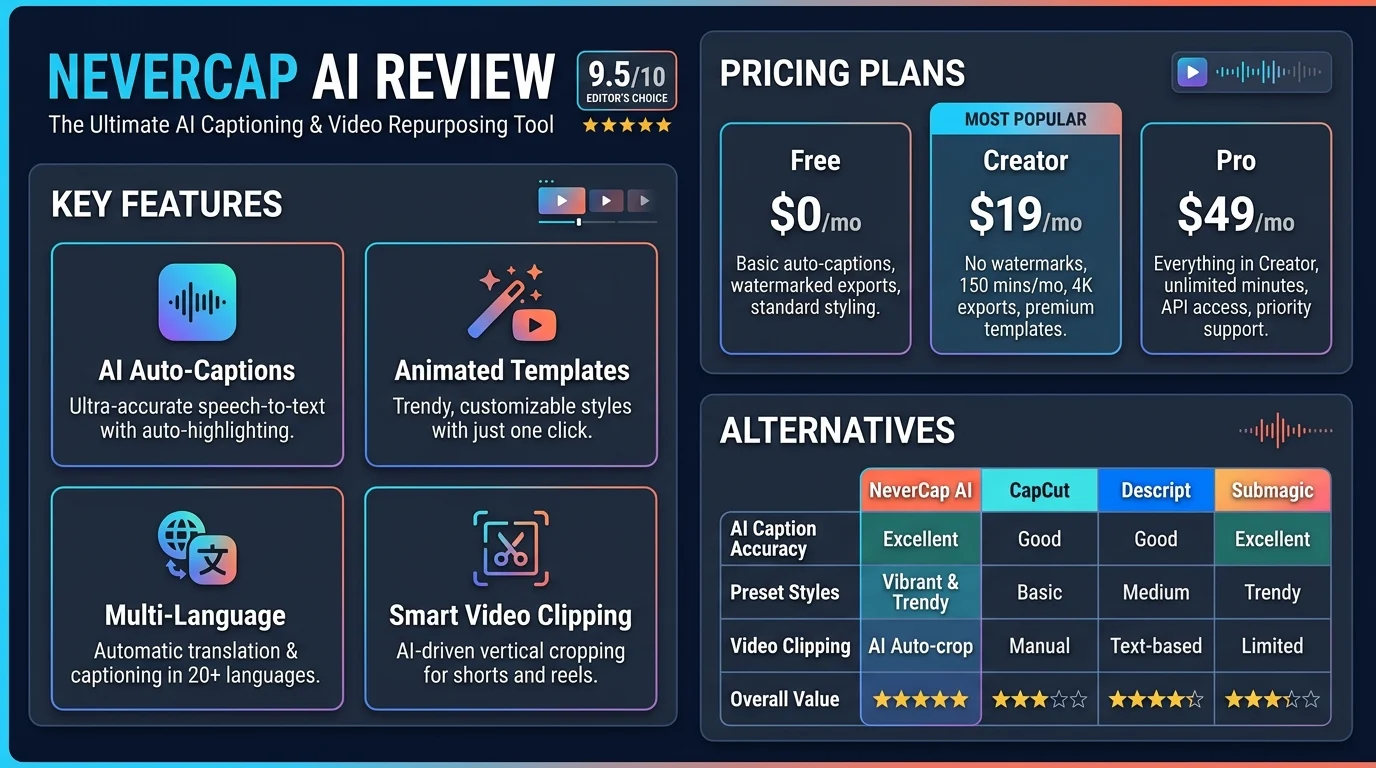
NeverCap AI is an AI-powered transcription platform that converts audio and video files into text, with features for batch processing, speaker identification, and multilingual transcription. Its main selling point is high-volume transcription without a monthly minute cap on its paid Pro plans, although users should verify file limits, accuracy, privacy terms, and current pricing before subscribing.
At a Glance: NeverCap AI
- Primary purpose: Convert recorded audio and video into searchable text.
- Best-fit audience: Podcasters, video creators, journalists, researchers, educators, and professionals handling large recording libraries.
- Key features: Batch uploads, speaker labels, timestamps on paid plans, transcript exports, and language support.
- Free plan: Advertised at $0, with three files per day and one file per upload.
- Paid pricing: The published website lists Pro Monthly at $17.99 and Pro Annual at $107.88, billed annually.
- Main consideration: Unlimited monthly transcription does not mean unlimited file size, instantaneous processing, or error-free transcripts.
What Is NeverCap AI?
NeverCap AI is a cloud-based transcription service designed to turn recorded speech into written text. Instead of manually typing interviews, lectures, podcasts, or video dialogue, users upload recordings and let the platform generate transcripts.
The service focuses on people who process substantial amounts of recorded content. Its advertised features include bulk uploads, automatic speaker identification, multilingual transcription, translation, and downloadable transcript formats.
Unlike general-purpose AI chatbots, NeverCap’s central purpose is speech-to-text conversion. It is not primarily a writing assistant, autonomous AI agent, or general-purpose large language model interface.
For creators and research teams, the distinction matters. A transcription tool helps convert source material into text, but human review may still be necessary before publishing, quoting, or using the transcript for important decisions.
How Does NeverCap AI Work?
NeverCap follows a relatively straightforward workflow that does not require users to build an AI pipeline or configure machine-learning models.
1. Upload an audio or video file
Start by selecting a supported recording. The platform advertises support for formats including MP3, WAV, MP4, MOV, M4A, AAC, FLAC, and other common media types.
The published website lists a maximum file size of 5 GB and a maximum duration of 10 hours per file. Check the live interface for the latest restrictions before uploading large recordings.
2. Select transcription settings
Depending on the available options, users can select the language and enable speaker identification. Language selection is particularly important when recordings contain multiple languages, uncommon accents, or specialized vocabulary.
3. Generate the transcript
The service processes the recording using its transcription system. Speech recognition models convert spoken language into text, while additional processing may organize punctuation, paragraphs, timestamps, and speaker labels.
NeverCap does not publicly establish every technical detail of its underlying model architecture on the pages reviewed for this article. Therefore, it would be premature to attribute its results to a particular model provider or claim that it uses a specific open-source model.
4. Review and export the result
After processing, review the transcript for names, numbers, technical terms, and sections affected by background noise. Export options advertised by NeverCap include TXT, DOCX, PDF, CSV, SRT, and VTT.
This final review is essential when the transcript will become a published article, a legal record, a research dataset, or accessibility captions.
Key NeverCap AI Features
Unlimited transcription on paid plans
NeverCap promotes unlimited total transcription minutes on its Pro plans. This pricing model may appeal to users who regularly process long recordings or maintain extensive archives.
The distinction is between a monthly usage allowance and technical limits. The website still lists a maximum of 10 hours and 5 GB per file, while the Free plan has separate daily upload restrictions.
Before purchasing, confirm that the current terms define usage limits clearly enough for your workload.
Batch processing for multiple recordings
The platform advertises uploads of up to 50 files at once on Pro plans. This is useful when processing podcast backlogs, interview collections, recorded classes, or batches of video content.
Batch uploads reduce repetitive file handling. However, uploading 50 recordings simultaneously does not guarantee that every file will finish at the same time.
Automatic speaker identification
Speaker identification, also called speaker diarization, attempts to determine when different people are speaking and assign their speech to separate labels.
This feature can make interviews, panel discussions, and focus groups easier to read. NeverCap advertises identification for recordings with multiple speakers, but its stated capability should not be interpreted as a guarantee of correct identification in every conversation.
Overlapping voices, similar vocal characteristics, interruptions, and poor recording quality can cause errors.
Multilingual transcription and translation
NeverCap advertises transcription in more than 100 languages and translation into up to 249 languages. These figures describe the company’s published capabilities, not an independently verified accuracy ranking across every language.
Users working with Urdu, Hindi, Arabic, or multilingual recordings should test representative samples before committing to a paid plan. Regional accents, code-switching, and mixed-language sentences can affect recognition quality.
Translation also introduces a separate source of potential errors. A correctly transcribed sentence may still produce an inaccurate translation if context, idioms, or specialist terminology are misunderstood.
Timestamps and export formats
Word-level timestamps can help users locate specific phrases within recordings. This is particularly useful for video editing, subtitle synchronization, and reviewing interview excerpts.
The Pro plan advertises word-level timestamps and more advanced speaker identification. Available exports include formats used for documents, spreadsheets, plain-text workflows, and subtitles.
Check the exported files before relying on them in editing software. Different tools may interpret timestamps, encoding, or subtitle formatting differently.
NeverCap AI Pricing: Free vs. Pro
NeverCap’s official pricing page lists the following plans. These are published prices, not a guarantee that a promotion or the same price will remain available when you subscribe.
| Feature | Free | Pro Monthly | Pro Annual |
|---|---|---|---|
| Advertised price | $0 | $17.99/month | $107.88/year |
| Monthly transcription cap | Free-plan restrictions apply | No monthly minute cap advertised | No monthly minute cap advertised |
| Files per upload | 1 | Up to 50 | Up to 50 |
| Daily file limit | 3 files | No monthly minute cap advertised | No monthly minute cap advertised |
| Maximum file size | 5 GB | 5 GB | 5 GB |
| Maximum file duration | 10 hours | 10 hours | 10 hours |
| Word-level timestamps | Not listed as a Free feature | Included | Included |
| Priority processing | Standard queue | Priority queue | Priority queue |
Source: NeverCap’s published pricing page. Verify the live plan comparison before purchasing.
Which plan makes sense?
Choose Free if you want to test the transcription quality, supported languages, export formats, and general workflow. Its three-file daily allowance may be enough for occasional use.
Consider Pro Monthly if you have a short-term project, such as transcribing a podcast season or a research interview backlog. The published page also advertises a $9.99 first month promotion, which should be checked at checkout.
Consider Pro Annual if you expect consistent usage throughout the year. At the listed annual price, the effective cost is $8.99 per month, but the full $107.88 is billed annually.
For a fair comparison, calculate the cost per recorded hour using your actual workload. Also consider the value of speaker labels, timestamps, processing queues, and time spent correcting errors.
Is NeverCap AI Accurate?
NeverCap advertises transcription accuracy of up to 96%. That is a company-reported figure, not an independently established result for every language, recording environment, or speaker.
The phrase “up to 96%” should not be treated as a universal guarantee. Real-world performance depends on audio quality, microphone placement, accents, speaking speed, overlapping dialogue, and specialized vocabulary.
How to evaluate transcription quality
Test the platform using recordings similar to your intended work:
- Choose a clean recording with clear speech.
- Include a realistic sample containing background noise or multiple speakers.
- Compare the transcript against a manually checked reference.
- Check names, numbers, punctuation, speaker changes, and technical terms.
- Measure the time required to correct the output.
A common evaluation metric is word error rate (WER). It measures substitutions, deletions, and insertions relative to a reference transcript. Lower WER generally indicates better word-level recognition, although it does not fully capture readability or meaning.
For example, an error in a speaker’s name might be minor in casual notes but significant in a published interview. Similarly, an incorrectly transcribed number can change the meaning of a financial or scientific statement.
Never publish a transcript as fully verified simply because the interface labels it complete.
Best Use Cases for NeverCap AI
Podcasters and video creators
Creators can convert recordings into draft show notes, searchable archives, captions, and material for repurposing. Batch uploads may be particularly useful when working through an older content library.
A transcript can also help identify potential quotations and topics for future videos. However, creators should review quotations against the original recording before publication.
Journalists and interviewers
Transcription can reduce the time spent manually typing interviews. Speaker labels and timestamps can make it easier to locate statements during editing.
Journalists should verify quotations, spellings, dates, and sensitive claims directly against the audio. Automated transcripts should support reporting, not replace source verification.
Researchers and students
Researchers can use transcripts to organize interviews, lectures, and focus-group recordings. Searchable text also makes it easier to locate recurring themes.
Academic research requires additional care. Researchers should check institutional ethics requirements, participant consent, data-retention rules, and the handling of personally identifiable information before uploading recordings.
Educators and training teams
Recorded lessons can be converted into text for study notes, searchable learning resources, and caption workflows. Multilingual translation may also help teams prepare material for different audiences.
Automated captions still need accessibility checks. Punctuation, speaker attribution, terminology, and synchronization can all affect whether learners receive the intended information.
Business teams
Teams may find bulk transcription useful for recorded interviews, training sessions, or customer conversations. Nevertheless, organizations that need live meeting transcription, calendar integrations, centralized administration, or formal audit controls should verify these capabilities before choosing NeverCap.
NeverCap AI Limitations and Important Considerations
It is designed around recorded media
NeverCap’s main workflow centers on uploaded recordings and supported video links. It should not automatically be treated as a replacement for a live meeting assistant.
If you need an AI tool to join meetings, generate real-time notes, or integrate directly with your team’s calendar, compare those requirements separately.
Unlimited usage has a practical boundary
The advertised Pro plans remove the monthly minute cap, but individual files remain subject to published technical limits. The Free plan also restricts daily uploads.
Other practical constraints include upload bandwidth, processing time, queue priority, and the effort required to review transcripts. These factors may affect productivity even when the service does not charge by the minute.
Automated transcripts require review
AI can misinterpret names, accents, jargon, and overlapping speech. Translation may introduce additional errors.
For professional work, build a human review step into the workflow. For sensitive or legally consequential material, consider whether human transcription or specialized review is appropriate.
The underlying model is not fully transparent
The public information reviewed for this article does not establish the precise transcription model, its version, or independently reproducible benchmark results.
This does not prove that the tool performs poorly. It means buyers should evaluate it through representative testing instead of assuming a specific level of technical sophistication.
NeverCap AI Privacy and Security
Privacy deserves careful consideration because transcription involves uploading recordings that may contain personal, confidential, or commercially sensitive information.
NeverCap’s published website states that it uses encryption, does not use customer content to train its models, and automatically deletes files after 30 days. It also advertises SOC 2 compliance and GDPR and CCPA compliance. These are company statements that users should verify against the current privacy policy and relevant documentation.
In particular, SOC 2 is an assurance framework, not a synonym for Zero Data Retention (ZDR). A SOC 2 report does not, by itself, establish that a provider retains no customer data.
Before uploading confidential material, investigate:
- Data retention: How long are original recordings, transcripts, backups, and logs retained?
- Model training: Does the current policy prohibit using your content for training, including through third-party providers?
- Third-party processing: Which subprocessors may access or process uploaded files?
- Deletion: Does deleting a file remove associated transcripts and backups, and on what schedule?
- Access controls: What authentication, permissions, and administrative controls are available?
- Compliance evidence: Can the provider supply current reports or documentation relevant to your organization?
Do not upload medical, legal, financial, or confidential business recordings until the relevant contractual and privacy requirements have been reviewed.
NeverCap AI vs. Other Transcription Tools
The right alternative depends on whether you prioritize high-volume file transcription, live meetings, editing capabilities, or collaboration.
| Platform | Best-fit user | Main strength | Pricing transparency | Main trade-off |
|---|---|---|---|---|
| NeverCap AI | Heavy users of recorded audio and video | Advertised unlimited monthly transcription on Pro | Public plans and prices | Model transparency and independent accuracy evidence need evaluation |
| Otter.ai | Meeting-focused professionals | Live meeting transcription and AI meeting notes | Public plan comparison | Free and lower-tier plans have import or usage restrictions |
| Notta | Individuals and teams needing transcription and translation | Meeting workflows, transcription, and collaboration | Public plan comparison | Plan-specific recording and monthly usage limits |
| Descript | Video and podcast creators | Text-based audio and video editing | Public plan comparison | Transcription hours vary by subscription |
These tools are not interchangeable in every situation. Their published prices and limits can change, so compare the current plans directly.
NeverCap AI vs. Otter.ai
Otter.ai focuses heavily on meetings, live transcription, and AI-generated meeting notes. Its published plans include restrictions on audio and video file imports at lower tiers.
NeverCap’s main differentiator is its advertised high-volume file transcription model. Users who mostly process existing recordings may value that approach, while teams that need meeting capture and searchable meeting notes should examine Otter’s workflow.
Official reference:
NeverCap AI vs. Notta
Notta combines recorded-file transcription with meeting features, speaker identification, and translation. Its public pricing page lists 120 monthly transcription minutes on Free and 1,800 minutes on Pro, with different limits and features on other plans.
NeverCap may be worth evaluating for larger file-transcription workloads. Notta may fit better when real-time meeting workflows and team collaboration are more important.
Official reference:
NeverCap AI vs. Descript
Descript combines transcription with text-based audio and video editing. Its published pricing includes transcription-hour allowances that vary by plan.
This makes the comparison less about transcription alone. A creator who wants to edit a video by editing its transcript may prefer an integrated editor, while someone who mainly needs to convert a large archive into text may prioritize batch processing and usage limits.
Official reference:
How to Get Better Results from NeverCap AI
Even a capable transcription platform benefits from a good source recording and a consistent review process.
- Use clear audio: Reduce background noise and avoid placing microphones too far from speakers.
- Choose the correct language: Check settings when speakers switch languages during a conversation.
- Use speaker identification carefully: Verify labels in panel discussions and overlapping conversations.
- Review technical vocabulary: Correct specialist terminology, product names, acronyms, and personal names.
- Check timestamps: Confirm that exported timestamps match the media before using them for subtitles.
- Keep original recordings: Preserve source files until transcripts and captions have been checked.
- Test exports: Open sample SRT, VTT, DOCX, or CSV files in the software you plan to use.
For recurring work, create a small evaluation set of representative recordings. Compare correction time and error patterns whenever you evaluate a new transcription service.
This approach provides more useful evidence than relying exclusively on marketing claims or isolated demonstrations.
Who Should Use NeverCap AI?
NeverCap is worth evaluating if you regularly transcribe recorded audio or video and want to avoid a monthly minute allowance. Its advertised batch-upload capability may also suit people working through substantial backlogs.
It may be less suitable if your main requirement is live meeting assistance, advanced video editing, or a fully documented enterprise data-processing arrangement.
The most important decision factors are not simply the number of languages advertised or the size of a claimed accuracy percentage. They are the quality of your actual transcripts, the limits that affect your workflow, the total subscription cost, and the provider’s handling of your data.
FAQs
Is NeverCap AI free to use?
Yes. NeverCap advertises a free plan at $0 with three files per day, one file per upload, and a 30-minute preview for transcripts. Check the official pricing page for current conditions.
How much does NeverCap AI cost?
The published pricing page lists Pro Monthly at $17.99 per month and Pro Annual at $107.88 billed annually. Promotional offers and prices may change, so confirm the amount at checkout.
Is NeverCap AI accurate?
NeverCap advertises accuracy of up to 96%, but this is a company-reported figure rather than a universal guarantee. Results depend on audio quality, accents, overlapping speech, language, and technical vocabulary.
Does NeverCap AI support multiple languages?
Yes. The platform advertises transcription in more than 100 languages and translation into up to 249 languages. Users should test their specific language combinations before relying on the results.
Is NeverCap AI safe for confidential recordings?
NeverCap publishes privacy and security claims, but users should review the current privacy policy, retention terms, third-party processing arrangements, and applicable compliance documentation before uploading confidential recordings.
Conclusion
NeverCap AI is a transcription platform built around recorded audio, video, and high-volume processing. Its advertised unlimited monthly transcription on paid plans, batch uploads, and multilingual capabilities make it worth testing for creators, researchers, journalists, and other heavy users.
However, unlimited minutes do not guarantee perfect accuracy, immediate processing, or unlimited individual file sizes. The most reliable way to assess the service is to test representative recordings, calculate the cost against your expected workload, and review its data-handling terms before committing to a subscription.