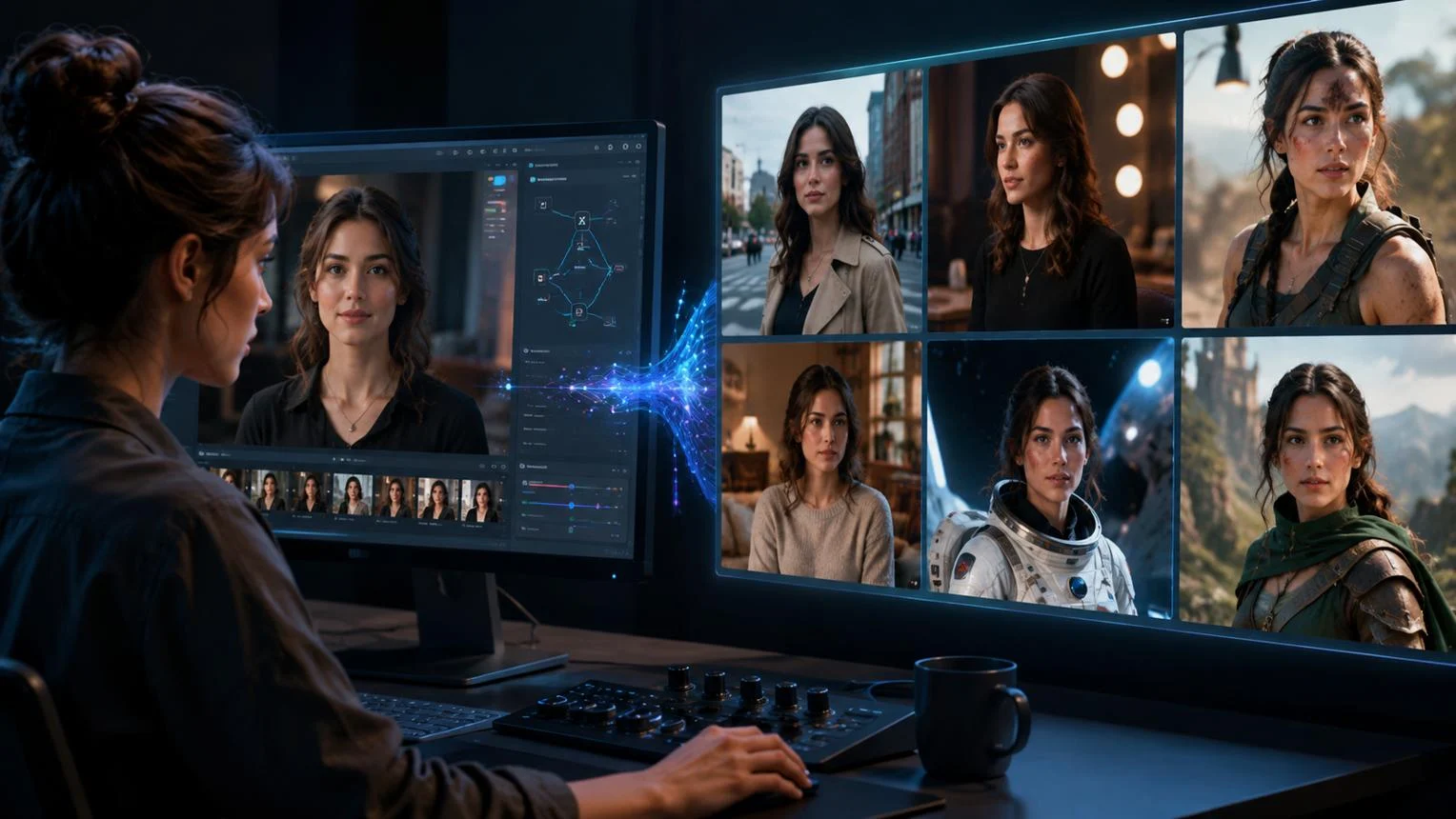
Artflow AI is an AI-powered visual storytelling platform that creates personalized images and videos using customizable AI characters called Actors. It combines AI image generation, character consistency, video creation, and image editing in a browser-based creative workspace.
Artflow AI at a Glance
- Primary purpose: Create personalized AI images, characters, and short videos.
- Key technology: AI-generated visuals and personalized AI Actor models.
- Main capability: Generate images and videos featuring a consistent character.
- Video generation: Supports text-driven and image-driven video workflows.
- Editing tools: Includes background removal, image expansion, upscaling, and inpainting.
- Best suited for: Social media creators, visual storytellers, marketers, and independent creators.
What Is Artflow AI?
Understanding the platform and its purpose
Artflow AI is a creative AI platform focused on personalized visual storytelling. Instead of generating unrelated characters for every image, it lets users train a reusable digital identity.
Its central feature is called Actor Builder. Users upload photographs to create an AI Actor that can appear in different scenes, outfits, activities, and visual styles.
For example, a content creator can train an Actor using personal photographs. They can then generate images of that character traveling, working, presenting products, or appearing in fictional environments.
Artflow has developed beyond its original portrait-generation concept. Its current workspace combines image generation, character creation, video generation, and editing capabilities.
The company describes its product as a visual storytelling platform. Its website states that it introduced its text-to-portrait service in 2021. app.artflow.ai
How Does Artflow AI Work?
Artflow AI combines uploaded reference material, personalized character modeling, text prompts, and generative media tools.
The process generally involves four stages.
1. Create an AI Actor
Users upload photographs to train a personalized Actor.
Artflow recommends uploading approximately 10–20 clear photographs. The official FAQ describes avoiding sunglasses, hats, and group photographs during this process.
The system uses facial information from uploaded images to create a personalized model. This helps maintain the character’s appearance across different generations.
2. Generate Images With Text Prompts
Once the Actor is ready, users can describe the scene they want.
For example:
- A professional portrait in a modern office.
- A travel photograph overlooking a mountain landscape.
- A cinematic photograph in a futuristic city.
- A lifestyle image in a luxury apartment.
The AI interprets the prompt and generates an image featuring the trained identity.
3. Turn AI Actors Into Videos
Artflow also supports AI video generation.
Its Allium Video model, introduced in July 2026, allows users to mention trained Actors directly in video prompts. Users do not need to provide a starting image for this particular workflow.
The system also supports reference images for guiding wardrobe, framing, and environments. It supports clips between five and 15 seconds, with two Actors appearing in one shot.
The platform lists these Allium generation costs:
| Video quality | Credit consumption |
|---|---|
| SD (480p) | 10 credits per second |
| HD (720p) | 25 credits per second |
These figures apply to Allium Video, not necessarily every video-generation workflow. app.artflow.ai
4. Edit and Improve Generated Images
Artflow includes additional image-editing tools.
Depending on the available plan and workflow, users can access:
- Background removal: Separate the subject from its background.
- Image upscaling: Increase image resolution.
- Image expansion: Extend the canvas beyond its original boundaries.
- Inpainting: Modify selected image regions.
- Instruction-based editing: Change clothing, backgrounds, lighting, and other visual elements through text instructions.
These features make the platform more useful than a basic text-to-image generator.
Key Features of Artflow AI
Artflow’s strongest differentiator is combining personalized characters with visual production tools.
Personalized AI Actors
The Actor Builder is central to the platform.
Rather than generating a new face for every prompt, users can reuse a trained identity. This is particularly useful for creators who need a recognizable character across multiple posts or videos.
AI Image Generation
Users can create images from written descriptions and personalized Actors.
Potential applications include:
- Social media portraits.
- Professional headshots.
- Marketing visuals.
- Character illustrations.
- Lifestyle photography concepts.
- Digital storytelling.
AI Video Generation
Artflow supports workflows for transforming visual concepts into short videos.
Its Allium model adds direct Actor prompting, letting creators describe a scene without first generating a starting animation frame.
This is useful for character entrances, camera reveals, and scenes involving interactions between two trained identities.
Multiple Character Support
Artflow supports multiple Actors in its visual storytelling workflows.
The July 2026 Allium release specifically documents support for two Actors in one video prompt. This enables creators to produce short scenes involving two recurring characters.
Image Editing and Enhancement
The platform includes tools for improving existing generations.
These tools can help creators refine compositions without rebuilding every image from the beginning.
Templates and Creative Resources
Artflow provides prompt templates and tutorials covering professional headshots, personalized images, video generation, Actor training, and image editing.
These resources can help beginners understand the platform’s workflow before investing in a subscription.
Practical Use Cases of Artflow AI
Artflow AI is most relevant when a project requires recognizable characters or repeatable visual identities.
Social Media Content Creation
Creators can produce consistent visual content without organizing repeated photoshoots.
For example, a creator can generate different lifestyle scenes featuring the same AI Actor for Instagram, Facebook, and other social platforms.
Personal Branding
Professionals can create visual assets for personal websites, presentations, and professional profiles.
However, generated portraits should not be presented as authentic photographs when they are synthetic.
Marketing and Advertising
Marketing teams can explore different campaign concepts using recurring AI characters.
They can test visual styles, promotional settings, and creative directions before arranging traditional production.
Commercial usage must follow the permissions attached to the selected Artflow subscription.
Short-Form Video Production
Artflow’s video generation capabilities can help creators develop short visual stories.
Examples include:
- Character introductions.
- Fictional lifestyle scenes.
- Short promotional videos.
- Narrative social media clips.
- Two-character interactions.
The 15-second Allium limit makes it more appropriate for short sequences than long-form video production.
Digital Storytelling
Writers and independent creators can use consistent AI characters to illustrate fictional scenes.
They can develop recurring characters, visual storyboards, and short cinematic sequences without creating every visual asset manually.
Artflow AI Pricing: Plans and Costs
Artflow AI uses a subscription and credit-based pricing structure. The amount of content users can generate depends on their plan and the credit cost of individual operations.
The following figures are displayed on its official pricing page, checked for this article in November 2026.
| Plan | Monthly billing | Annual equivalent per month | Monthly credits |
|---|---|---|---|
| Basic | $7.50 | $6.25 | 150 |
| Creator | $15 | $12.50 | 500 |
| Pro | $35 | $29.17 | 1,500 |
| Ultra | $99 | $82.50 | 5,000 |
Annual equivalents are based on annual payments of $75, $150, $350, and $990, respectively. Prices are in US dollars.
What Does Each Plan Include?
Basic: Includes premium templates, video model access, and images without watermarks.
Creator: Adds background removal, upscaling, and bulk downloads.
Pro: Includes the Creator features, unlimited Spark generation, and a discount on additional credits.
Ultra: Offers a larger monthly credit allocation, unlimited Spark generation, and a higher discount on additional credits.
The displayed pricing also lists different rates for purchasing additional Actors, depending on the subscription.
Is Artflow AI Free?
Artflow advertises free account access and trial features. Its website also promotes trying the platform without a credit card.
However, free access should not be confused with unlimited generation. Paid plans provide defined monthly credit allocations, while individual generation operations consume credits.
Users should check the current free-tier allowance and available features before planning a production workflow.
Important Pricing Considerations
The subscription price does not tell the whole story.
Consider these details before upgrading:
- Credit consumption: Video generation can consume credits quickly, particularly at higher resolutions.
- Actor training: Additional Actors may involve separate credit or purchase costs.
- Commercial rights: Basic, Creator, Pro, and Ultra have different usage permissions.
- Annual billing: The lower displayed monthly equivalent requires paying annually.
- Refund conditions: The published terms restrict subscription refunds, with limited exceptions.
- Unused credits: The terms distinguish prepaid credits from recurring subscriptions. Prepaid items do not expire while the account remains active and the service remains available.
A practical approach is to test the free experience before committing to an annual subscription.
Artflow AI Privacy and Security
Privacy deserves particular attention because Actor creation involves uploading photographs and processing facial information.
Artflow’s privacy policy, effective August 28, 2026, explains how uploaded photographs and videos are processed.
How Does Artflow Handle Uploaded Photos?
According to its published privacy policy:
- Uploaded photographs and videos are processed to provide the selected services.
- Facial position, orientation, and topology may be analyzed.
- Uploaded material is used to train personalized Actor models.
- Uploaded images are not used to train AI models for other users.
- Uploaded material is not used for promotional purposes.
- Actor-related uploads and models are retained while the account and associated Actor remain active.
The policy states that uploaded data and associated models are deleted when the Actor is deleted, the account is deleted, or Artflow stops providing the service, whichever occurs first. app.artflow.ai
Should You Upload Personal Photographs?
Users should consider the sensitivity of facial photographs before uploading them.
Recommended precautions include:
- Upload only photographs you have permission to use.
- Avoid including unrelated people in reference photographs.
- Review the privacy policy before training an Actor.
- Understand how Actor deletion works.
- Avoid uploading confidential company photographs without authorization.
Artflow also requires explicit permission when users upload or generate content depicting another real person.
Does Artflow Guarantee Complete Privacy?
No platform should be considered completely risk-free simply because it publishes a privacy policy.
Artflow explains its data-handling practices, but users should not interpret these statements as proof of independent security certification or Zero Data Retention.
Its privacy policy also describes sharing information with service providers, analytics providers, and advertising partners under specified circumstances.
Businesses handling sensitive customer information should conduct their own legal and security reviews before adopting the service.
Commercial Rights and Copyright Considerations
Artflow’s commercial licensing structure is an important purchasing consideration.
Its August 2026 Terms of Service distinguish between subscription tiers.
| Plan | Commercial use | Attribution |
|---|---|---|
| Basic | Not permitted | Required for public sharing |
| Creator | Permitted, subject to restrictions | Required |
| Pro | Permitted, subject to restrictions | Not required |
| Ultra | Permitted, subject to restrictions | Not required |
There is an important additional restriction: the Creator plan’s commercial permission does not grant unrestricted commercial rights to use another person’s likeness. The terms also impose likeness-related restrictions on higher plans.
Artflow does not claim ownership of users’ generated content. However, it does not guarantee that AI-generated content qualifies for copyright protection in every jurisdiction.
This distinction matters for businesses planning to use AI-generated portraits in advertisements, commercial campaigns, or products.
Users should also follow the platform’s AI disclosure requirements when publishing realistic synthetic content. app.artflow.ai+1
Artflow AI Advantages and Limitations
Artflow AI offers a focused approach to personalized image and video creation. However, its capabilities and licensing rules make it more suitable for certain projects than others.
Main Advantages
1. Consistent character identity
The Actor feature helps creators maintain a recognizable character across multiple visual generations.
2. Combined image and video workflows
Users can create images, generate short videos, and edit visual assets within one creative environment.
3. Accessible creative process
The browser-based interface and prompt templates make it approachable for people without advanced graphic design skills.
4. Multiple editing capabilities
Background removal, inpainting, image expansion, and upscaling support additional creative control.
5. Flexible subscription options
Different credit allocations provide options for casual users and creators with more demanding production requirements.
Main Limitations
1. Credit consumption can become expensive
Frequent video generation can consume a monthly allocation quickly. Users should calculate the cost of their typical production workflow.
2. Short video duration
Allium Video currently supports clips of five to 15 seconds. It is not a direct replacement for a complete video editing and production suite.
3. Limited control compared with professional editing software
AI-generated images and videos may contain visual inconsistencies. Professional projects may still require manual editing.
4. Privacy considerations
Actor training involves facial information. Users should evaluate data retention and consent requirements before uploading personal or customer photographs.
5. Subscription-specific commercial rights
The Basic plan does not permit commercial usage. Creator, Pro, and Ultra offer different commercial permissions.
6. No guaranteed copyright protection
The platform does not guarantee copyright protection for generated content. Businesses should consider this when building valuable commercial assets.
Artflow AI vs. Other AI Image and Video Generators
Artflow AI operates in a competitive market that includes image-generation platforms, video production tools, and broader creative ecosystems.
However, not every competitor solves the same problem.
The most useful comparison considers each platform’s primary purpose rather than treating all AI generators as interchangeable.
| Platform | Target user | Key strength | Pricing transparency | Main limitation |
|---|---|---|---|---|
| Artflow AI | Creators and storytellers | Personalized AI Actors and short videos | Published subscription tiers | Credit-based usage and short clips |
| Adobe Firefly | Designers and creative teams | Image, video, audio, and editing workflows | Published plans and credit details | Broader ecosystem may be more than casual users need |
| Midjourney | Digital artists and designers | Artistic image generation | Subscription plans | Not primarily focused on personalized Actor workflows |
| Leonardo AI | Artists and content creators | Image generation and creative tools | Published subscription options | Different workflow and character-consistency approach |
| Runway | Video creators and production teams | AI video generation and editing | Published subscription options | Not centered on training a personal Actor identity |
Which Alternative Should You Choose?
Choose Artflow AI if recurring AI characters and personalized visual storytelling are your priorities.
Choose Adobe Firefly if you need a broader creative environment for generating and editing multiple media types. Adobe also offers integration with its wider creative software ecosystem.
Choose Midjourney if your main objective is creating distinctive artistic images rather than building a personalized video character.
Choose Leonardo AI if you want a broader image-generation environment with additional creative workflows.
Choose Runway if video generation and editing are more important than maintaining a personalized Actor identity.
Adobe documents its image, video, audio, and editing capabilities on its official product website. Free Generative AI for Creatives
Who Should Use Artflow AI?
Artflow AI can be useful for people who need consistent AI-generated characters across multiple creative projects.
| User type | Suitability | Reason |
|---|---|---|
| Social media creators | High | Recurring characters and visual content |
| Digital storytellers | High | Consistent characters across scenes |
| Independent marketers | High | Promotional concepts and creative assets |
| Personal branding professionals | Medium to high | AI-generated professional imagery |
| Video production teams | Medium | Short-form visual sequences |
| Graphic designers | Medium | Additional image-generation and editing workflows |
| Enterprise developers | Low | Not positioned as a developer API platform |
The platform is particularly relevant to individual creators and small teams experimenting with personalized AI content.
Organizations requiring advanced integrations, centralized administration, or formal security assurances should investigate those requirements separately.
Common Mistakes to Avoid When Using Artflow AI
Getting useful results requires more than writing a short prompt.
These mistakes can reduce visual consistency and waste generation credits.
Uploading Poor-Quality Training Photos
Blurry photographs, extreme angles, sunglasses, and inconsistent lighting can make Actor training less effective.
Use clear photographs with different natural angles and expressions.
Writing Vague Prompts
A prompt such as “make a beautiful picture” does not provide enough creative direction.
Instead, describe the subject, environment, clothing, lighting, camera perspective, and desired visual style.
Ignoring Credit Consumption
Repeatedly generating videos without calculating credit requirements can exhaust a monthly allowance.
Check the credit cost before starting large projects.
Assuming Every Plan Includes Commercial Rights
A paid subscription does not automatically provide identical commercial permissions across all tiers.
Review the actual licensing conditions before using generated assets in advertisements or commercial campaigns.
Using Someone Else’s Face Without Permission
Training an Actor with another person’s photographs requires appropriate authorization.
Obtain explicit consent and respect applicable privacy and publicity rights.
Treating AI-Generated Images as Real Photographs
Generated visuals can look realistic without documenting an actual event.
Disclose synthetic content where required by the platform’s terms and applicable laws.
Latest Artflow AI Developments in 2026
Artflow has expanded its visual storytelling capabilities during 2026.
Its July 23, 2026 release introduced Allium Video with Actor support.
This development is significant because it allows creators to reference trained Actors directly in video prompts instead of relying exclusively on an existing starting frame.
The release also documents:
- Reference images for wardrobe and scene guidance.
- Support for two Actors in one shot.
- Video generation between five and 15 seconds.
- SD and HD generation options.
- Different credit rates depending on output quality.
Earlier product releases also introduced additional image editing and creative workflows.
These developments suggest a product direction centered on connecting character creation, image generation, and short-form video production.
For the most accurate feature information, consult the official Artflow release notes. app.artflow.ai+1
FAQs
1. What is Artflow AI used for?
Artflow AI is used to create personalized AI characters, images, and short videos. It helps users maintain consistent character identities across different scenes, styles, and creative projects.
2. Is Artflow AI free to use?
Artflow AI offers free account access and trial features. However, its paid subscriptions provide larger monthly credit allocations and additional capabilities. Users should check the current free-tier limits before starting.
3. Can Artflow AI create videos?
Yes. Artflow AI supports AI video generation through different workflows. Its Allium Video model supports trained Actors, clips between five and 15 seconds, and SD or HD output options.
4. Can I use Artflow AI images commercially?
Commercial usage depends on the subscription. Basic is limited to personal use, Creator permits commercial use with attribution and restrictions, while Pro and Ultra offer broader commercial permissions without mandatory Artflow attribution. Likeness and copyright restrictions still apply.
5. Is Artflow AI safe for uploading personal photos?
Artflow publishes a privacy policy explaining how it processes uploaded photographs and facial information. It states that uploaded photos are not used to train models for other users. However, users should review data retention, consent, and deletion conditions before uploading sensitive photographs.
Conclusion:
Artflow AI is a specialized creative platform that connects personalized AI characters with image generation, short-form video creation, and editing tools.
Its main advantage is the ability to reuse a trained Actor across different visual projects. This makes it particularly relevant to social media creators, marketers, and digital storytellers.
However, credit consumption, short video durations, privacy considerations, and subscription-specific commercial rights deserve attention.
Before choosing a plan, test the available features, estimate your monthly credit requirements, and review the licensing terms.
For creators who prioritize consistent AI characters and personalized visual storytelling, Artflow AI is worth exploring.