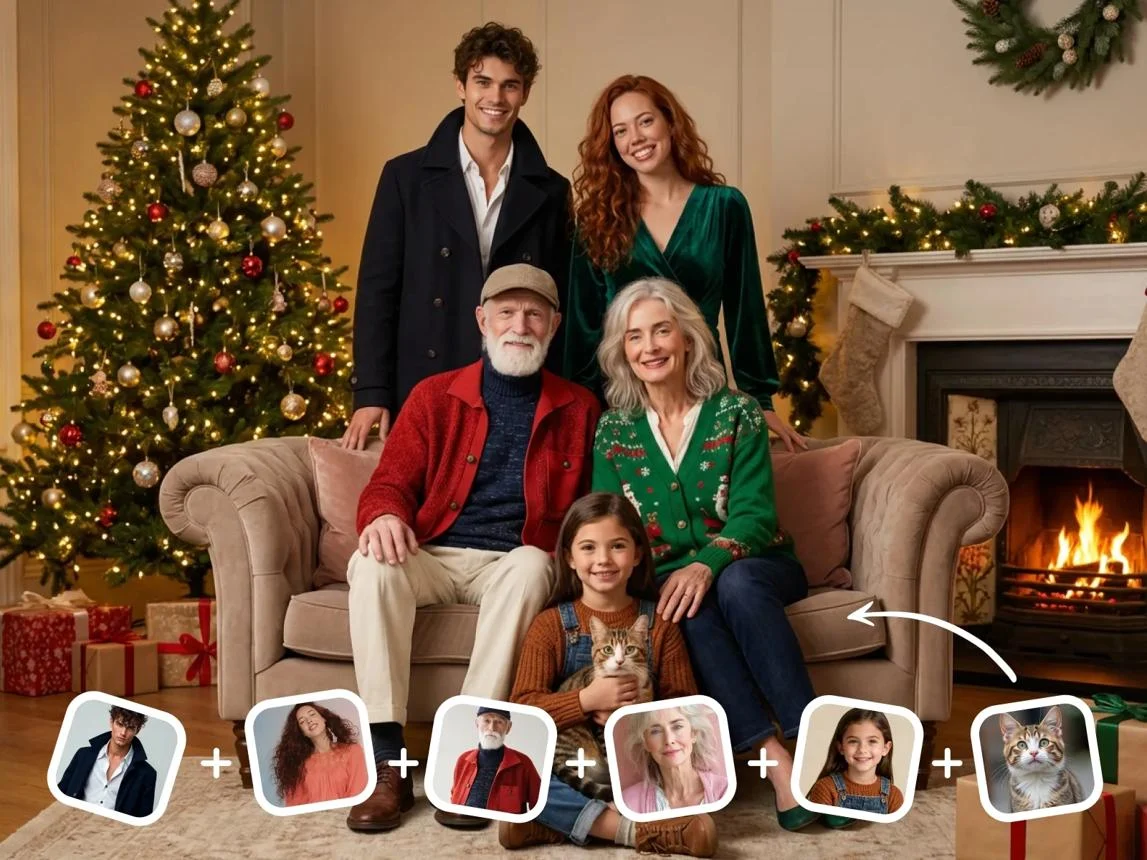
Christmas AI uses artificial intelligence to generate festive images, transform ordinary photographs into Christmas portraits, and create personalized holiday cards. Users can describe a scene or upload a reference photo to produce seasonal visuals featuring Christmas decorations, snowy landscapes, Santa-inspired outfits, and personalized designs.
Christmas AI: At a Glance
- AI Christmas photos: Transform ordinary selfies into festive portraits without arranging a professional photoshoot.
- Holiday cards: Generate personalized Christmas greetings, illustrations, and printable designs.
- Creative prompts: Describe Christmas scenes, outfits, decorations, backgrounds, and artistic styles.
- Popular tools: ChatGPT Images, Google Gemini, Adobe Firefly, Canva, and Fotor offer different image-generation and editing workflows.
- Social media content: Create festive profile pictures, Instagram posts, wallpapers, and seasonal graphics.
- Important consideration: Check image quality, subscription limits, personal-photo privacy, and commercial-use permissions before publishing.
What Is Christmas AI?
Christmas AI refers to artificial intelligence tools and image-generation technologies that help people create Christmas-themed digital content.
These tools use generative AI to produce festive artwork, edit existing photos, and turn simple creative prompts into detailed holiday images.
For example, someone can upload an ordinary family photograph and request a Christmas-themed transformation. The resulting image might feature matching winter sweaters, a decorated Christmas tree, warm fireplace lighting, and a snowy background.
Users can also generate completely new images without uploading personal photographs.
A written description such as “a cozy Christmas cabin surrounded by snow-covered pine trees and glowing golden lights” can become a detailed digital illustration.
Christmas AI is not one specific application or AI model. It describes a broader category of creative applications powered by image-generation and image-editing technologies.
Why Is Christmas AI Becoming Popular?
Traditional Christmas photography often requires preparation, costumes, decorations, professional equipment, and coordination.
AI image generators offer another approach. They allow users to experiment with different seasonal settings without organizing an entire photoshoot.
Several developments have made these tools more accessible:
- Better image generation: Modern models can produce increasingly detailed lighting, textures, clothing, and environments.
- Image-to-image editing: Users can transform existing photographs instead of generating everything from scratch.
- Natural-language instructions: People can describe their desired results without learning professional editing software.
- Mobile accessibility: Many creative tools offer browser-based or mobile workflows.
- Social sharing: Festive portraits and personalized greeting cards are easy to distribute digitally.
The growing interest in personalized AI portraits also reflects a broader shift toward using generative AI for everyday creative activities.
One important distinction is that realistic-looking AI Christmas portraits are generated or modified images. They are not evidence that the depicted event actually happened.
How Does Christmas AI Work?
Christmas AI typically combines generative image models, natural-language processing, and image-editing techniques.
The exact process depends on whether someone starts with a written prompt, an existing photograph, or a combination of both.
1. Text-to-Image Generation
Text-to-image generation converts written descriptions into visual content.
A user enters a prompt describing the subject, environment, lighting, composition, and artistic style.
The AI model interprets these instructions and generates an image that matches the description.
For example:
- A Christmas tree in a modern living room.
- A snowy village illuminated by festive lights.
- A family celebrating Christmas beside a fireplace.
- A golden Christmas ornament surrounded by pine branches.
This approach works particularly well for wallpapers, illustrations, backgrounds, and decorative artwork.
2. AI Photo Transformation
Photo transformation starts with an existing image.
Users upload a selfie, portrait, or family photograph and describe the changes they want.
The AI system analyzes the reference image and generates an edited version with selected Christmas elements.
Possible transformations include:
- Adding Santa hats and winter clothing.
- Replacing ordinary backgrounds with snowy landscapes.
- Creating festive studio-style portraits.
- Adding Christmas trees and decorative lighting.
- Applying illustrated, cinematic, or vintage photography styles.
The challenge is maintaining recognizable facial features while changing the surrounding environment.
Results vary between tools, prompts, and source photographs.
3. AI Christmas Card Creation
Christmas card generation combines image creation with graphic design.
An AI model can generate an illustration or festive portrait. A design editor then helps users arrange the image, greeting, typography, and decorative elements.
The finished design can become:
- A digital Christmas greeting.
- A printable family card.
- A business holiday announcement.
- A social media graphic.
- A personalized seasonal invitation.
This distinction matters because an image generator doesn’t always produce a complete, print-ready card.
4. AI Image Refinement
Generated images often require additional editing.
Users may need to correct facial details, remove unwanted objects, adjust lighting, or improve the composition.
Some modern image-generation systems support conversational editing. Users can request changes instead of repeating the entire generation process.
For example, they might ask:
“Keep the original person’s face, replace the background with a snowy Christmas village, and add warm golden lighting.”
This iterative workflow can produce more useful results than relying on one complicated prompt.
Best Christmas AI Tools to Explore in 2026
There is no single Christmas AI platform that suits every creative requirement.
Some tools specialize in conversational image generation. Others focus on photo editing, graphic design, or professional creative workflows.
The following comparison highlights established platforms and their practical applications.
| Platform | Target User | Key Strength | Pricing Transparency | Main Consideration |
|---|---|---|---|---|
| ChatGPT Images | General users and creators | Prompt-based image generation and conversational editing | Plan-dependent access and limits | Generation limits vary by account |
| Google Gemini | Casual users and photo editors | Image generation and editing through natural-language instructions | Access and limits vary by region and plan | Feature availability can vary |
| Adobe Firefly | Designers and professional creators | Generative image creation and creative editing | Free access and paid plans with different allowances | Generative credits and plan restrictions |
| Canva | Families, marketers and businesses | Templates, layouts and AI-assisted design | Free and paid tiers | Some assets and features require payment |
| Fotor | Casual photo editors | Seasonal photo effects and editing | Free and paid options | Export and feature limits depend on plan |
1. ChatGPT Images
Best for conversational creativity
Alla våra italienska juldekorationer
italygiftsdirect.se
ChatGPT Images supports image creation and editing through natural-language instructions.
Users can describe a Christmas scene, request a festive illustration, or upload an existing photograph for modification.
Its conversational workflow makes it useful when someone wants to refine an image through several rounds of instructions.
For example, users can request a snowy background, change clothing colors, adjust the composition, or add decorative elements.
OpenAI’s documentation also describes image editing, aspect-ratio selection, and image saving. Availability and usage limits depend on the account and plan. OpenAI Help Center
Best applications:
- Personalized Christmas portraits.
- Festive illustrations.
- Holiday wallpapers.
- Creative Christmas advertisements.
- Seasonal social media graphics.
Official resource: ChatGPT
2. Google Gemini
Best for conversational photo editing
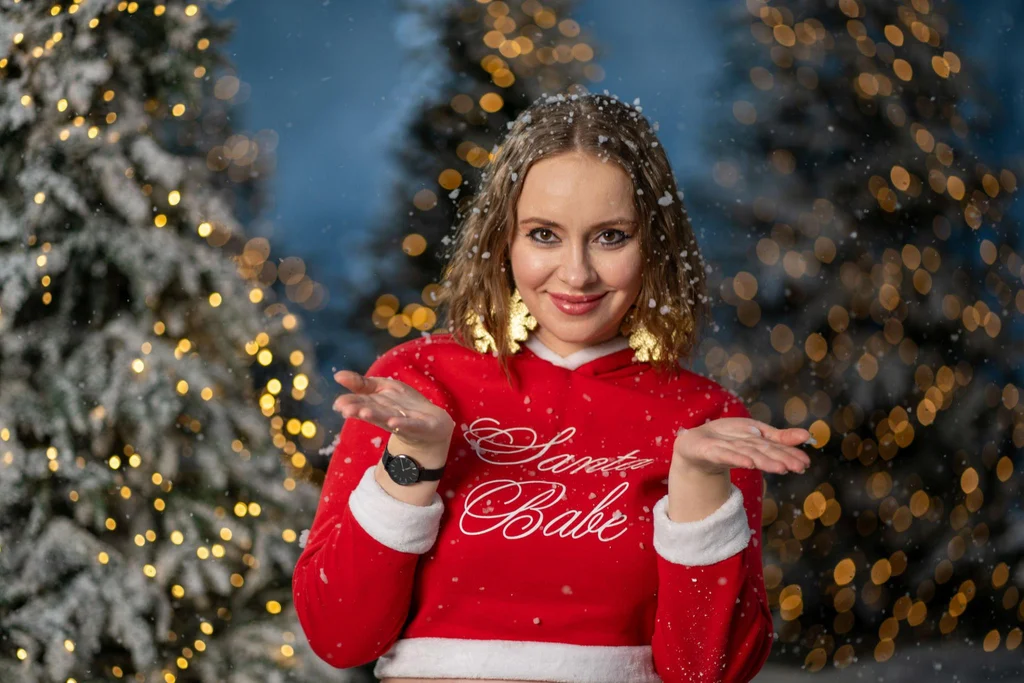
. Happy young woman in Santa Claus red costume near Christmas tree. Woman is walking in a winter forest during snowfall. Merry Christmas and Happy New Year
Google Gemini offers image-generation and editing capabilities through conversational instructions.
Google introduced native image editing in the Gemini app, allowing users to upload photographs and request changes to backgrounds, objects, and other visual elements.
Its Nano Banana image-generation technology further expanded Gemini’s image-editing capabilities. blog.google+1
For Christmas projects, users can experiment with:
- Snow-covered backgrounds.
- Festive clothing.
- Christmas-themed portraits.
- Seasonal illustrations.
- Decorative holiday scenes.
Gemini is particularly interesting for people who prefer describing their desired edits instead of navigating complicated editing interfaces.
However, users should check regional availability and account-specific limits before relying on a particular feature.
Official resource: Google Gemini
3. Adobe Firefly
Best for professional creative workflows
Red gift box with ribbon, pine tree branches, golden confetti, and golden and red colored Christmas baubles over black background
Adobe Firefly focuses on generative creativity and AI-assisted visual editing.
It is relevant to designers, marketers, and businesses creating professional Christmas campaigns.
Potential applications include:
- Holiday advertising visuals.
- Christmas product backgrounds.
- Seasonal promotional artwork.
- Festive campaign illustrations.
- Creative image variations.
Adobe also documents its approach to generative AI training. It states that Firefly models are trained on licensed content and public-domain content where copyright has expired. Adobe says it does not train Firefly models on Creative Cloud subscribers’ personal content. Free Generative AI for Creatives
These statements relate to Adobe’s documented practices and should not be interpreted as a universal guarantee about every third-party model or integration.
Official resource: Adobe Firefly
4. Canva
Best for Christmas cards and layouts
Foto kerstkaart met kersttakken en gouden frame | Kaartje2go
kaartje2go.nl
Canva combines graphic design tools, templates, and AI-assisted creative features.
It is particularly useful when the final result needs more than an attractive generated photograph.
Users can arrange images, add greetings, customize typography, and create different versions of the same Christmas design.
Common applications include:
- Printable Christmas cards.
- Business holiday announcements.
- Family greeting cards.
- Instagram posts.
- Christmas invitations.
- Festive promotional banners.
Its main advantage is the combination of image creation and layout editing.
However, users should check whether specific AI features, premium templates, and export options require a paid subscription.
Official resource: Canva
5. Fotor
Best for seasonal photo effects
10 Best Ideas for Stunning AI Christmas Photos (Family, Couples & Portraits)
cyberlink.com
Fotor provides online photo editing and AI-assisted visual tools.
It is relevant to users who want to add seasonal effects, experiment with festive backgrounds, or improve existing photographs.
Possible Christmas projects include:
- Holiday portrait transformations.
- Christmas-themed collages.
- Festive photo effects.
- Seasonal wallpapers.
- Greeting card artwork.
Its suitability depends on the specific editing features and export options available under the user’s plan.
Official resource: Fotor
How to Create Christmas AI Photos: Step-by-Step Guide
Creating an AI Christmas photo does not require advanced photography or graphic design skills.
The process generally involves selecting a tool, preparing a photograph or prompt, generating an image, and reviewing the result.
Step 1: Choose the Right AI Generator
Start by identifying the type of image you want.
- For realistic portraits, choose an image generator with photo-editing capabilities.
- For original Christmas artwork, use text-to-image generation.
- For greeting cards, choose a platform with design templates.
- For professional advertising, consider tools with more detailed editing controls.
Choosing the right category prevents unnecessary editing and repeated generations.
Step 2: Prepare a Good Reference Photograph
If you want a personalized Christmas portrait, select a clear photograph.
A suitable reference image should have:
- Good lighting.
- A clearly visible face.
- Minimal motion blur.
- Reasonable image resolution.
- No major obstructions covering facial features.
For family portraits, make sure each person’s face is visible.
A good reference image gives the AI system more useful visual information. However, it does not guarantee an identical facial result.
Step 3: Write a Detailed Christmas AI Prompt
The prompt plays an important role in image quality.
Instead of writing something vague like “Christmas picture,” explain the subject, setting, clothing, lighting, and desired appearance.
For example:
Christmas portrait prompt
Ready to use
Create a photorealistic Christmas portrait using the uploaded reference photograph. Preserve the person’s recognizable facial features, natural skin tone, hairstyle, and overall appearance. Dress the subject in an elegant red winter sweater. Place them beside a beautifully decorated Christmas tree with warm golden lights, tasteful ornaments, and a cozy fireplace. Add subtle snowfall outside the window. Use professional portrait photography, realistic skin texture, natural shadows, cinematic lighting, and a premium festive atmosphere. Keep the composition clean and avoid artificial-looking facial details. Copy prompt
Step 4: Generate and Review the Image
Submit your prompt or upload your photograph.
The AI system will generate an image based on the instructions and available editing capabilities.
Review the output carefully.
Check for:
- Facial consistency.
- Natural-looking hands.
- Realistic clothing.
- Correct lighting.
- Background details.
- Unwanted visual distortions.
If something looks incorrect, provide a specific editing instruction.
For example, instead of generating everything again, request: “Correct the hands and preserve the original facial appearance.”
Step 5: Export and Share Your Christmas Creation
Once satisfied, export the image in a suitable format.
Common formats include:
| Format | Suitable Use |
|---|---|
| JPEG | Social media and digital sharing |
| PNG | High-quality graphics and transparent artwork |
| Printable Christmas cards | |
| WebP | Website images and digital content |
For printing, check the actual pixel dimensions and resolution. A visually attractive image may still lack sufficient detail for a large physical print.
Best Christmas AI Prompts for Different Creative Ideas
Prompt quality can significantly influence the final image.
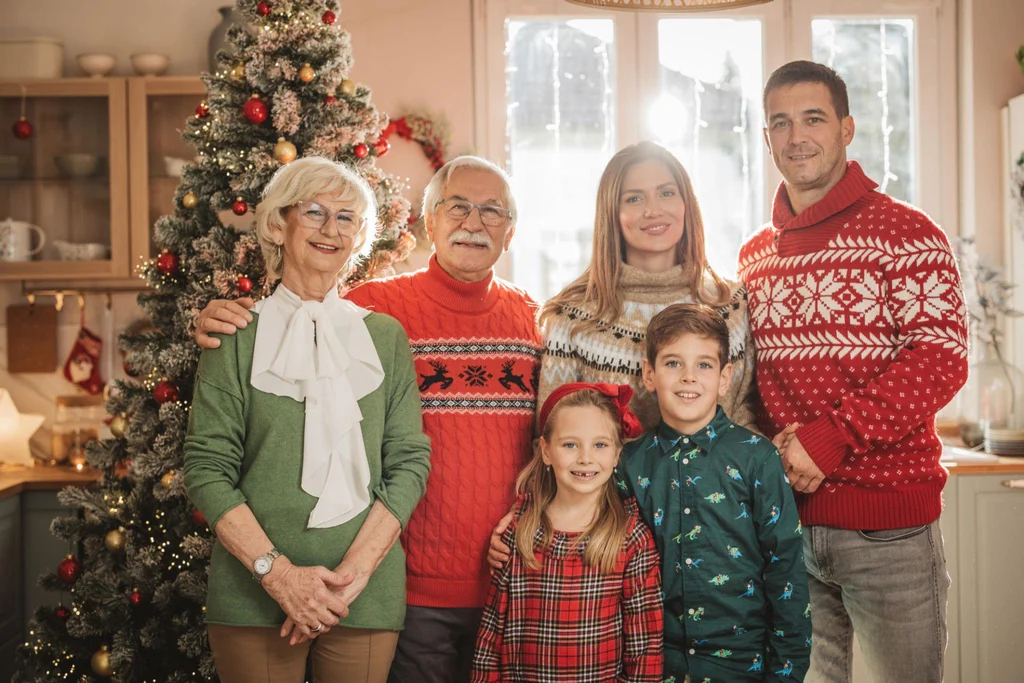
The following examples cover popular Christmas AI applications.
1. Christmas Family Portrait Prompt
Christmas spirit at home
Prompt:
“Create a professional Christmas family portrait using the uploaded family photograph. Preserve the recognizable appearance of every family member. Dress everyone in coordinated festive winter outfits. Place the family in a warm living room featuring a decorated Christmas tree, golden fairy lights, elegant ornaments, and a fireplace. Use realistic photography, natural facial expressions, balanced composition, and soft cinematic lighting.”
2. Christmas Couple Portrait Prompt
A joyful couple embracing winter magic surrounded by Christmas trees in a snowy forest
Prompt:
“Create a romantic Christmas portrait of the two people in the reference photograph. Preserve their recognizable facial features and natural expressions. Place them in a beautiful snowy winter setting with illuminated Christmas trees, elegant winter clothing, warm golden lights, and gentle snowfall. Use premium cinematic portrait photography and realistic skin textures.”
3. Santa Claus Christmas Photo Prompt
SantaClaus.now – Personalized Santa Video Messages
santaclaus.now
Prompt:
“Transform the uploaded portrait into a festive Santa-inspired Christmas photograph. Preserve the person’s recognizable facial appearance while adding a traditional red winter outfit, tasteful white fur details, and a beautiful snowy Christmas workshop. Include warm decorative lighting, realistic textures, and a professional holiday photography style.”
4. Christmas Pet Photography Prompt
Top 10 Trending Pet Gifts for Christmas 2025 | Best Dog & Cat Presents UK – The Best For Pets
thebestforpets.co.uk
Prompt:
“Create a realistic Christmas portrait of the uploaded pet. Preserve its original appearance, fur color, markings, and recognizable facial features. Add a festive red scarf and place the pet beside a decorated Christmas tree with warm lights, wrapped gifts, and subtle snowfall. Use professional pet photography and natural lighting.
5. Christmas Aesthetic Wallpaper Prompt
Обои новый год, snow, зима, tree, lights, Christmas, ночь, night на телефон и рабочий стол, раздел новый год, разрешение 6195×3195 – скачать
goodfon.ru
Prompt:
“Generate a premium Christmas wallpaper featuring snow-covered pine trees, a beautifully illuminated Christmas village, warm golden lights, elegant red ornaments, and gentle falling snow. Use cinematic winter photography, realistic textures, sophisticated color grading, and a clean composition with sufficient negative space.”
6. Business Christmas Greeting Prompt
Merry Christmas dark blue background with gold and blue ornaments hanging from pine branches
Prompt:
“Create an elegant corporate Christmas greeting visual for a professional business audience. Use a sophisticated dark navy background, subtle golden ornaments, realistic pine branches, warm lighting, and premium editorial design. Leave clear space for a company logo and a personalized holiday message. Avoid generating fictional brand identities or unnecessary text.”
Prompting tip: Generate the image without lengthy text first. Add the final greeting, company name, or personal message afterward in a design editor. This reduces the risk of misspelled words.
Popular Uses of Christmas AI
Christmas AI has applications beyond creating decorative photographs.
Its usefulness depends on the user’s creative goals and the type of content required.
Personal and Family Photography
Families can create seasonal portraits without organizing a traditional photoshoot.
They can experiment with different backgrounds, matching outfits, winter landscapes, and holiday themes.
These images can become digital keepsakes, profile pictures, or personalized gifts.
Christmas Greeting Cards
AI-generated artwork can provide a personalized starting point for holiday greetings.
Users can create cards for relatives, friends, colleagues, and customers.
Combining generated artwork with editable typography produces a more complete design.
Social Media Marketing
Content creators and businesses can use Christmas AI to develop seasonal content.
Examples include:
- Instagram Christmas posts.
- Facebook holiday announcements.
- YouTube thumbnails.
- Pinterest Christmas graphics.
- Promotional campaign visuals.
- Festive website banners.
Businesses should check commercial-use permissions before publishing generated content in advertisements.
E-Commerce and Product Photography
Online retailers can use AI-assisted editing to develop seasonal product visuals.
For example, a retailer might place an existing product photograph into a festive environment.
However, generated edits must preserve important product characteristics. Changing the appearance, dimensions, or functionality of a product could mislead customers.
Christmas Invitations and Event Designs
AI tools can help create invitation backgrounds, decorative illustrations, and themed event graphics.
Users can combine these visuals with accurate event details using conventional design software.
This approach is useful for family celebrations, workplace events, and community gatherings.
Benefits of Using Christmas AI
Christmas AI offers several practical advantages for everyday creative projects.
1. Faster Content Creation
Traditional photography and manual editing can involve several preparation stages.
AI tools can reduce the time required to produce an initial concept or festive image.
2. More Creative Flexibility
Users can experiment with multiple artistic directions.
A single portrait might inspire several variations, including cinematic photography, watercolor artwork, vintage Christmas styling, or illustrated avatars.
3. Lower Production Barriers
People without professional photography or design skills can create attractive seasonal content.
Many platforms provide accessible interfaces and ready-made templates.
4. Personalized Visual Experiences
Users can create images based on their own photographs, creative preferences, and individual messages.
This makes AI Christmas artwork particularly useful for personalized greetings and digital gifts.
5. Reusable Marketing Concepts
Businesses can explore multiple seasonal campaign ideas without arranging a new photoshoot for every concept.
The final assets still require editorial review and appropriate licensing checks.
Limitations and Challenges of Christmas AI
Despite its creative potential, Christmas AI has limitations that users should understand.
Facial Accuracy Is Not Guaranteed
AI systems may change facial features during image transformation.
Common problems include altered expressions, inconsistent skin textures, and changes in facial proportions.
This is especially important when creating family photographs.
Hands and Small Details Can Look Unnatural
Generative models sometimes produce incorrect fingers, unusual clothing patterns, distorted decorations, or inconsistent object details.
Careful inspection remains necessary.
Generated Text May Contain Errors
Image models can struggle with precise spelling and typography.
This can affect Christmas cards, business greetings, promotional banners, and personalized invitations.
Adding text through a conventional editor is usually more reliable.
Free Usage May Be Limited
Some platforms restrict free generations, editing features, or export options.
Others use subscriptions, monthly credits, or usage-based limits.
Users should check the current pricing page rather than assume that a free account includes unlimited image generation.
Results Depend on Input Quality
Poorly lit or blurry reference photographs may produce disappointing results.
Prompt quality, model capabilities, image resolution, and available editing controls all influence the outcome.
Christmas AI Pricing: Are These Tools Free?
Christmas AI does not have one universal pricing structure.
Costs depend on the platform, selected model, subscription, and number of images generated.
Most general-purpose platforms offer some form of free access, although availability and usage limits differ.
| Pricing Model | How It Works | What to Check |
|---|---|---|
| Free access | Limited image creation or editing | Daily or monthly generation limits |
| Subscription | Monthly or annual payment | Included features and usage allowances |
| Credit-based | Pay using generation credits | Credit cost per image and expiry |
| Professional plans | Expanded creative capabilities | Commercial permissions and team access |
Before purchasing a subscription, consider these questions:
- How many images can you generate?
- Do unused credits expire?
- Are high-resolution downloads included?
- Does the platform add watermarks?
- Are advanced editing features included?
- Can you cancel the subscription easily?
A low introductory price does not necessarily mean a platform offers good long-term value.
For occasional Christmas portraits, limited free access may be sufficient. Businesses producing dozens of campaign visuals may benefit from a paid creative workflow.
Christmas AI Privacy and Security: What Should Users Know?
Privacy deserves attention because personalized Christmas portraits often involve uploading photographs of real people.
An image can contain identifiable faces, children, family members, home interiors, and other personal information.
Before uploading photographs, review the platform’s privacy policy and understand how it handles submitted content.
Important Privacy Considerations
1. Image storage
Check whether the provider stores uploaded photographs and how long it retains them.
2. AI training
Determine whether uploaded images may be used to improve or train AI models.
3. Third-party processing
Some applications rely on external AI providers. Understand whether photographs are shared with those providers.
4. Account deletion
Check whether you can delete uploaded images and associated account information.
5. Children’s photographs
Be particularly careful when uploading photographs of children. Avoid sharing unnecessary personal information.
Does a Free AI Christmas App Guarantee Privacy?
No.
Free access does not automatically indicate weak privacy, just as a paid subscription does not automatically guarantee strong privacy.
For example, Apple App Store privacy disclosures are generally developer-provided information, not independent verification of every privacy practice.
Similarly, a security certification does not automatically establish that a service offers Zero Data Retention.
For more sensitive photographs, choose a provider with clear retention policies and appropriate privacy controls.
Christmas AI vs Traditional Christmas Photography
AI-generated Christmas images and traditional photography serve different purposes.
Neither approach is automatically better for every situation.
| Comparison | Christmas AI | Traditional Photography |
|---|---|---|
| Preparation | Usually requires a prompt or reference photo | Requires a photography setup |
| Creative flexibility | Extensive generated environments and styles | Depends on the location and equipment |
| Personalization | Can modify clothing and backgrounds | Uses actual photographed details |
| Authenticity | May contain generated elements | Records a real photographed moment |
| Editing | AI-assisted transformations | Manual or conventional editing |
| Costs | May involve subscriptions or credits | May involve photographer and studio fees |
| Best use | Creative portraits and digital artwork | Genuine family memories and events |
A practical approach is to combine both.
For example, families can preserve their original Christmas photographs while creating separate AI-generated versions for digital cards and creative projects.
This maintains the authenticity of important memories without limiting experimentation.
Common Christmas AI Mistakes to Avoid
Even powerful image generators can produce disappointing results when users overlook basic details.
Here are some mistakes worth avoiding.
Using Vague Prompts
A short instruction often leaves too much room for interpretation.
Describe the subject, clothing, background, lighting, and desired image style.
Expecting Perfect Facial Preservation
Do not assume every generator will reproduce an uploaded face perfectly.
Compare the output with the original photograph before sharing it.
Uploading Low-Quality Photographs
Blurry images and poor lighting can make personalized transformations less convincing.
Start with the clearest available photograph.
Ignoring Image Dimensions
An image designed for Instagram may not work well as a printed greeting card.
Choose the correct aspect ratio before generating or exporting.
Forgetting Commercial Rights
Personal sharing and commercial advertising are different uses.
Read the platform’s applicable licensing terms before using generated content in paid campaigns.
Publishing Without Reviewing the Final Image
Always inspect faces, hands, spelling, product details, and background elements.
A quick quality check can prevent embarrassing errors.
Christmas AI Alternatives and Related Creative Tools
Christmas AI is part of a larger generative image ecosystem.
Depending on the project, other creative applications may provide a more suitable workflow.
| Alternative | Primary Purpose | When to Consider It |
|---|---|---|
| General AI image generators | Creating original artwork | When no reference photograph is needed |
| Traditional photo editors | Retouching and color correction | When image authenticity matters |
| Graphic design platforms | Cards, invitations and banners | When text and layout are essential |
| Dedicated Christmas photo apps | Seasonal portrait transformations | When a ready-made holiday workflow is preferred |
| Professional design software | Detailed creative production | When precise visual control is necessary |
Platforms such as Futurepedia and There’s An AI For That can also help users discover specialized AI applications.
However, a listing in an AI directory does not establish product quality, privacy, or pricing accuracy. Verify those details on the provider’s own website.
Who Should Use Christmas AI?
Christmas AI can serve different audiences, depending on their creative requirements.
Families and individuals: Useful for personalized portraits, festive wallpapers, and digital greetings.
Social media creators: Helpful for seasonal content, profile pictures, and creative campaigns.
Graphic designers: Useful for exploring visual concepts and developing initial design assets.
Small businesses: Can support seasonal marketing materials, promotional graphics, and Christmas announcements.
E-commerce businesses: Useful for creating festive product backgrounds, provided generated edits do not misrepresent products.
Event organizers: Can help develop invitations, promotional artwork, and themed visual content.
People who prioritize genuine family photography should keep their original photographs rather than treating AI-generated versions as replacements.
The Future of Christmas AI
Christmas AI is part of a broader movement toward accessible generative creativity.
As image models improve, several developments are particularly relevant to holiday content creation.
More Consistent Personalized Images
Maintaining a person’s recognizable appearance across multiple generated images remains an important technical challenge.
Improvements in reference-image conditioning and conversational editing may make personalized creative workflows more consistent.
However, perfect identity preservation should not be assumed.
More Advanced Image Editing
AI systems increasingly support targeted changes rather than requiring complete image regeneration.
This can help users adjust clothing, decorations, lighting, and backgrounds more efficiently.
Integration With Design Workflows
Image generation is becoming more closely connected to conventional design tools.
This allows users to move from an initial concept to an edited card, advertisement, or social media graphic within a more integrated workflow.
Greater Attention to AI Transparency
Digital content provenance is becoming increasingly important.
Technologies such as Content Credentials and digital watermarking can help communicate whether an image has been generated or modified using AI.
Google has documented its use of SynthID for AI-generated and edited images in Gemini. blog.google
These technologies support transparency, although no single provenance method guarantees that every AI-generated image will always be identifiable.
FAQs
1. What is Christmas AI used for?
Christmas AI is used to generate festive photographs, personalized portraits, Christmas greeting cards, holiday wallpapers, and seasonal marketing graphics. It can create images from written prompts or transform existing photographs.
2. Can I create Christmas AI photos for free?
Yes. Some platforms offer free image-generation or editing access. However, the number of available generations, export quality, premium features, and usage restrictions vary by provider and subscription.
3. Which AI tool is best for Christmas photos?
The right tool depends on the intended result. ChatGPT Images and Google Gemini support conversational image creation and editing, Adobe Firefly offers professional creative workflows, Canva supports card design, and Fotor provides photo-editing capabilities.
4. Can Christmas AI preserve my original face?
Some AI tools attempt to maintain recognizable facial features when editing reference photographs. However, results are not guaranteed to preserve every detail. Use a clear reference photograph and inspect the generated image carefully.
5. Can I use AI-generated Christmas images commercially?
Commercial use depends on the platform’s licensing terms, applicable subscription, generated content, and any third-party rights involved. Review the provider’s terms before using images in advertisements, product listings, or business campaigns.
Conclusion
Christmas AI makes festive image creation more accessible by combining generative image technology, photo editing, and creative design tools.
Users can transform ordinary photographs into seasonal portraits, generate original Christmas artwork, and create personalized greeting cards without advanced editing skills.
The most suitable platform depends on the intended output. ChatGPT Images and Gemini offer conversational creativity, Adobe Firefly supports professional design workflows, and Canva helps turn generated artwork into finished visual content.
However, image accuracy, privacy, pricing, and commercial licensing still require attention.
The best approach is to choose a tool based on the actual project, use detailed prompts, review every generated image, and preserve original photographs when authenticity matters.
Christmas AI is most valuable when it supports creativity rather than replacing genuine memories.