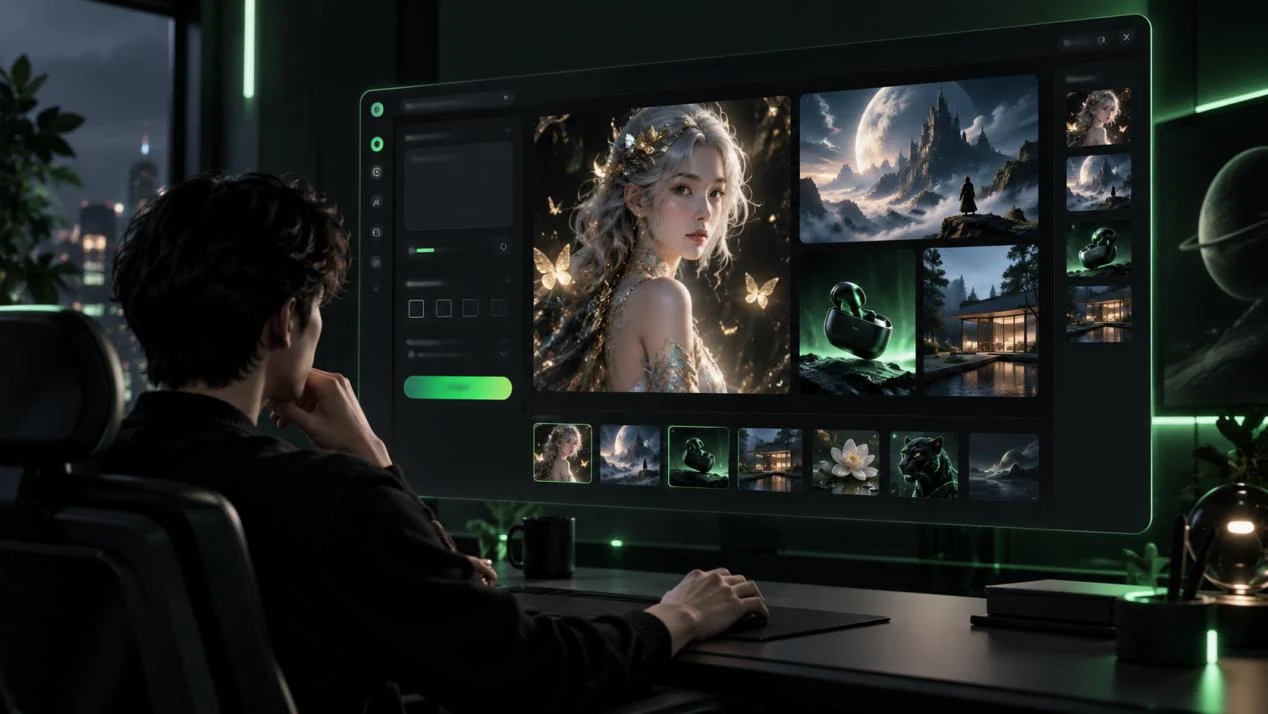
Nano AI is an online AI-powered creative platform for generating images from text prompts, transforming existing images, and accessing video editing and enhancement tools. It is designed for creators, marketers, designers, and businesses that want to produce visual content without relying entirely on traditional design or video-editing software.
What Is Nano AI?
Nano AI is an online creative platform that uses artificial intelligence to help users produce and edit digital visuals. Instead of creating every image manually, users can describe what they want in ordinary language and let the platform generate an image based on that description.
The platform also supports image-to-image workflows, allowing users to provide an existing picture as a reference for a new visual result. This can be useful when someone wants to change an image’s appearance, explore a different creative direction, or develop variations of an existing design.
Nano AI also provides access to browser-based video tools. According to its website, these include video face swapping, watermark removal, background removal, upscaling, frame interpolation, and video colorization. The platform presents these tools within the same account and credit-based workspace. Nano AI
Nano AI is therefore aimed at more than simple text-to-image generation. It brings several creative workflows together in one online environment.
How Does Nano AI Work?
Nano AI uses AI models to interpret written instructions or visual references and produce a requested result. The process is designed to be accessible to people who may not have professional graphic-design or video-editing experience.
A typical image-generation workflow involves three basic steps.
1. Enter a Text Prompt
The user begins by describing the image they want to create. A prompt can include the subject, environment, lighting, artistic style, colors, composition, and other visual details.
For example:
Create a professional product photograph of a modern wireless headphone on a dark graphite surface, with soft studio lighting, realistic reflections, and a premium technology-advertising style.
A detailed prompt gives the AI more guidance than a short instruction such as “make a headphone image.”
2. Let the AI Generate the Image
After submitting the prompt, Nano AI processes the description and generates a visual result. Users can experiment with different instructions to explore alternative compositions, styles, and visual concepts.
For image-to-image creation, users can also provide an existing image as a reference.
3. Download and Use the Result
Once the image has been generated, users can download it and use it in suitable creative projects, such as website graphics, social media posts, advertising concepts, and product presentations.
The actual output quality depends on the prompt, selected model, source image, and generation settings. Nano AI
Key Features of Nano AI
Nano AI combines several AI-assisted creative capabilities. The available tools and model choices may change as the platform develops.
1. Text-to-Image Generation
Text-to-image generation is one of Nano AI’s central features. Users describe a visual concept in natural language, and the platform turns that description into an image.
This can help with:
- Blog and website illustrations
- Social media graphics
- Advertising concepts
- Product photography concepts
- Digital artwork
- Creative presentations
- Early-stage design ideas
For example, a small business owner could describe a seasonal product advertisement without first hiring a photographer or creating a complete design manually.
2. Image-to-Image Generation
Image-to-image generation allows users to work from an existing picture rather than starting with a blank prompt.
This approach can be useful when users want to explore different visual styles, adjust a creative concept, or use a reference image to guide a new result.
It is particularly relevant to designers and content creators who already have photographs, sketches, or visual references.
3. Multiple AI Image Models
Nano AI lists multiple image models in its workspace, including its own Nano AI model options and third-party model names. The listed choices include Nano AI 2.1, Nano AI 2 Pro, Nano AI 2 Lite, GPT Image 2.5, GPT Image 2, FLUX 3, and Midjourney V8.2. Availability can change, so users should check the live model selector before starting a project. Nano AI
Having multiple model choices can help users experiment with different visual approaches instead of depending on a single generation workflow.
4. AI Video Tools
The platform also lists several browser-based video tools. These include:
- Video face swap: Changes a face in supported video content.
- Video watermark removal: Attempts to remove selected watermark areas.
- Video background removal: Separates a subject from its background.
- Video upscaling: Enhances the resolution of supported video.
- Frame interpolation: Generates intermediate frames to create smoother motion.
- Video colorization: Adds color to supported footage.
These tools may be useful for editing, restoring, or adapting video content. Users should ensure they have permission to modify the footage and must not use face-swapping tools to mislead or impersonate others. Nano AI
5. Simple Browser-Based Interface
Nano AI is designed to make visual creation accessible through an online interface. Users can enter prompts, select available models, work with reference images, and download results without building a complex local AI setup.
This makes the platform worth considering for beginners and creators who prefer a browser-based workflow.
6. Developer API Access
Nano AI also advertises API access and developer documentation. This may be relevant to developers who want to explore integrating its image-generation capabilities into their own applications or workflows.
However, developers should review the official documentation for supported endpoints, authentication requirements, usage limits, and current API costs before building an integration. Nano AI
Main Uses of Nano AI
Nano AI can support different creative and professional tasks. Its usefulness depends on the type of content being produced and how much control the user needs over the final result.
Content Creation and Blogging
Bloggers and website owners regularly need featured images, article illustrations, and supporting graphics. Nano AI can help generate visual concepts from written descriptions.
For example, a technology blogger could request an image showing a modern computer workstation with an AI assistant interface. The result could serve as an initial visual for an article, subject to review and any necessary editing.
Social Media Marketing
Social media managers need a steady supply of visual content for platforms such as Instagram, Facebook, LinkedIn, and other channels.
Nano AI can help generate campaign concepts, promotional graphics, and creative variations. This can make it easier to test different visual directions before committing to a final campaign.
E-commerce Product Images
Online stores rely on attractive product visuals to communicate product features and encourage customer interest.
AI-generated visuals can help sellers develop lifestyle-image concepts, promotional backgrounds, and product presentation ideas. However, sellers should avoid presenting AI-generated modifications as accurate photographs of a real product when they change its appearance, features, or proportions.
Graphic Design and Creative Projects
Designers can use text-to-image and image-to-image generation to explore concepts before producing final artwork.
For instance, a designer might create several visual directions for a website banner, compare different lighting styles, or use a reference image to develop a new creative concept.
Video Editing and Enhancement
Nano AI’s listed video tools may help users perform selected editing tasks in a browser. Background removal, upscaling, colorization, and frame interpolation can be useful in different production workflows.
These tools should be evaluated with sample footage before being used in professional projects, especially when visual accuracy and consistent motion are important.
How to Use Nano AI: A Step-by-Step Guide
The platform’s basic image-generation workflow is straightforward. The following steps provide a practical starting point.
Step 1: Visit the Official Website
Open nanobnana.com in a web browser. Review the available tools and account options before starting.
Step 2: Create an Account or Access the Workspace
Follow the platform’s current sign-up or login instructions. New users should review any starter credits and usage conditions before generating content.
Step 3: Choose an Image Tool
Select the image-generation workflow that matches your project. Use text-to-image when starting with an idea, or image-to-image when you want to work from an existing visual.
Step 4: Write a Detailed Prompt
Describe the subject, environment, visual style, lighting, composition, and intended use.
A useful prompt structure is:
- Subject: What should appear in the image?
- Environment: Where should the scene take place?
- Style: Should it look photographic, illustrative, or cinematic?
- Lighting: What kind of lighting should be used?
- Composition: Where should the main subject appear?
- Format: What aspect ratio or orientation is needed?
Step 5: Select a Model and Generate
Choose an available image model and submit your prompt. If the first result is not suitable, revise the description and try again.
Step 6: Review and Download
Check the generated image carefully. Look for distorted objects, inaccurate text, unusual details, and visual inconsistencies before downloading or publishing it.
Nano AI Pricing: Is It Free?
Nano AI advertises free starter credits for new users, allowing them to try its image-generation and video tools. The platform also lists paid subscriptions and one-time credit packs for users who need additional generation capacity. Nano AI
The exact cost of using the platform can depend on the selected plan, credit package, model, and tool. Because pricing and credit requirements can change, users should consult the official website for current prices before purchasing.
| Pricing option | What to expect |
|---|---|
| Free starter credits | An initial opportunity to test supported tools |
| Monthly or yearly subscription | Ongoing access under the selected plan |
| One-time credit pack | Additional credits without necessarily starting a recurring subscription |
Important: Do not assume that every model or video feature is included in the free allowance. Check the credit cost displayed in the workspace before generating content.
Benefits of Nano AI
Nano AI offers several potential advantages for people who regularly create digital content.
Faster Creative Workflows
Generating an initial visual from a prompt can take less time than creating an entire concept manually. This can be useful when users need to explore multiple ideas quickly.
Accessible to Beginners
The natural-language prompt workflow reduces the need for advanced design skills. Beginners can start with a description and gradually learn how to improve their prompts.
Multiple Creative Tools in One Workspace
The platform brings image generation and several video-related tools together. Users who need both types of creative work may appreciate having them available through one account.
More Opportunities for Experimentation
Multiple model choices and prompt variations can help users compare different creative results. This is useful during brainstorming and early design development.
Potential Cost and Time Savings
AI-assisted creation may reduce the time required for some routine visual tasks. However, the actual savings depend on output quality, editing requirements, credit consumption, and the complexity of the project.
Limitations of Nano AI
Although Nano AI provides useful creative features, it should not be treated as a complete replacement for professional design and video-production workflows.
Generated Images May Contain Errors
AI-generated images can include distorted objects, incorrect proportions, unusual hands, inconsistent details, or inaccurate text. Users should inspect every result before publishing it.
Results Depend on Prompt Quality
Vague prompts often produce less predictable results. Users may need to revise their descriptions several times to achieve the desired outcome.
Credit Usage Can Add Up
Repeated generations and advanced tools may consume credits. Users working on large projects should understand the platform’s credit system and compare the cost of different workflows.
AI Video Editing Has Practical Limits
Video tools may not deliver perfect results for every clip. Complex movement, difficult lighting, detailed backgrounds, and fast camera changes can affect output quality.
Privacy and Content Rights Need Attention
Before uploading private photographs, customer information, confidential business material, or other sensitive content, users should review the platform’s privacy policy and data-handling terms.
They should also confirm that they have the necessary rights to upload and modify images or videos, particularly when those files contain other people’s likenesses or copyrighted material.
Who Should Use Nano AI?
Nano AI may be useful for several types of users.
| User type | Potential application |
|---|---|
| Bloggers | Featured images and article illustrations |
| Social media creators | Promotional graphics and visual concepts |
| Digital marketers | Advertising creative experiments |
| E-commerce sellers | Product-image concepts and promotional visuals |
| Graphic designers | Early-stage concepts and image variations |
| Video creators | Selected video enhancement and editing tasks |
| Developers | Exploring API-based creative workflows |
It is especially worth exploring for people who need to create visual content regularly and want to experiment with AI-assisted tools.
Nano AI vs. Traditional Design Software
Nano AI and traditional design software serve related but different purposes.
| Comparison | Nano AI | Traditional design software |
|---|---|---|
| Main approach | AI-generated visual content | Manual and assisted editing |
| Starting point | Text prompts or reference images | Blank canvas or existing assets |
| Speed | Can generate initial concepts quickly | Depends on the user’s skills and workflow |
| Creative control | Depends on available models and settings | Often offers detailed manual control |
| Editing precision | May require additional editing | Often provides more precise adjustments |
| Best suited for | Rapid generation and experimentation | Detailed production and finishing |
These approaches can complement one another. A creator might generate an initial concept in Nano AI and then refine it in a professional graphics editor.
Is Nano AI Worth Trying?
Nano AI is worth exploring if you need a browser-based platform for AI image generation, reference-based image creation, and selected video tools.
Its main appeal is the combination of creative workflows in one workspace. Instead of relying on a separate tool for every visual task, users can explore several capabilities through a single platform.
However, it is important to evaluate the results rather than relying only on promotional claims. Test the image quality, check the available models, understand the credit system, and review the privacy terms before using it for important commercial projects.
For professional work, human review remains essential. AI can speed up the creative process, but it does not guarantee accurate product details, correct text, consistent branding, or publication-ready results.
FAQs
1. What is Nano AI used for?
Nano AI is an online creative platform used for AI image generation, image-to-image creation, and selected video editing and enhancement tasks. It can help users create visual content for websites, social media, marketing, and creative projects.
2. Is Nano AI free?
Nano AI advertises free starter credits for new users. It also offers paid subscriptions and one-time credit packs. The available allowance and cost should be checked on the official website.
3. Can Nano AI generate images from text?
Yes. Users can describe an image using a written prompt, and the platform generates a visual result based on that description.
4. Does Nano AI support image editing?
Nano AI advertises image-to-image generation, which allows users to provide an existing image as a reference for creating a new result.
5. Does Nano AI offer video tools?
Yes. Its website lists tools for video face swapping, watermark removal, background removal, upscaling, frame interpolation, and colorization. Availability and credit requirements may vary.
6. Who can benefit from Nano AI?
Bloggers, marketers, designers, social media creators, e-commerce sellers, and video creators may find it useful for visual-content production and experimentation.
7. Does Nano AI replace professional graphic designers?
No. It can help generate concepts and speed up certain creative tasks, but professional designers still provide important skills such as brand consistency, precise editing, visual communication, and quality control.
8. Is Nano AI suitable for commercial projects?
It may be useful for commercial creative work, but users should review the platform’s current terms, licensing conditions, and content policies. They should also verify that generated content is accurate and that uploaded source material can legally be used.
Conclusion
Nano AI is an AI-powered creative platform that makes image generation, image transformation, and selected video tools accessible through a browser-based workspace. Its text-to-image and image-to-image capabilities can help creators develop visual concepts, while its video tools provide additional options for editing and enhancing footage.
The platform may be useful for bloggers, designers, marketers, online businesses, and independent creators who want to experiment with AI-generated content. However, users should consider output quality, credit consumption, privacy, and commercial-use conditions before relying on it for important projects.
Overall, Nano AI is worth exploring as an AI-assisted visual creation tool, particularly for users who want to generate images and experiment with different creative workflows without building a complicated production setup.