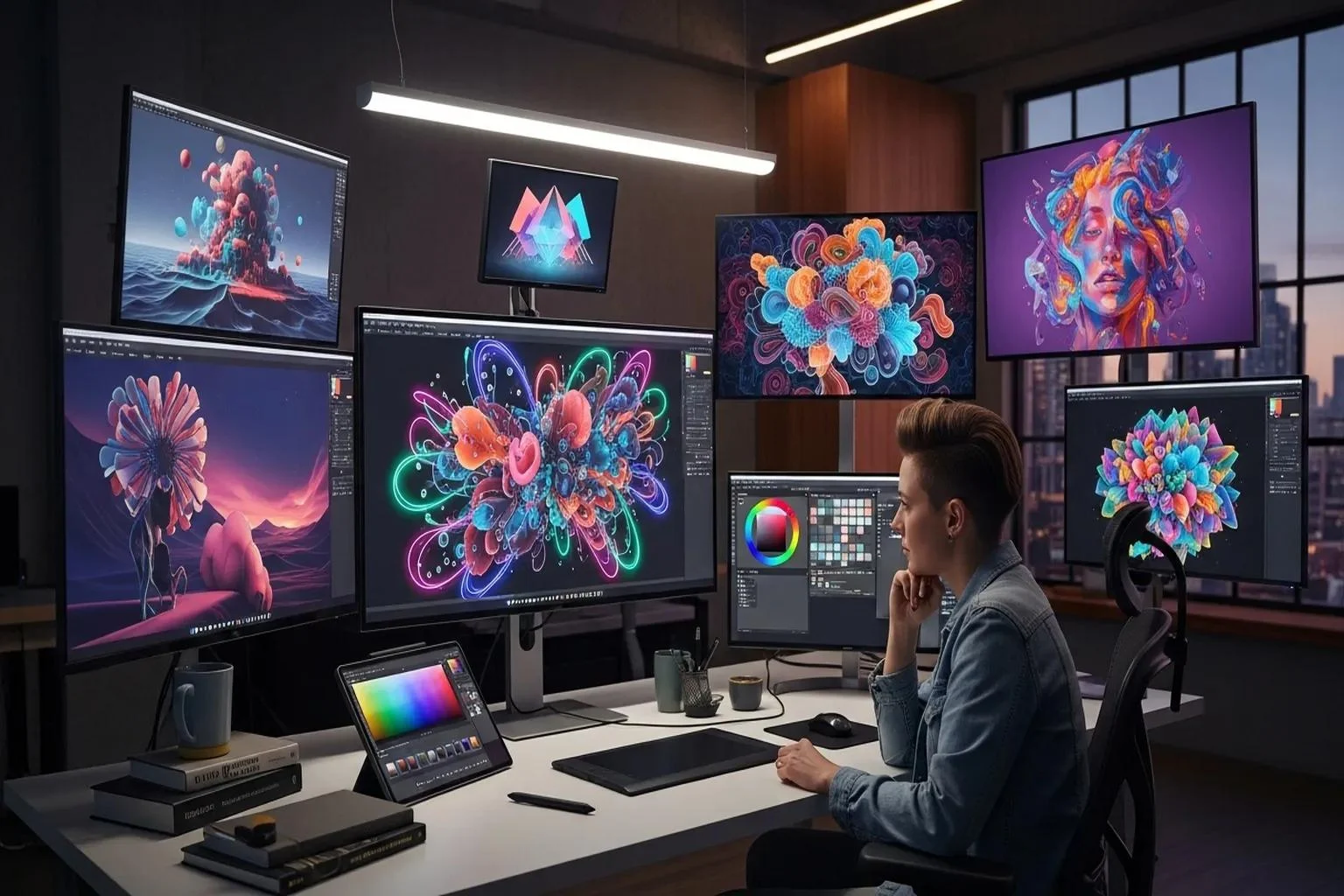
AI designs are visual concepts and creative assets produced or enhanced using artificial intelligence, including graphics, logos, illustrations, advertisements, and website layouts. AI design tools use generative models and machine learning to turn text prompts, reference images, and existing assets into creative outputs that people can refine and use.
AI Designs: At a Glance
- Meaning: AI designs are visual or creative outputs generated or improved with artificial intelligence.
- Technology: They use generative AI, machine learning, image models, and sometimes natural language processing.
- Applications: Graphic design, branding, marketing, product design, web development, and digital content.
- Popular platforms: Canva, Adobe Firefly, Midjourney, Figma, Recraft, and Ideogram.
- Main advantage: Faster concept development, creative experimentation, and production.
- Main limitation: AI outputs still require human judgment, editing, originality checks, and quality control.
What Are AI Designs?
AI designs refer to visual content created, modified, or enhanced with artificial intelligence. These designs can include digital illustrations, product mockups, brand identities, social media graphics, website layouts, advertisements, and presentation materials.
Traditional design relies heavily on manual drawing, image editing, layout construction, and repeated revisions. AI-assisted design introduces intelligent systems that can automate parts of these activities.
For example, a business owner can describe a promotional poster in ordinary language. An AI design generator can interpret the description and produce several visual concepts.
The user can then select a direction, adjust the typography, change colors, replace images, and refine the layout.
AI Designs vs. Traditional Graphic Design
AI designs and traditional graphic design share the same creative objectives. However, they differ in how designers approach the production process.
| Aspect | AI Designs | Traditional Design |
|---|---|---|
| Creation | AI-assisted generation | Primarily manual creation |
| Input | Text prompts, images, references | Sketches, briefs, design files |
| Speed | Rapid concept generation | Depends on project complexity |
| Customization | Depends on platform and output format | Detailed manual control |
| Skills | Prompting and design knowledge | Professional design skills |
| Editing | AI tools and manual refinement | Direct editing |
| Creative direction | Human-guided AI generation | Human-led creation |
The distinction is not absolute. Professional designers increasingly combine both approaches.
AI can generate initial concepts, while designers handle visual consistency, brand identity, composition, and final production.
How Do AI Designs Work?
AI design systems combine several technologies to interpret creative instructions and generate visual content.
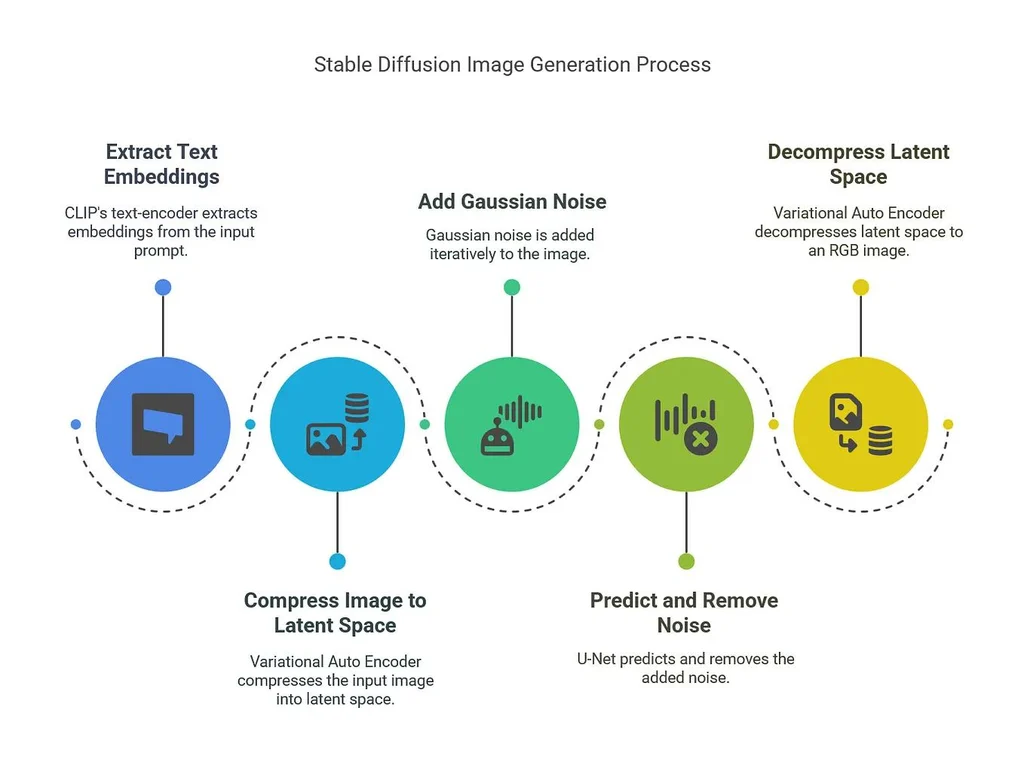
Most modern platforms use generative AI models trained on large collections of visual and textual information. These models learn patterns involving objects, colors, textures, compositions, and relationships between visual elements.
The exact technology varies between platforms, but the general workflow follows several stages.
GPT Image 2 Image Generator and Editor | Text to Image and Image Editing
Kittl | The AI-First Design Platform for Creators
Understanding Image Generation with Diffusion | by Deven Joshi | Medium
1. Understanding the Design Prompt
The process begins with a written instruction or reference image.
For example:
Create a premium promotional poster for a technology company using a dark navy background, modern typography, and subtle electric-blue lighting.
A language model or prompt-processing system interprets the request.
It identifies the subject, design style, visual elements, colors, and intended composition.
2. Generating Visual Concepts
A generative image model converts the interpreted instructions into visual output.
Many image-generation systems use diffusion-based techniques. These models progressively transform noise into an image that matches the requested visual characteristics.
Other systems use different generative architectures or specialized design models.
The result may be a photograph-like image, illustration, graphic element, or complete design concept.
3. Applying Design Elements
The next stage involves arranging visual components.
Depending on the platform, AI may help with:
- Typography and text placement.
- Color combinations.
- Image positioning.
- Background generation.
- Layout suggestions.
- Object removal and replacement.
- Visual consistency.
Some platforms generate flattened images, while others produce editable layers or design elements.
This difference is important when choosing software for professional projects.
4. Editing and Refining the Output
Generated designs rarely require no further work.
Users may need to correct text, adjust spacing, replace inaccurate objects, improve image quality, and align elements with brand guidelines.
Professional workflows treat AI output as a starting point rather than automatically approved final artwork.
5. Exporting and Publishing
After reviewing the design, users can export it into supported formats.
Common formats include:
- PNG and JPG for digital graphics.
- SVG for scalable vector artwork.
- PDF for documents and print.
- PSD for compatible layered workflows.
- MP4 for supported video content.
Available formats depend on the individual platform and subscription.
Main Types of AI Designs
AI designs cover several creative disciplines. Understanding these categories helps users choose the right tool.
The App Chefs | AI-Native Design & Development Studio
Browse thousands of AI Dashboard images for design inspiration | Dribbble
Revolutionizing Interior Design with Generative AI: What You Need to Know
1. AI Graphic Designs
AI graphic design tools create posters, flyers, banners, brochures, advertisements, and digital illustrations.
They help businesses create visual marketing materials without building every design from scratch.

2. AI Logo and Branding Designs
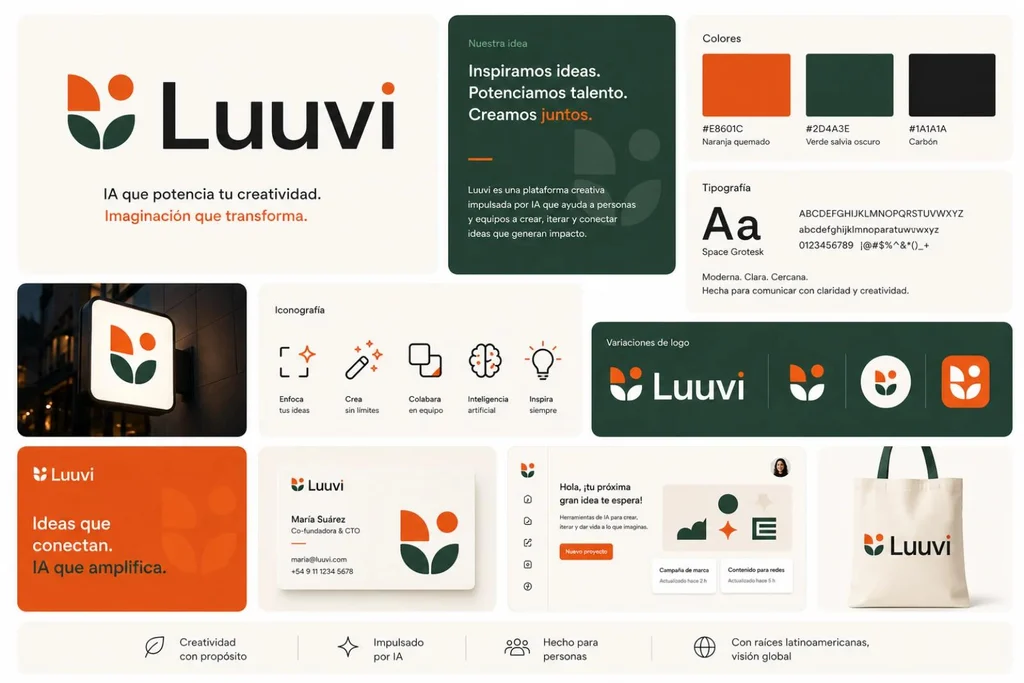
Logo generators help users explore brand symbols, typography, color palettes, and visual identities.
However, businesses should run AI-generated logos through originality checks and professional refinement before commercial use.
Businesses should also verify that their chosen logo does not conflict with existing trademarks.
3. AI Website and UI Designs
AI-powered interface tools help generate website layouts, application screens, dashboards, and interactive prototypes.
They can accelerate early product development by turning written requirements into visual concepts.
However, generated interfaces still require usability testing, accessibility reviews, responsive adjustments, and technical implementation.
4. AI Social Media Designs
Social media graphics are among the practical applications of AI design technology.
Businesses can generate:
- Instagram posts and stories.
- Facebook advertisements.
- YouTube thumbnails.
- Pinterest graphics.
- Promotional banners.
- Short-form video concepts.
Template-based tools can also help adapt a campaign across different content dimensions.
5. AI Product and Fashion Designs
AI tools support product visualization, packaging concepts, clothing inspiration, material exploration, and fashion mood boards.
Designers can explore multiple creative directions before investing in physical prototypes.
AI-generated product images should not be presented as photographs of actual products unless they accurately represent the item being sold.
6. AI Interior and Architectural Designs
Some creative platforms generate room concepts, furniture arrangements, architectural visualizations, and interior styling ideas.
These outputs can support early-stage brainstorming. They do not replace architectural drawings, structural calculations, or professional construction documentation.
Best AI Design Tools and Platforms in 2026
The AI design market includes general-purpose creative platforms and specialized generation systems.
Some prioritize editable layouts, while others focus on artistic image generation, vector graphics, or interface development.
The following platforms address different creative requirements rather than competing for the same users.
Beautiful.ai vs Canva – Which is better?
Creative image editing with Adobe Firefly: Generative Fill made easy
A criação do Figma AI | Figma
1. Canva
Best for everyday design workflows
Canva provides an accessible environment for creating marketing graphics, presentations, social media content, and branded materials.
Its AI capabilities include Magic Design and image-generation and editing workflows.
Canva AI 2.0, introduced in 2026, expands the platform toward conversational and agentic design. Canva describes its new design model as capable of generating layered, editable outputs from prompts. Its initial availability was announced as a research preview. Canva+1
Target users: Beginners, marketers, small businesses, educators, and content creators.
Pricing: Free access is available; paid plans and AI allowances vary.
Main limitation: Advanced creative control and specialist production requirements may require additional professional software.
Official website: Canva.
2. Adobe Firefly
Best for Adobe creative workflows
Adobe Firefly provides generative image creation and editing capabilities.
Its tools support activities such as generating images, expanding compositions, replacing visual elements, and developing creative concepts.
Adobe states that its initial commercial Firefly models were trained using licensed content, including Adobe Stock, and public-domain material. This is a company statement, not a guarantee that every possible use of every AI-generated asset is risk-free. Adobe Help Center+1
Target users: Professional designers, photographers, agencies, and Adobe users.
Pricing: Free limited generations; Firefly Standard is listed at US$9.99 per month.
Main limitation: Premium features consume generative credits, and partner-model outputs can have different usage considerations.
Official website: Adobe Firefly.
3. Midjourney
Best for artistic visual concepts
Midjourney specializes in AI-generated imagery and visual exploration.
It is particularly useful for concept art, editorial visuals, creative campaigns, atmospheric scenes, and image references.
Its subscription structure includes Basic, Standard, Pro, and Mega plans. Official monthly prices are US$10, US$30, US$60, and US$120, respectively. Annual subscriptions receive a 20% discount. Midjourney
Target users: Artists, creative directors, illustrators, and visual content creators.
Pricing: Paid subscriptions.
Main limitation: Image generation does not automatically provide a complete, editable professional design file. Additional editing may be necessary.
Official website: Midjourney.
4. Figma
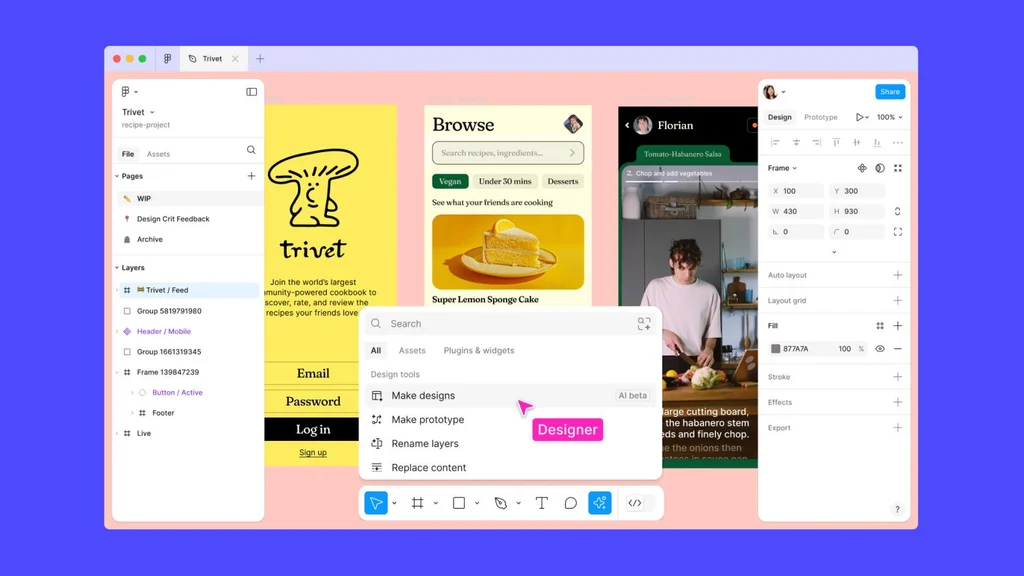
Figma focuses on digital product design, collaboration, interface development, and prototyping.
Its AI capabilities support image generation, image editing, design assistance, and prompt-driven prototype creation through Figma Make.
Figma’s published US pricing includes a free Starter plan and a Professional Full seat listed at US$16 per month. The Starter plan includes limited AI credits, while Professional Full seats include 3,000 monthly AI credits. Figma+1
Target users: UI/UX designers, product teams, developers, and startups.
Pricing: Free Starter plan and paid seat-based plans.
Main limitation: It requires more design and product knowledge than simple template-based tools.
Official website: Figma.
5. Recraft
Recraft is particularly relevant when projects require graphic assets, illustrations, icons, and vector-oriented artwork.
Its specialized creative workflows make it useful for designers who need more than a single generated raster image.
Target users: Graphic designers, brand teams, illustrators, and creative agencies.
Pricing: Free and paid options; current credit allowances and commercial terms should be checked on the official pricing page.
Main limitation: Users should verify the editability and export characteristics of the selected model and output.
Official website: Recraft.
6. Ideogram
Ideogram is useful for creating visual concepts that contain prominent text.
This makes it relevant for posters, advertisements, promotional graphics, and typography-focused compositions.
Target users: Marketers, designers, social media creators, and advertisers.
Pricing: Free and paid subscription options; check the current plan allowances before purchasing.
Main limitation: Generated typography should still be proofread, especially for brand names, legal copy, and publication materials.
Official website: Ideogram.
AI Design Platform Comparison
| Platform | Target user | Key strength | Pricing transparency | Main limitation |
|---|---|---|---|---|
| Canva | General creators | Editable visual content | Published plans | Advanced design control varies |
| Adobe Firefly | Professional creatives | Image generation and editing | Published plans and credits | Credit restrictions |
| Midjourney | Artists and designers | Artistic image generation | Published subscriptions | Additional editing often needed |
| Figma | Product teams | UI and prototyping | Published seat pricing | Specialist learning curve |
| Recraft | Graphic designers | Vector-oriented assets | Check current plans | Output and model differences |
| Ideogram | Marketers | Text-focused visuals | Check current plans | Text still needs verification |
Important: Prices above are USD reference prices, not guaranteed Pakistan checkout prices. Taxes, currency conversion, billing periods, regional availability, and promotional offers can change the final cost.
How to Create Professional AI Designs
Creating useful AI designs requires more than entering a short prompt. The quality of the final result depends on the creative brief, visual direction, selected platform, and editing process.
The following workflow works for most graphic design projects.
Step 1: Define the Design Objective
Start by identifying what you want to create.
For example, a social media advertisement requires different visual priorities from a corporate presentation or product logo.
Define:
- Design purpose.
- Target audience.
- Intended platform.
- Required dimensions.
- Brand identity.
- Preferred visual style.
A clear objective reduces unnecessary revisions.
Step 2: Write a Detailed AI Design Prompt
A strong prompt describes the intended result rather than simply naming an object.
Include the following elements:
- Subject: What should the design communicate?
- Style: Minimalist, editorial, corporate, futuristic, or photographic.
- Composition: Where should the main elements appear?
- Colors: Which palette should the design use?
- Typography: What type of lettering suits the project?
- Format: What dimensions and aspect ratio are required?
- Restrictions: What should the AI avoid generating?
For example:
Example AI design prompt
Reusable
Create a premium technology advertisement for a software company. Use a dark navy background, subtle cyan highlights, realistic computer hardware, clean modern typography, and balanced visual spacing. Place the main subject on the right and leave negative space on the left for advertising copy. Use a professional 16:9 landscape composition. Avoid cartoon elements, excessive neon, fabricated logos, and distorted text. Copy prompt
Step 3: Generate Multiple Concepts
Avoid accepting the first generated result.
Create several variations with different compositions, colors, and visual directions.
Compare the results against your original requirements.
Step 4: Refine the Design
Use the platform’s editing capabilities to improve the selected concept.
Pay attention to:
- Text readability.
- Alignment and spacing.
- Color contrast.
- Image resolution.
- Brand consistency.
- Visual hierarchy.
- Unwanted artifacts.
For professional work, review the output at its actual publishing dimensions.
Step 5: Check Usage Rights and Export
Before publishing or selling the design, examine the platform’s licensing terms.
Check whether the subscription allows commercial use, whether attribution is required, and whether restrictions apply to generated assets.
Export the design in an appropriate format and retain the original editable project whenever possible.
Benefits of AI Designs
AI-powered design tools offer practical advantages across creative industries. Their value depends on how effectively users incorporate them into existing workflows.
1. Faster Creative Production
AI can generate initial concepts much faster than creating every element manually.
This helps businesses explore different creative directions without starting each design from a blank page.
2. Lower Initial Design Costs
Small businesses and independent creators can produce basic visual materials without commissioning every initial concept.
However, professional editing, subscriptions, licensing, and quality assurance can still create costs.
AI does not eliminate the need for skilled designers on complex projects.
3. Greater Creative Experimentation
Designers can explore different compositions, color palettes, backgrounds, and artistic styles.
This makes it easier to compare creative approaches before selecting a final direction.
4. Improved Marketing Productivity
Marketing teams often need multiple versions of the same campaign.
AI-assisted tools can help resize, adapt, and localize creative materials for different platforms.
This is particularly valuable for businesses managing frequent promotional campaigns.
5. Accessibility for Beginners
Many platforms offer template-based interfaces and natural-language prompts.
People without advanced graphic design experience can create basic visual materials more easily.
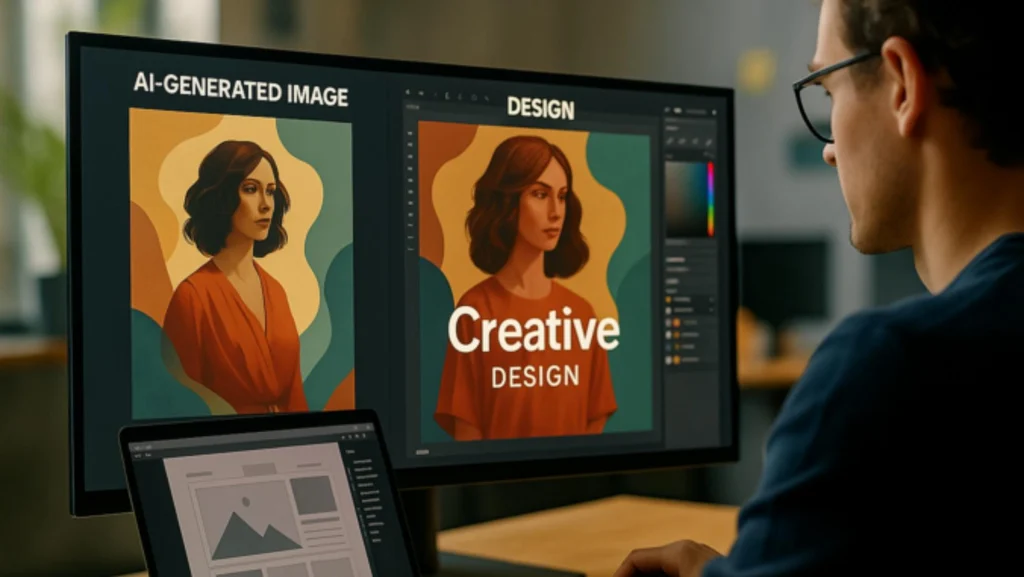
6. Support for Professional Designers
AI can assist experienced designers with repetitive tasks, concept development, image editing, and creative exploration.
It can reduce routine production work while allowing designers to concentrate on more demanding creative decisions.
Limitations and Challenges of AI Designs
Despite their advantages, AI designs have limitations that users should understand before adopting these technologies.
Naoto Inoue
Fix text, labels, and artifacts in your AI product photography looks real by Jeevakav | Fiverr
How AI Supercharges the Creative Process and Empowers Designers | LBBOnline
1. Inconsistent Visual Accuracy
AI-generated images may contain incorrect details, distorted objects, unrealistic proportions, or visual inconsistencies.
These problems become especially important in product advertisements, technical illustrations, and professional presentations.
2. Typography and Text Errors
Some image-generation models struggle with precise lettering.
They may produce incorrect spelling, inconsistent characters, or poorly positioned text.
For text-heavy designs, use editable typography layers whenever possible.
3. Limited Creative Control
A generated image may look attractive but fail to match a precise design specification.
Users may need repeated generations and manual adjustments to achieve the intended result.
4. Generic Visual Styles
Popular AI models can produce familiar visual patterns.
Without clear art direction, the resulting graphics may look similar to thousands of other AI-generated images.
Originality requires thoughtful creative decisions, not simply a longer prompt.
5. Copyright and Ownership Questions
AI-generated designs introduce legal questions about training data, authorship, originality, and commercial rights.
The legal treatment differs between countries and jurisdictions.
For example, the US Copyright Office states that purely AI-generated material without sufficient human authorship is not protected by copyright. Human-created expression, creative modifications, and sufficiently original arrangements can qualify for protection. U.S. Copyright Office+1
This does not establish a universal rule for Pakistan, the UK, the EU, or other jurisdictions.
Businesses should check applicable local copyright laws and platform licensing terms before using AI-generated designs commercially.
6. Subscription and Credit Restrictions
Some platforms restrict AI generation through monthly credits, usage limits, processing allowances, or subscription tiers.
The advertised subscription price does not always reveal the actual cost of producing a large volume of finished assets.
For example, Adobe distinguishes between standard image-generation capabilities and premium features that consume generative credits. Its published terms also state that monthly credits reset rather than roll over. Adobe Firefly
Businesses should estimate their expected monthly usage before purchasing a plan.
AI Design Pricing: What Should You Expect?
There is no single price for AI designs because costs depend on the software, generation model, subscription, and production requirements.
Most platforms follow one or more of these pricing models.
| Pricing model | How it works | Suitable for |
|---|---|---|
| Free plan | Limited features or generations | Beginners |
| Monthly subscription | Recurring access to tools | Regular creators |
| Annual subscription | Discounted longer-term billing | Frequent users |
| Credit-based pricing | Usage deducted from a credit balance | Variable workloads |
| Enterprise pricing | Customized organizational plans | Large teams |
Hidden Costs to Consider
Before selecting a platform, examine more than its advertised monthly price.
Consider:
- Whether unused credits expire.
- Whether AI credits reset monthly.
- Whether premium models consume additional credits.
- Whether commercial licensing requires a higher plan.
- Whether team members need separate seats.
- Whether high-resolution exports require payment.
- Whether additional editing software is necessary.
- Whether generated content can be exported in editable formats.
For businesses, the total cost of producing a finished design matters more than the cost of generating its first draft.
Privacy and Security Considerations
AI design workflows can involve confidential information, including unreleased products, brand assets, customer images, and internal marketing materials.
Users should understand how each platform processes and stores uploaded content.
Before uploading sensitive assets, investigate:
Data usage: Does the provider use uploaded content to improve or train its AI models?
Retention: How long does the provider retain prompts, generated images, and uploaded files?
Access controls: Can team administrators control who accesses creative projects?
Commercial permissions: Does the provider offer appropriate rights for business use?
Enterprise protections: Are contractual security commitments, audit reports, and data-processing agreements available?
Adobe, for example, states that it does not train its current Firefly generative AI models on Creative Cloud subscribers’ personal content. Its training-data and product policies should still be reviewed in the context of the specific workflow. Adobe Help Center
A SOC 2 report, where available, should not be interpreted as proof of Zero Data Retention. These address different questions.
For confidential business projects, review the provider’s actual data-processing terms rather than relying on general marketing statements.
Who Should Use AI Designs?
AI designs can support different audiences, but their usefulness depends on the complexity of the work.
| Audience | Practical application | Recommendation |
|---|---|---|
| Beginners | Posters, invitations, basic graphics | Start with Canva |
| Small businesses | Advertisements and branding concepts | Combine Canva and image generation |
| Graphic designers | Concept development and image editing | Explore Firefly and Recraft |
| Marketing teams | Campaign assets and content variations | Use brand-aware design workflows |
| UI/UX designers | Interface concepts and prototypes | Consider Figma |
| Artists | Illustrations and visual experimentation | Explore Midjourney |
| Content creators | Thumbnails and promotional graphics | Compare Canva and Ideogram |
AI design tools are particularly useful when a project requires frequent visual experimentation.
However, businesses with strict brand, legal, accessibility, or production requirements should maintain human approval processes.
Latest Developments in AI Designs in 2026
AI design technology is moving beyond simple text-to-image generation.
Several developments are changing how creative professionals interact with these systems.
1. Conversational Design Systems
Platforms are increasingly allowing users to describe complete creative projects through natural language.
Canva AI 2.0, announced in 2026, introduces conversational creation, editable layered outputs, and agentic workflows. The company describes a system that can coordinate multiple design tasks rather than generate only isolated images. Canva
2. More Editable AI-Generated Content
One major limitation of early AI image generation was the difficulty of editing individual elements.
Newer design systems increasingly focus on editable objects, layers, and reusable components.
This makes generated content more useful in professional production environments.
3. AI-Assisted Product Design
AI is becoming more integrated into digital product development.
Designers can use prompts and existing design files to explore interface variations, generate prototypes, and accelerate early-stage development.
Figma’s AI features and Figma Make illustrate this direction. Figma+1
4. Greater Attention to Creative Ownership
Copyright, licensing, and creator compensation are receiving increasing attention.
The European Parliament’s October 2026 briefing discusses the distinction between purely AI-generated outputs and works involving sufficient human creativity. European Parliament Research
For businesses, this makes documentation of creative contributions and asset licensing increasingly important.
5. Human and AI Collaboration
The industry is moving toward workflows in which AI handles selected production activities while people retain creative direction.
Designers remain responsible for deciding whether the output communicates the intended message, reflects the brand, and meets professional standards.
Common Mistakes to Avoid When Creating AI Designs
Even capable AI tools can produce poor results when users approach them without a clear process.
Avoid these common mistakes:
- Using vague prompts: Unclear instructions often produce generic visuals.
- Ignoring brand guidelines: Attractive graphics may still conflict with an established identity.
- Publishing without proofreading: Incorrect text can damage credibility.
- Ignoring image resolution: A design suitable for social media may not work for large-format printing.
- Overusing visual effects: Excessive effects can make a design look cluttered.
- Skipping licensing checks: Free access does not automatically mean unrestricted commercial rights.
- Relying entirely on automation: Human review remains essential for quality and accuracy.
- Ignoring accessibility: Poor contrast, tiny text, and unclear visual hierarchy can make content difficult to understand.
The most effective approach combines AI-assisted production with deliberate creative review.
FAQs
1. What are AI designs used for?
AI designs are used to create and improve logos, advertisements, social media graphics, website layouts, illustrations, product mockups, presentations, and other visual content. Businesses and creators use them to explore concepts, speed up production, and develop creative materials.
2. Can I create AI designs for free?
Yes. Several platforms provide free access with limited features or generation allowances. Canva, Adobe Firefly, Figma, and Recraft offer free entry options, although commercial permissions, export capabilities, and AI usage limits vary.
3. Are AI-generated designs copyright-free?
No. AI-generated designs are not automatically copyright-free or protected by copyright. Copyright protection, ownership, and permitted commercial use depend on applicable laws, human creative contributions, and the platform’s licensing terms.
4. Which AI tool is suitable for creating professional designs?
The right platform depends on the project. Canva is suitable for everyday marketing graphics, Adobe Firefly supports image generation and editing, Figma focuses on digital product design, Midjourney supports artistic imagery, and Recraft offers vector-oriented creative workflows.
5. Will AI replace graphic designers?
AI is likely to automate or accelerate some graphic design tasks, but it does not eliminate the need for creative direction, brand strategy, typography expertise, and professional judgment. Designers who combine AI capabilities with strong creative skills can use the technology to improve their workflows.
Conclusion
AI designs are changing how individuals and businesses approach visual creativity. They make concept generation, image creation, editing, and marketing production more accessible.
However, generating an attractive image is not the same as producing a complete professional design. Quality, originality, usability, licensing, and brand consistency still require attention.
Canva and Adobe Firefly are useful starting points for general creative work. Midjourney and Recraft serve more specialized visual requirements, while Figma supports product and interface design.
The right choice depends on the type of content, available budget, editing requirements, and intended commercial use.
Ultimately, the strongest AI design workflow combines intelligent automation with human creativity, professional review, and responsible use.