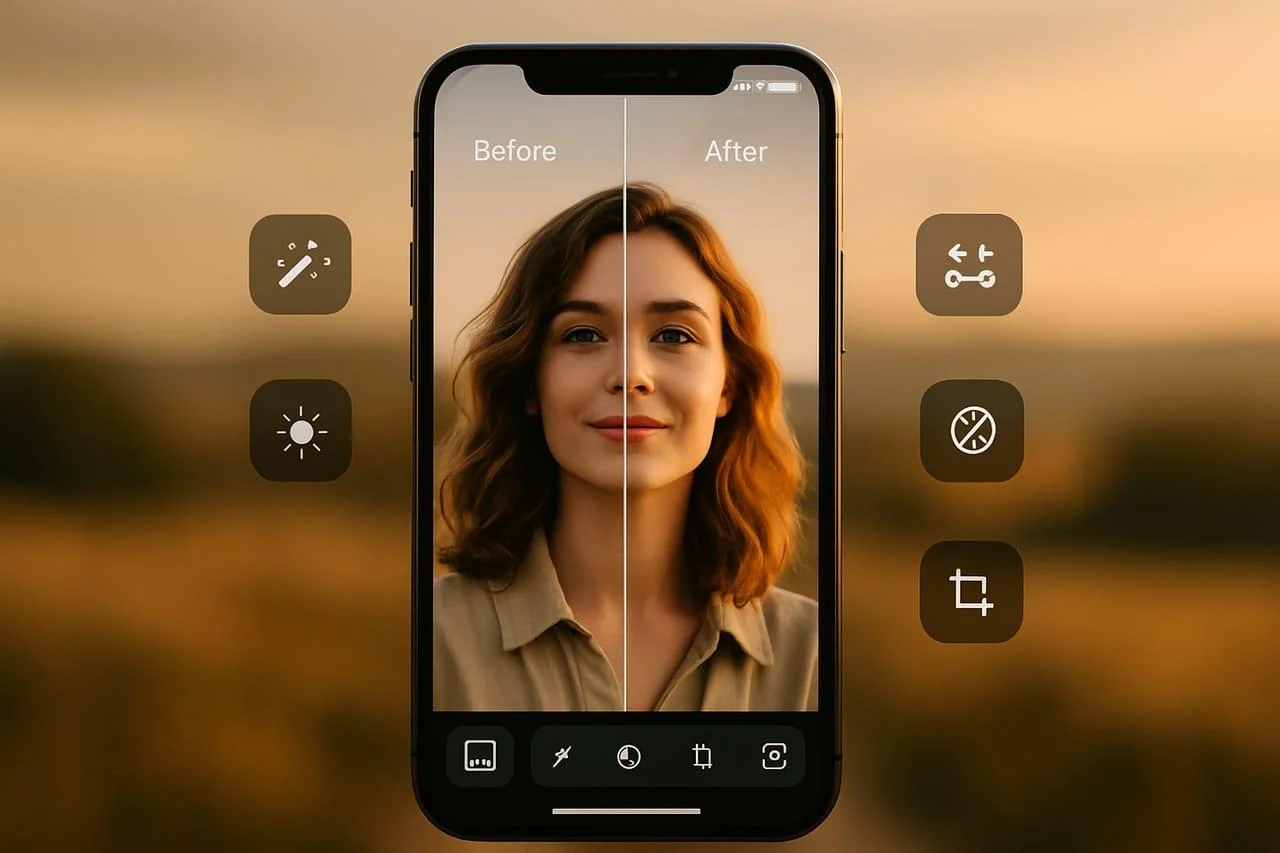
Retake AI is an AI-powered face and photo editing app that helps users improve selfies and portraits by generating alternative versions of existing photographs. It uses personalized facial modeling to create more natural-looking expressions and retakes, giving users several options without taking the same picture again.
Retake AI at a glance
Product category
AI face and photo editor
Primary purpose
AI-generated photo retakes
Main platform
iOS and Android
Personalization
AI facial profile
Pricing model
Free download with paid options
Best suited for
Selfies and portraits
What Is Retake AI?
Retake AI is a mobile photography application designed to improve photographs using artificial intelligence. Its central idea is simple: preserve a memorable photograph while improving facial expressions and other visual details.
Think about taking a group of selfies during a holiday, birthday, or special occasion. The lighting looks excellent, but you blink in the best photograph. Retaking the picture might not be possible.
Retake AI addresses this problem by generating alternative versions of an existing image.
Unlike traditional photo editors, which primarily adjust brightness, contrast, sharpness, and color, Retake AI focuses on facial appearance and personalized image generation.
The official website describes a workflow that creates a personal AI profile from approximately 12 uploaded photographs. Users can then generate multiple retakes from their existing pictures.
Its website advertises more than 15 retake options in approximately one minute. Actual processing times and results can vary.
The important distinction is that Retake AI is not simply a conventional beauty filter. It attempts to generate a more favorable version of a photograph while maintaining the person’s recognizable appearance.
How Does Retake AI Work?
Retake AI uses personalized AI image processing to create new versions of a person’s face within an existing photograph.
Its workflow has three main stages.
Retake
the screenshot first company (@screenshotfirst) on X
Retake AI Face & Selfie Editor app for iPhone — Download
1. Upload Reference Photographs
First, users upload approximately 12 photographs of themselves.
These reference images help the system learn facial characteristics, including:
- Facial structure and proportions.
- Skin appearance and facial details.
- Different angles and expressions.
- How the face appears under different lighting conditions.
The quality of these reference photographs matters. Clear, varied images provide better material for personalization.
2. Create a Personalized AI Profile
Retake AI uses the uploaded photographs to create a personalized facial profile.
This profile helps the application generate edits that resemble the user’s appearance. It also supports different retake styles and multiple profiles, according to the official product description.
The company does not publicly document the complete model architecture, training process, or underlying AI provider. Therefore, it would be inaccurate to attribute the application to a particular large language model or image-generation model.
3. Generate and Compare Retakes
After creating a profile, users select a photograph they want to improve.
The application generates multiple alternatives. Users can compare the results and select their preferred version.
The official website advertises:
- More than 15 retake options.
- Approximately one minute of processing time.
- Alternative facial expressions.
- Improvements to closed eyes and awkward smiles.
- Personalized results based on uploaded photographs.
These are product claims, not independently verified performance benchmarks. Actual results depend on the photograph, facial visibility, and processing conditions. retake.photos+1
Key Features of Retake AI
Retake AI focuses on personalized portrait editing rather than offering a complete professional photography suite.
Here are its most relevant features.
Personalized AI Face Modeling
The personalized face profile is central to the application.
Instead of applying identical beauty filters to everyone, the app uses reference photographs to generate edits based on an individual’s appearance.
This approach can help preserve recognizable facial characteristics.
Multiple AI Photo Retakes
One of its main attractions is the ability to generate several alternatives from one photograph.
Users can explore different versions without repeatedly taking pictures.
This is particularly useful when a photograph captures an important moment that cannot easily be recreated.
Closed-Eye and Expression Corrections
Closed eyes, awkward smiles, and poorly timed expressions can make otherwise excellent photographs unusable.
Retake AI specifically advertises solutions for these problems.
It aims to produce a more favorable facial expression while retaining the original photographic setting.
However, generated corrections should always be inspected. AI can occasionally introduce unnatural details.
Multiple AI Profiles
The official website describes support for multiple personalized profiles.
This allows users to explore different looks or maintain separate facial profiles.
It is worth checking the current subscription conditions before assuming that every profile option is available without restrictions.
Preference-Based Personalization
Retake AI also advertises a feedback mechanism.
Users can like or dislike generated results. This feedback helps guide the application’s future selections toward preferred appearances.
The company does not publicly explain the precise recommendation algorithm or how long preference data is retained.
Easy Photo Comparison
The application follows a straightforward editing workflow:
- Select an existing photograph.
- Generate alternative versions.
- Compare the original with the generated results.
- Save the preferred image.
This gallery-style approach makes the tool accessible to people without professional photo-editing experience. retake.photos+1
What Can You Use Retake AI For?
The application has several practical use cases, particularly for personal photography and social media.
Happy woman video calling on her phone
Laura Cassaro – BR Media Group | LinkedIn
Outdoor party and birthday celebration. Smiling young woman with chocolate birthday cake in the park
Social Media Content
Content creators frequently need attractive photographs for Instagram, TikTok, Facebook, and other platforms.
Retake AI can help improve an existing photograph before publishing it.
Instead of discarding an otherwise excellent image, users can explore alternative facial expressions.
Selfie Enhancement
Selfies do not always capture people at their best.
A slightly awkward expression or closed eyes can affect the entire photograph.
Retake AI offers an alternative to repeatedly taking selfies or applying heavy beauty filters.
Travel and Holiday Photography
Travel photographs often capture unique locations and memorable experiences.
Unfortunately, facial expressions do not always cooperate.
Retake AI can help users improve certain portraits without recreating the original moment.
Personal Memories
Older photographs may still have sentimental value despite imperfect expressions.
The application offers a way to generate improved versions of selected memories.
Users should retain their original photographs rather than replacing them with AI-generated edits.
Creator Thumbnails and Profile Pictures
Creators can use suitable portrait results for profile images, social posts, and some thumbnail designs.
However, professional photographers and businesses should inspect generated images carefully before commercial use.
AI-generated facial details may not always match the original photograph accurately.
Is Retake AI Free?
Retake AI is free to download, but its advanced functionality is associated with paid subscriptions and in-app purchases.
This distinction matters because a free download does not necessarily mean free access to photo generation.
The application uses a subscription-based model called Retake Pro.
Retake AI Pricing
Pricing depends on the platform, country, subscription offer, and promotional conditions.
The US Apple App Store listing currently displays multiple weekly subscription price points, including:
| Subscription | Displayed US price |
|---|---|
| Weekly | $4.99 |
| Weekly | $6.99 |
| Weekly | $7.99 |
| Weekly | $9.99 |
| Weekly | $14.99 |
| Yearly | $59.99 |
These are prices displayed among the App Store’s in-app purchase options, not a guarantee that every user will receive every offer. App Store
The actual price presented during checkout may differ.
Users in Pakistan and other international markets should check their local App Store or Google Play checkout screen.
Is the Free Trial Worth Trying?
Some App Store users report seeing a seven-day trial.
However, trial availability and eligibility can vary.
Before accepting an offer, check:
- The trial duration.
- The first billing date.
- The recurring subscription price.
- The renewal frequency.
- The cancellation deadline.
- Whether the offer requires payment details.
Important: Deleting the application does not automatically cancel a subscription.
Cancel through the platform where the purchase was made. Check the subscription status afterward.
Is Retake AI Worth the Subscription Cost?
That depends on how frequently you use it.
For someone who regularly creates social media content, multiple photo retakes may provide practical value.
For someone who only wants to correct one occasional photograph, a recurring weekly subscription may be difficult to justify.
Compare the cost with alternatives before committing.
Retake AI Privacy and Security: What Should Users Know?
Privacy deserves particular attention because Retake AI requires users to upload personal photographs.
Facial photographs are sensitive personal material. They can reveal identifiable physical characteristics and information about other people appearing in an image.
Before uploading photographs, users should understand how their information may be handled.
Photo Uploads and Facial Data
Retake AI’s product workflow requires reference photographs to create personalized facial profiles.
The Apple App Store privacy label for the application indicates that user content may be used for tracking and may be linked to the user’s identity for several purposes.
These include:
- Third-party advertising.
- Developer marketing.
- Analytics.
- Product personalization.
- Application functionality.
Apple explicitly states that developer-provided privacy information has not been verified by Apple. App Store
This information deserves careful consideration before uploading personal images.
Does Retake AI Store Uploaded Photos?
The publicly available information reviewed for this article does not establish a comprehensive retention schedule for uploaded photographs or personalized facial profiles.
It also does not independently establish whether every image is deleted immediately after processing.
Users should consult the current privacy policy for specific information about:
- Photo storage duration.
- Facial profile retention.
- Third-party processing.
- Data sharing.
- Account deletion.
- Backup retention.
Do not assume that deleting a photograph from the application automatically removes every associated copy.
How to Protect Your Privacy
Consider these precautions:
- Upload only photographs you have permission to use.
- Avoid uploading sensitive or intimate photographs.
- Do not upload other people’s faces without appropriate permission.
- Review the privacy policy before creating a facial profile.
- Check the app’s photo permissions.
- Understand how to request account and data deletion.
Editorial assessment: Retake AI offers an interesting photography workflow, but users should evaluate its data practices before sharing facial photographs. Publicly available information does not justify describing the service as having zero data retention or independently certified security.
Retake AI Reviews: What Do Users Think?
User reviews provide another way to evaluate whether the application delivers practical value.
The official website reports a 4.6 App Store rating with approximately 53,000 ratings. This is a developer-displayed figure, not an independent product-quality assessment. retake.photos+1
Positive User Feedback
Positive reviews commonly highlight:
- Convenient photo improvements.
- Multiple facial expression options.
- Natural-looking results in successful edits.
- Simple editing workflows.
- The ability to rescue photographs that would otherwise go unused.
Some reviewers also appreciate that the application can improve photographs without requiring extensive manual editing.
Common User Complaints
Not every experience is positive.
App Store reviews also raise concerns about:
- Weekly subscription costs.
- Confusion about free-trial billing.
- Unexpected subscription charges.
- Whether the subscription offers sufficient value.
- Refund and cancellation experiences.
For example, some reviewers have described difficulty understanding trial charges and renewal conditions. These are individual reports, not proof of systematic billing misconduct. App Store+1
Overall Review Assessment
| Evaluation area | Editorial assessment |
|---|---|
| Ease of use | Simple, guided workflow |
| Personalization | A major product strength |
| Photo retakes | Its primary purpose |
| Pricing | Requires careful evaluation |
| Privacy | Review the policy before uploading |
| Professional editing | Not a complete replacement for desktop tools |
The most important consideration is the balance between output quality and subscription cost.
A useful application can still be poor value if users rarely need its features.
Limitations of Retake AI
Despite its practical advantages, Retake AI has limitations worth understanding.
Requires Multiple Reference Photos
The personalized workflow requires several photographs before users can access its central retake functionality.
This creates additional setup work.
It may not suit someone who simply wants to correct one photograph immediately.
Generated Results May Not Be Perfect
AI-generated facial edits can introduce visual inconsistencies.
Possible issues include:
- Slight changes to facial proportions.
- Unnatural expressions.
- Inconsistent skin details.
- Differences between the original and edited face.
- Unexpected changes in lighting or image details.
Always compare generated results with the original.
Subscription Costs Can Add Up
Weekly subscriptions can become expensive when users keep them active for several months.
A yearly subscription may offer a different effective cost, but it still requires an upfront commitment.
Evaluate your expected usage before purchasing.
Limited Professional Editing Controls
Retake AI focuses on facial retakes and personalized image generation.
It should not be confused with a complete image-editing suite offering advanced color grading, RAW development, layer-based editing, and detailed masking.
Professional photographers may need additional software.
Results Depend on Input Quality
The quality of reference photographs influences personalization.
Extremely dark selfies, heavily filtered pictures, obstructed faces, and inconsistent reference images may affect the results.
Using clear photographs with different angles is a sensible starting point.
Not Every Photograph Is Suitable
Retake AI is primarily designed around facial photographs.
It is not the ideal choice for every photography task.
For example, users seeking advanced landscape correction, product retouching, or architectural image editing should consider specialized tools.
Best Retake AI Alternatives in 2026
Several AI photography applications offer overlapping features.
However, they do not all solve the same problem.
Some specialize in facial retouching, while others focus on image enhancement or professional editing.
Facetune | AI Photo & Video Editor: Retouch, Filter & Slay
1. Facetune
Best for selfie retouching, beauty adjustments, AI hairstyles, and creative facial editing.
Pricing: Free features with paid VIP subscription options.
Official Facetune website · Facetune+1
Adobe Lightroom: Photo Editor App – App Store
2. Adobe Lightroom
Best for detailed image editing, color correction, masking, and AI-assisted adjustments. Its October 2026 mobile release introduced an Open Eyes feature.
Pricing: Free and paid subscription options, depending on platform and plan.
Official Lightroom website · Adobe Help Center+1
Remini: Mejora la calidad de tus fotos
3. Remini
Best for improving image clarity, enhancing faces, and restoring older photographs.
Pricing: Free access and paid options; check current regional offers.
Official Remini website · Remini Help Center+1
Las aplicaciones para editar fotos en este verano 2022
4. Snapseed
Best for manual editing, selective adjustments, filters, healing, and RAW image processing.
Pricing: Free, with no subscription according to its App Store listing.
Official Snapseed website · App Store+1
Retake AI vs Competitors: Feature Comparison
| Platform | Target user | Key strength | Pricing transparency | Main limitation |
|---|---|---|---|---|
| Retake AI | Selfie users | Personalized retakes | In-app offers | Subscription costs |
| Facetune | Beauty and content creators | Facial retouching | Free and VIP options | Not focused exclusively on retakes |
| Lightroom | Photographers | Advanced editing | Multiple plans | More complex workflow |
| Remini | Casual photographers | AI enhancement | Regional offers | Different primary purpose |
| Snapseed | General photographers | Manual editing | Free | No equivalent personalized retake workflow |
Which alternative should you choose?
- Choose Retake AI for personalized facial retakes.
- Choose Facetune for creative selfie editing.
- Choose Lightroom for advanced photography workflows.
- Choose Remini for image enhancement and restoration.
- Choose Snapseed for free, hands-on photo editing.
One important distinction: Lightroom now offers an Open Eyes feature. Therefore, users looking specifically to correct blinking photographs should compare its newer functionality with Retake AI rather than assuming only one application offers this capability. Adobe Help Center+1
Who Should Use Retake AI?
Retake AI is most relevant to people who frequently take photographs of themselves.
It can be useful for:
- Social media creators: Improve portraits before publishing content.
- Casual photographers: Rescue photographs with awkward expressions.
- Travel enthusiasts: Improve memorable holiday photographs.
- Selfie enthusiasts: Explore different facial expressions.
- Everyday users: Create alternative versions of existing pictures.
Who Should Avoid It?
Retake AI may not be suitable for:
- Photographers who require detailed manual controls.
- Users who only need occasional basic adjustments.
- People uncomfortable uploading personal facial photographs.
- Businesses requiring documented enterprise privacy controls.
- Users who expect every generated image to be identical to the original.
It is important to understand the distinction between personal entertainment and professional image production.
How to Get Better Results with Retake AI
Good preparation can improve the quality of AI-generated photographs.
Follow these practical recommendations.
Choose Clear Reference Photos
Use sharp, well-lit photographs.
Avoid excessive filters, sunglasses, heavy shadows, and images where facial features are difficult to recognize.
Include Different Facial Angles
Do not rely entirely on front-facing selfies.
Include natural photographs from different angles to give the personalization process more varied reference material.
Start with a Suitable Original Image
Choose photographs where the face is clearly visible.
Images with extreme motion blur, severe obstruction, or poor lighting may produce less convincing results.
Compare Every Generated Version
Do not automatically select the first output.
Inspect facial proportions, eyes, teeth, skin texture, and lighting.
Preserve Original Photographs
Keep an untouched copy of every important photograph.
This allows you to compare edits and return to the original whenever necessary.
Check Subscription Terms Before Generating
Review the price, renewal frequency, and available generation allowance.
Do not assume that every retake is unlimited or that a free download includes unrestricted editing.
Is Retake AI Safe to Use?
There is no single answer that applies to every user.
The application is available through mainstream mobile app marketplaces, but marketplace availability alone does not establish comprehensive privacy or security assurance.
The most important consideration is the handling of uploaded facial photographs.
Before using Retake AI, review its privacy disclosures and consider whether you are comfortable providing the required personal images.
Also, avoid presenting heavily modified photographs as documentary evidence or authentic records.
AI-generated edits can change facial details, expressions, and other visual information. That distinction matters in professional, journalistic, and legal contexts.
Important: Retake AI vs Other Similarly Named Tools
Search results can contain multiple products using similar names.
For example, Retake.photos focuses on personalized facial retakes, while Retake.cam promotes generating photographs from different camera perspectives.
These are different product propositions.
Check the developer, official website, and app listing before downloading an application. This helps avoid confusion between similarly named AI photography tools. retake.photos+1
FAQs
1. What is Retake AI used for?
Retake AI is used to improve selfies and portraits through personalized AI-generated photo retakes. It can create alternative facial expressions, address closed eyes, and produce multiple versions of an existing photograph.
2. Is Retake AI free?
Retake AI is free to download, but its advanced features require paid subscription options. The available prices depend on the user’s country, platform, and subscription offer.
3. How many photos does Retake AI require?
The official website recommends approximately 12 clear reference photographs to create a personalized facial profile. Different app descriptions and versions may present slightly different setup requirements.
4. Is Retake AI safe for personal photographs?
Retake AI requires personal photographs for its personalized editing workflow. Its App Store privacy disclosures indicate that user content may be collected and used for several purposes. Review the current privacy policy and data-handling practices before uploading sensitive images.
5. What are the best Retake AI alternatives?
Popular alternatives include Facetune, Adobe Lightroom, Remini, and Snapseed. Facetune focuses on selfie retouching, Lightroom offers advanced editing, Remini specializes in AI enhancement, and Snapseed provides manual editing tools.
Conclusion:
Retake AI offers a focused approach to AI-powered photography. Its main advantage is the ability to generate personalized alternatives to existing selfies and portraits.
The application can be useful for social media creators, casual photographers, and anyone who wants to improve photographs with awkward facial expressions.
However, subscription costs, generated-image accuracy, and facial data privacy deserve careful consideration.
Before subscribing, compare the available plans, test the editing results, and review the privacy disclosures.Ultimately, Retake AI is worth considering if personalized photo retakes match your needs. It is less compelling if you want a free, comprehensive photo editor or professional image-processing software.