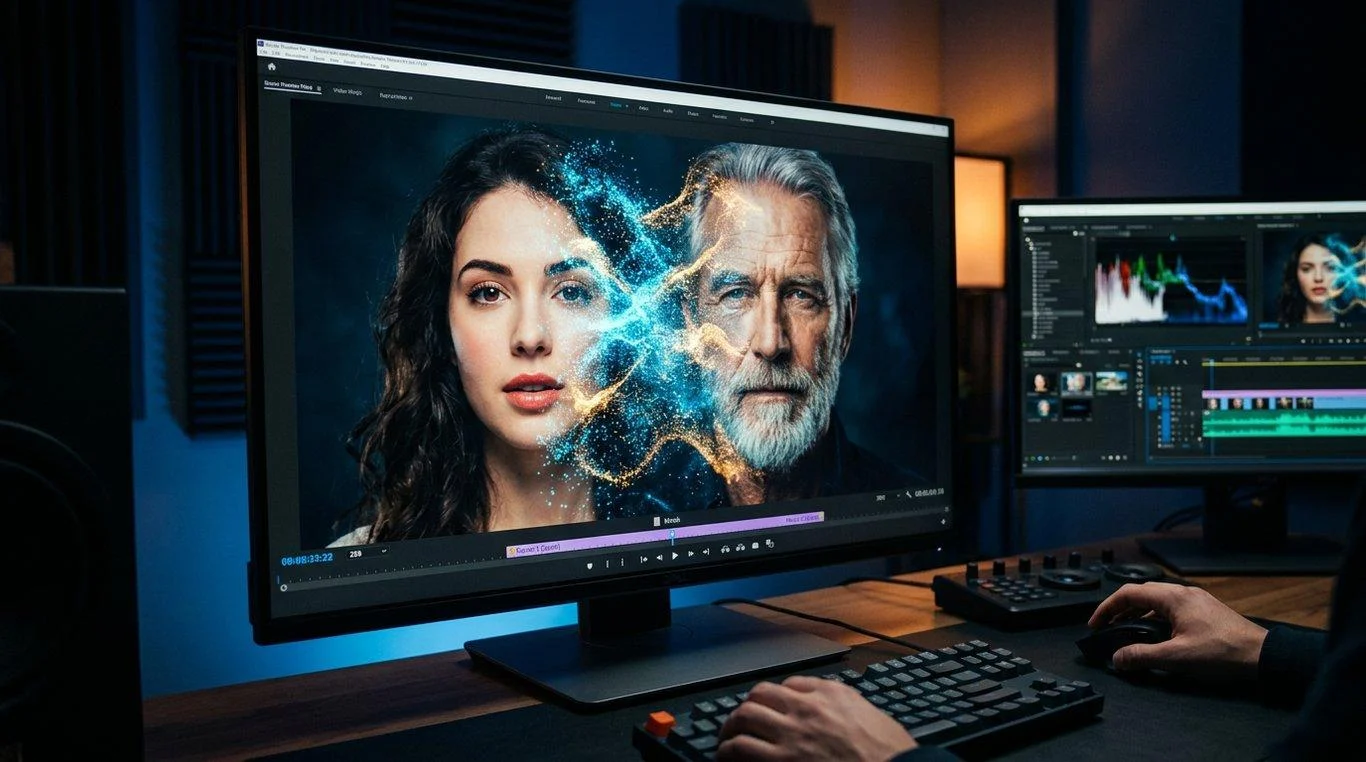
FaceFusion AI is an AI-powered face manipulation platform that lets users swap and process faces in images and videos using locally executed software. It offers an open-source codebase, configurable processing workflows, and options for users who want more control over their face-editing projects.
FaceFusion AI at a Glance
- What it is: An AI-powered face manipulation and face-swapping platform.
- Primary purpose: Editing faces in photographs and video footage.
- Processing approach: Designed for local processing on compatible hardware.
- Availability: Public source code, installation documentation, and optional paid installers.
- Target users: Creators, developers, video editors, and technically confident users.
- Main consideration: Installation complexity, hardware compatibility, licensing, and responsible use of someone’s likeness.
What Is FaceFusion AI?
Step-by-step Guide for How to Use FaceFusion (0 Code Required)
OFM AI Incubator
MimicPC – How to Use FaceFusion to Create AI Face Swap Videos
FaceFusion AI is a face manipulation application designed to replace, modify, enhance, and process faces in digital media.
Unlike many browser-based face-swapping services, FaceFusion focuses on running its processing pipeline on a user’s own computer. This gives users more control over their files, processing environment, and configuration.
The project is available through its public GitHub repository and official documentation. Its source code is open source, although its licensing terms and the licenses of individual models deserve separate attention.
The platform is particularly relevant to people who want to experiment with AI face swapping without depending entirely on a subscription-based online service.
Is FaceFusion AI a website or downloadable software?
FaceFusion is primarily a locally installed application, not simply a website where users upload photographs and receive edited results.
Its main components include:
- A Python-based application.
- AI models for facial recognition and manipulation.
- Image and video processing capabilities.
- Configurable processing options.
- Hardware acceleration through supported execution providers.
- Command-line controls for automated workflows.
The official website also provides optional Windows and macOS installers. These are paid convenience products, separate from obtaining the source code. facefusion.io+2
How Does FaceFusion AI Work?
FaceFusion uses machine learning models and image-processing techniques to identify faces and apply transformations.
The general process involves detecting a face in the original image, identifying the target face, processing the selected transformation, and producing an edited result.
Face Swap Technology: The Complete Guide | Cleep.ai
cleep.ai
1. Face Detection
The software first identifies faces within the input photograph or video frames.
Face detection helps the application locate facial regions and determine where subsequent processing should happen.
The accuracy of this step depends on image quality, lighting, facial visibility, and the selected models.
2. Facial Analysis and Alignment
The application analyzes facial characteristics and landmarks.
These landmarks help establish facial positioning, orientation, and proportions. Alignment is important because the source and target faces may have different angles or expressions.
3. AI Face Swapping
The face-swapping processor applies a selected model to transform the target face.
FaceFusion provides multiple model choices, including:
- InSwapper
- BlendSwap
- Ghost
- HyperSwap
- SimSwap
- UniFace
These models offer different processing characteristics. Their availability does not mean they produce identical results or have identical licensing conditions.
4. Face and Frame Enhancement
Additional processors can improve the appearance of the output.
Depending on the selected workflow, users can access face enhancement, frame enhancement, expression restoration, colorization, and other processing functions.
5. Final Rendering
For video projects, the application processes the relevant frames and combines them into an output video.
The final result depends on several factors:
- Source image quality.
- Target video resolution.
- Facial visibility.
- Model selection.
- Processing settings.
- Available GPU resources.
FaceFusion provides configurable workflows rather than guaranteeing perfect results for every image or video. FaceFusion+2
Key Features of FaceFusion AI
FaceFusion offers more than a basic photo face-swapping function. Its processing architecture includes several tools for working with images and video.
OFM AI Incubator
AI换脸:FaceFusion4.1.0 更新内容和软件!- 大数跨境
Обновление FaceFusion v3.0.0 — ультимативной нейросети для дипфейков / Хабр
1. AI Face Swapper
Face swapping is the platform’s central capability.
Users can select a source face and apply it to a target image or video. Different models provide alternative approaches to facial transformation.
This is useful for authorized creative projects, visual experiments, and video production.
2. Multiple Face-Swapping Models
FaceFusion supports different face-swapping models rather than restricting users to one processing option.
Model selection can influence:
- Facial similarity.
- Expression preservation.
- Processing characteristics.
- Output appearance.
- Compatibility with different input conditions.
Users should test models with their actual material instead of assuming that a higher model resolution guarantees better results.
3. Face Enhancement
The face-enhancement processor helps improve facial appearance after transformation.
It can be useful when the resulting face looks soft, lacks detail, or needs additional restoration.
However, enhancement cannot reliably reconstruct every missing detail.
4. Video Processing
FaceFusion supports video-oriented workflows.
Users can process video footage rather than limiting their projects to individual photographs. The software uses FFmpeg-based video processing capabilities, with workflow and encoding options available through its evolving interface and command-line configuration.
This makes it relevant to editors working with multiple frames and longer visual projects. GitHub+1
5. Multiple Face Processing
The software includes face-selection functionality for managing which detected faces should receive processing.
This is useful when working with group photographs or footage containing several people.
Users should review the output carefully because automatic face selection may not always identify the intended subject correctly.
6. Customizable Processing
One important advantage is the ability to adjust processing settings.
Users can configure models, execution providers, device selection, and other parameters.
This flexibility is particularly useful for developers and experienced users who want greater control over their workflows.
7. Command-Line and Batch Operations
FaceFusion is not limited to manually processing one file at a time.
Its command-line interface includes:
- Standard application execution.
- Headless execution.
- Batch processing.
- Benchmarking.
- Job creation and management.
- Automated job submission.
These capabilities make it useful for repeatable projects and technical workflows. GitHub+1
How to Install FaceFusion AI
Installation is one of the most important considerations for new users.
The official documentation warns that manual installation requires technical knowledge. Users who are uncomfortable with terminals and Python environments may prefer the project’s optional installers.
FaceFusion(AI换脸)Windows安装 – 贰叁肆
ersansi.top
Step 1: Check Your Computer
Before installing the software, check your operating system, processor, graphics hardware, and available memory.
The official FAQ identifies 8GB of GPU VRAM as its bare minimum recommendation and says that 12GB or more should work well.
Actual performance depends on the selected models, video resolution, and processing configuration. FaceFusion
Step 2: Install the Required Dependencies
The documented installation workflow uses:
- Python.
- Conda.
- Git.
- FFmpeg.
- A compatible inference runtime.
The exact requirements depend on your operating system and hardware.
Step 3: Download FaceFusion
The official GitHub repository provides the application source code.FaceFusion official GitHub repository
Developers can clone the repository and follow the installation instructions.
Step 4: Configure Hardware Acceleration
FaceFusion supports different execution providers, including:
- CPU
- CUDA
- DirectML
- CoreML
- MIGraphX
- OpenVINO
- ROCm
- TensorRT
Not every provider is suitable for every computer. Choose the option compatible with your graphics hardware and installed dependencies. FaceFusion+1
Step 5: Install and Launch
The official documentation provides the following general installation commands:
git clone https://github.com/facefusion/facefusion

cd facefusion

python install.py --onnxruntime default

python facefusion.py run --open-browser
These are illustrative commands from the documented workflow. Users should select the appropriate installation option for their hardware rather than blindly copying the default runtime configuration.
For detailed instructions, visit the official FaceFusion installation guide.
FaceFusion AI Pricing: Is It Free?
FaceFusion has a free source-code distribution, but the complete cost of using it depends on how users install and operate it.
The distinction between free software and paid installation convenience is important.
| Option | Published price | What it provides |
|---|---|---|
| GitHub source code | Free to obtain | Access to the application source |
| Windows installer | $20 | Simplified Windows installation |
| macOS installer | $30 | Simplified macOS installation |
| Computer hardware | Varies | Resources for local processing |
| Optional plugins | Varies | Additional creative workflow capabilities |
Prices displayed on the official FaceFusion website when checked November 11, 2026. Confirm current checkout prices before purchasing. facefusion.io+1
Does FaceFusion Require a Subscription?
The official website presents its Windows and macOS installers as one-time purchases rather than recurring software subscriptions.
The source code can be obtained without paying an installer fee.
However, users should account for other possible expenses:
- GPU upgrades.
- Electricity consumption.
- Storage requirements.
- Maintenance and troubleshooting.
- Optional plugins.
- Third-party services, if separately integrated.
The project also advertises commercial-oriented plugin capabilities. However, the availability of a commercial workflow does not automatically grant commercial rights to every model or component.
Is FaceFusion Worth Paying For?
Paying for an installer may make sense if it saves considerable setup time.
Technically experienced users may prefer the free source-code installation.
Before purchasing, check which operating systems and hardware configurations the installer supports. Also verify whether the included installation package meets your specific requirements.
Who Should Use FaceFusion AI?
FaceFusion is most relevant to users who need local face manipulation and are comfortable managing software installations.
| User type | Potential application |
|---|---|
| Video editors | Authorized face transformations in footage |
| Content creators | Creative visual experiments |
| AI enthusiasts | Exploring computer vision applications |
| Developers | Building customized processing workflows |
| Digital artists | Experimental image manipulation |
| Researchers | Studying face-processing techniques |
Content Creators
Creators can explore face transformation for fictional productions, parody, and other clearly disclosed creative projects.
The software can support visual experimentation without requiring every file to pass through an external editing service.
Video Editors
Editors may use FaceFusion as one component of a larger post-production workflow.
Its configurable processing and video capabilities can complement conventional editing software.
Developers
Developers can benefit from command-line execution, batch jobs, and configurable processing components.
These options make it possible to integrate face-processing operations into larger workflows, subject to licensing and technical constraints.
AI Enthusiasts
People interested in computer vision can use the project to explore facial detection, model inference, image manipulation, and video processing.
However, beginners should understand the installation requirements before choosing it.
Benefits of FaceFusion AI
FaceFusion offers several advantages over services that rely exclusively on browser-based processing.
1. Greater Control Over Processing
Users can select models, adjust settings, and configure processing workflows.
This is useful for people who need more flexibility than a simple upload-and-download service provides.
2. Local Processing Options
FaceFusion is designed to process media on the user’s own hardware.
Local processing can reduce the need to upload sensitive photographs and videos to an external service. It also gives users more direct control over where their source files are stored.
However, users should still review network activity, model downloads, third-party dependencies, and installer behavior before making absolute privacy assumptions.
3. No Mandatory Monthly Software Subscription
The source code is publicly available, and users can install it without purchasing the optional installers.
This can make repeated experimentation more economical than services charging for every generated image or video.
4. Flexible Model Selection
Different face-swapping models provide different processing characteristics.
Users can experiment with available options and choose the configuration that works best for their material.
5. Automation Capabilities
Command-line execution and batch processing make FaceFusion useful for repeatable workflows.
Developers can automate tasks instead of manually repeating every processing operation.
Limitations of FaceFusion AI
Despite its capabilities, FaceFusion is not a perfect solution.
Understanding its limitations helps users avoid unrealistic expectations.
1. Installation Can Be Difficult
The manual installation process requires familiarity with Python, Conda, command-line tools, and hardware acceleration.
Beginners may encounter dependency conflicts or runtime errors.
The optional installers reduce some setup complexity, but they do not eliminate every compatibility issue.
2. Hardware Affects Performance
Local AI processing depends on available computing resources.
A computer with limited GPU memory may struggle with demanding video workflows, higher resolutions, or multiple processing operations.
The official FAQ recommends at least 8GB of VRAM as a starting point, with 12GB or more preferred. FaceFusion
3. Output Quality Is Not Guaranteed
Face swapping can produce visual inconsistencies.
Common problems include:
- Unnatural facial boundaries.
- Incorrect skin-tone matching.
- Distorted expressions.
- Inconsistent lighting.
- Facial artifacts.
- Differences between consecutive video frames.
The quality of the source material and selected model significantly affects the outcome.
4. Licensing Requires Attention
An open-source repository does not automatically mean unrestricted commercial use.
FaceFusion’s current repository identifies its license as OpenRAIL-AS. Individual model weights and supporting components may carry separate terms.
Users should review the applicable licenses before distributing software, offering paid services, or incorporating generated material into commercial projects. GitHub+2
5. Not Every Computer Is Compatible
Although FaceFusion supports several execution providers, hardware acceleration requires compatible drivers, libraries, and runtime configurations.
A supported execution provider does not guarantee that every GPU will deliver satisfactory performance.
FaceFusion AI Privacy and Security
Privacy deserves particular attention because face-swapping applications process biometric-looking visual information.
FaceFusion’s official website promotes local processing and states that user media stays on the user’s machine. This is an important architectural distinction from cloud-based services that require uploaded photographs and videos. facefusion.io
However, there are several things users should understand.
Does FaceFusion Upload Your Photos?
The project’s local-processing approach is designed to avoid sending source media to a remote processing service.
Nevertheless, users should distinguish between media processing and other network activity.
For example:
- Downloading AI models requires network access.
- Installing dependencies may contact external package repositories.
- Third-party installers may have their own behavior.
- Plugins or external integrations may introduce separate data flows.
Do not assume that every component has identical privacy practices.
Can FaceFusion Be Used Offline?
Local processing makes offline operation possible after the necessary software, dependencies, and models have been downloaded.
However, initial installation and model acquisition generally require internet access.
Users should test their complete workflow before relying on offline operation.
Is FaceFusion Safe?
The software’s local architecture can help reduce exposure to third-party cloud services.
Nevertheless, safety also depends on the source of installation files, model downloads, computer security, and how users handle generated content.
There is no reason to treat local processing as a substitute for reviewing software licenses, security practices, or consent requirements.
Responsible Use and Consent
Face-swapping technology can create misleading representations of real people.
Users should obtain permission before manipulating another person’s likeness, particularly when publishing or commercially distributing the result.
Avoid deceptive impersonation, harassment, identity fraud, and non-consensual intimate imagery.
FaceFusion’s documentation also identifies restrictions on NSFW content and explains that its content-analysis safeguards can prevent certain processing operations. FaceFusion
FaceFusion AI Alternatives and Competitors
FaceFusion is not the only option for AI-powered face manipulation.
Different platforms target different audiences. Some prioritize local processing, while others focus on live video, model training, or simpler installation.
Shark (@fun__programmer) on X
7 Easy-to-Use Offline Face Swap for Windows [Hands-On Reviews]
Deep Live Cam, l’IA qui permet de devenir n’importe qui en vidéo, inquiète face aux risques de fraude – Les Numériques
Here are several relevant alternatives.
| Platform | Target user | Key strength | Pricing transparency | Main limitation |
|---|---|---|---|---|
| FaceFusion | Technical creators and developers | Configurable local face processing | Source code free; paid installers | Manual setup can be difficult |
| DeepFaceLab | Advanced video editors | Training-based face manipulation | Free source code | More complex training workflow |
| Deep-Live-Cam | Live video creators | Real-time camera-oriented swapping | Free source code | Hardware and setup requirements |
| VisoMaster | Desktop creators | Visual face-processing workflow | Check current distribution terms | Platform and hardware compatibility |
| SimSwap | Developers and researchers | Research-oriented face swapping | Check applicable model and code licenses | More technical implementation |
These tools are not interchangeable. Some focus on real-time processing, while others require model training or offer different editing workflows. ClapClip Face Swap+2
FaceFusion vs. DeepFaceLab
DeepFaceLab uses a more training-oriented approach to face swapping.
It is relevant to experienced users who want to work with datasets and train models for specific projects.
FaceFusion is more suitable when users want to apply existing models through a configurable processing pipeline.
FaceFusion vs. Deep-Live-Cam
Deep-Live-Cam focuses on real-time face swapping and camera-oriented workflows.
FaceFusion offers a broader configurable processing environment, including image, video, and batch operations.
Choose according to whether your primary requirement is live interaction or offline media processing.
FaceFusion vs. VisoMaster
VisoMaster is another option for users interested in local face manipulation.
Its desktop-oriented workflow may appeal to people who prefer visual controls.
FaceFusion may be more appropriate for users who value command-line operations and configurable jobs.
FaceFusion vs. SimSwap
SimSwap is a research-oriented face-swapping framework.
It is relevant to developers and researchers interested in model-based face manipulation.
FaceFusion provides a more complete application workflow, while SimSwap is better approached as a technical framework rather than a direct replacement for a packaged application.
Technical Considerations Before Using FaceFusion
For users planning to install FaceFusion, several technical factors deserve attention.
GPU and VRAM Requirements
The GPU can have a major impact on processing speed.
The official FAQ identifies 8GB of VRAM as a minimum starting point and recommends 12GB or more for smoother operation.
These figures are guidance, not universal performance guarantees.
Supported Execution Providers
FaceFusion uses ONNX Runtime execution providers to support different hardware configurations.
The available options include CUDA, DirectML, CoreML, ROCm, and other supported backends.
This flexibility is useful because users do not all have the same graphics hardware.
Model Compatibility
Different models may have different requirements and licensing conditions.
Before choosing a model, check:
- Whether it is compatible with your installed version.
- Whether your hardware can run it.
- Whether its output meets your quality requirements.
- Whether its license permits your intended use.
Video Resolution and Processing Time
Higher-resolution footage generally requires more computational resources.
Longer videos also require more frame processing.
Users should test short clips before committing to large projects. This helps identify performance problems and unsuitable configurations early.
Batch Processing and Automation
The command-line interface supports job management and automated workflows.
This can help developers process multiple files consistently.
However, automated workflows should include error handling, output validation, and appropriate controls over the source media.
Common Mistakes to Avoid When Using FaceFusion AI
New users can encounter unnecessary problems by overlooking basic requirements.
Here are some common mistakes worth avoiding.
1. Installing incompatible dependencies: Always follow the installation instructions for your operating system and runtime.
2. Ignoring GPU compatibility: Check supported drivers and execution providers before selecting an accelerator.
3. Choosing models without testing: Compare available models using suitable sample material.
4. Using poor-quality source photographs: Blurry images, extreme angles, and insufficient lighting can reduce output quality.
5. Expecting perfect video consistency: Inspect multiple frames rather than judging a result from one screenshot.
6. Ignoring licensing: Review the application’s license and the separate terms of downloaded models.
7. Using someone’s likeness without permission: Obtain consent and avoid deceptive or harmful applications.
Latest FaceFusion AI Developments
FaceFusion continues to evolve through updates to its source code, processing components, and model support.
As checked on November 11, 2026, its official GitHub releases page lists version 3.9.2, released October 26, 2026. The release notes mention improvements to download handling, FFmpeg job termination, ONNX Runtime compatibility, and a fix for a fatal error associated with a recent NVIDIA driver update. GitHub
Other recent development milestones include:
- Version 3.9.0: Introduced the AlphaFace 256 face-swapper model and HRFFA face landmarker.
- Version 3.8.0: Introduced a high-performance video manager built around FFmpeg, alongside workflow improvements and AV1 support.
- Version 3.7.0: Introduced multi-frame-aware processor architecture and additional face-selection capabilities. GitHub
These updates demonstrate ongoing development across the application and its video-processing architecture.
For the latest changes, consult the official FaceFusion release history rather than relying on outdated installation tutorials.
FAQs
1. Is FaceFusion AI free to use?
Yes. FaceFusion’s source code is available publicly without an installer purchase. However, its official website offers optional paid Windows and macOS installers. Users must also consider hardware, installation, and applicable model licensing costs.
2. Can FaceFusion AI swap faces in videos?
Yes. FaceFusion supports video-processing workflows that allow users to apply face transformations to video footage. Results depend on source quality, selected models, hardware, and processing settings.
3. Does FaceFusion AI work without a GPU?
FaceFusion supports CPU execution, so a dedicated GPU is not strictly necessary. However, processing may be slower, particularly with demanding video projects. The official documentation recommends at least 8GB of GPU VRAM as a starting point.
4. Is FaceFusion AI safe for personal photographs?
Its local-processing architecture can reduce the need to upload personal photographs to external services. Nevertheless, users should verify installation sources, dependencies, network activity, and applicable privacy considerations before processing sensitive material.
5. Can FaceFusion AI be used commercially?
Commercial use requires careful license review. The repository identifies its license as OpenRAIL-AS, and individual models may have additional restrictions. Users should verify the applicable terms for the software, model weights, and intended use before commercial distribution.
Conclusion
FaceFusion AI is a flexible face manipulation platform for users interested in AI-powered image and video processing.
Its main advantages include local processing, multiple face-swapping models, configurable settings, and command-line automation. These capabilities make it relevant to developers, digital artists, and technically experienced content creators.
However, installation complexity, hardware requirements, output consistency, and licensing restrictions deserve careful consideration.
For beginners, a packaged face-swapping application may be easier to use. For users who value local processing and greater technical control, FaceFusion is worth exploring.
Before choosing it, evaluate your hardware, intended workflow, privacy requirements, and the licensing conditions of the models you plan to use. Responsible use and informed consent should remain essential parts of every face-manipulation project.