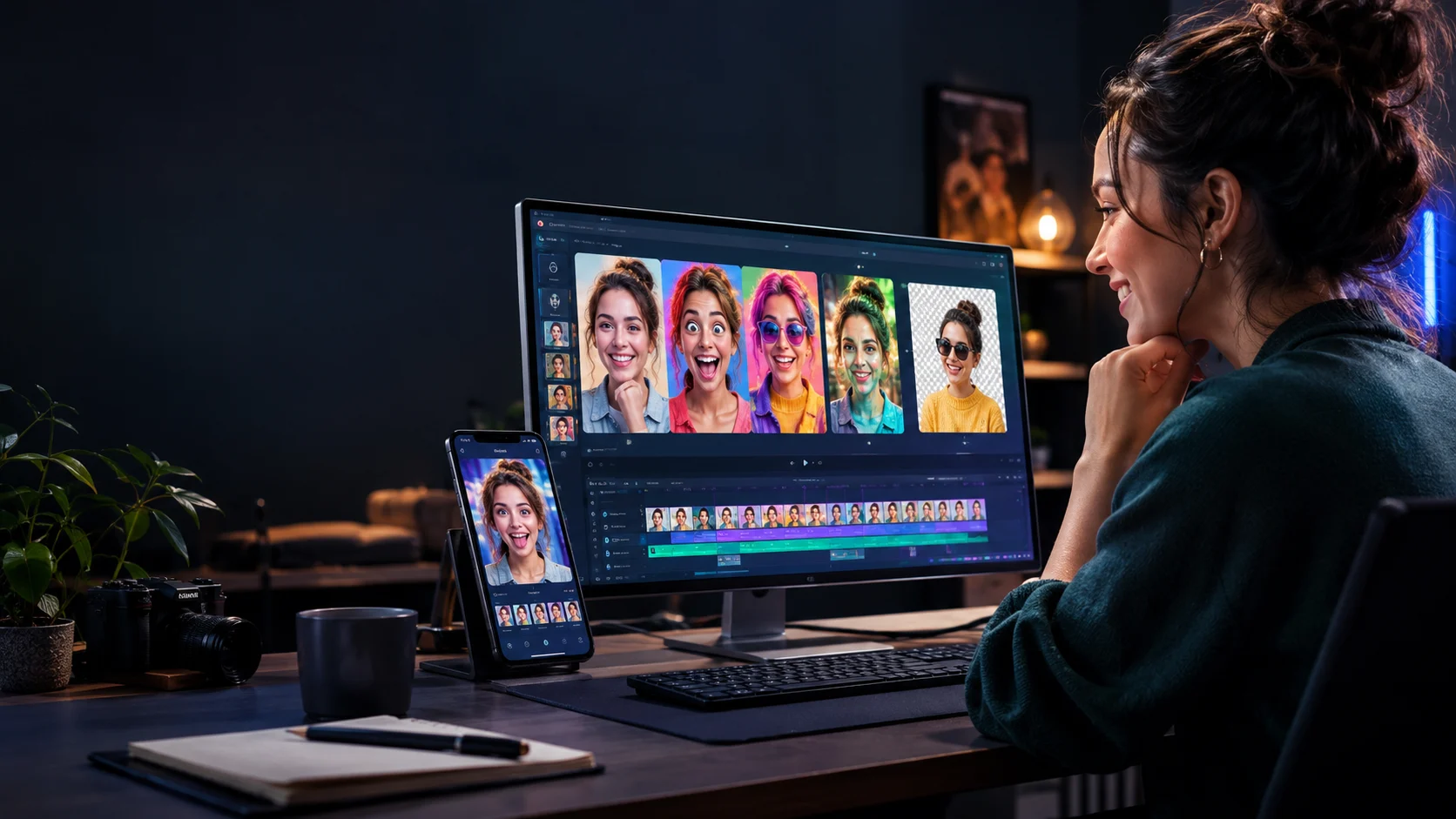
Goofy AI is an AI-powered photo and video editing app designed to create funny edits, apply creative filters, transform faces, and generate shareable visual content. It may suit social media creators and casual users who want playful AI effects, but buyers should check subscription costs, available features, device compatibility, and privacy terms before using it.
Goofy AI at a Glance
- Main purpose: Create entertaining AI-enhanced photos and videos.
- Key features: AI effects, face swaps, photo enhancement, background editing, AI avatars, and image generation, according to its app listing.
- Target audience: Casual creators, social media users, and people making humorous visual content.
- Platform: The available listing supports iPhone and iPad, with additional Apple device compatibility subject to requirements.
- Pricing: The app is listed as free to download with in-app purchases. Exact prices can vary by storefront and region.
- Main consideration: Check what the free version includes and whether advanced effects require credits or a paid subscription.
What Is Goofy AI?
Goofy AI is a photo and video editing application built around creative effects and AI-assisted transformations. It aims to help users turn ordinary pictures and clips into amusing, stylized, or social media-ready content.
Its official website describes the app as a tool for pranking friends and family. The associated App Store listing describes a broader set of editing features, including AI filters, face swaps, AI avatars, background removal, and text-to-image generation.
The appeal is straightforward. Rather than learning a complex editing program, users can apply visual effects and experiment with different styles through a mobile-friendly workflow.
Goofy AI is primarily a creative editing tool, not a general-purpose AI chatbot. Its value depends on the quality of its effects, the amount of creative control it provides, and how easily users can export the results.
It is also important not to confuse Goofy AI with GoofyVoice.ai. The latter focuses on AI character voices and short-form video production, making it a separate product with a different primary purpose.
How Does Goofy AI Work?
The basic workflow is similar to other AI-powered photo and video editors. Users select media, choose an effect or editing function, and review the generated result.
1. Choose a photo or video
Start with an image or clip from your device. For the best results, use a clear image with a visible subject and sufficient lighting.
If you plan to transform a face, choose an image where the face is not obscured by sunglasses, heavy shadows, or other objects.
2. Select an AI effect
Depending on the available version and subscription, users can explore filters, face transformations, background tools, and other creative effects.
Some effects may make subtle adjustments, while others produce dramatic visual changes. Review the available previews before spending credits on a generation.
3. Generate and review the result
The app processes the selected media and produces an edited image or video. AI-generated results can vary, even when users apply the same general effect to similar photos.
Check facial details, hands, backgrounds, text, and other important elements. An entertaining result is not necessarily a technically accurate one.
4. Save or share your creation
Once the result looks right, export it if the selected feature and plan allow it. You can then prepare the content for a social post, a private message, or another creative project.
Before sharing, consider whether the image could mislead viewers or embarrass the person depicted.
Key Goofy AI Features
The product’s App Store listing advertises several AI-powered editing functions. Availability may differ by app version, subscription, and region.
AI filters and creative effects
AI filters can change the appearance of a photo by applying a new visual style or exaggerated facial effect. These tools can help users produce humorous selfies, playful portraits, and eye-catching social content.
The listing advertises more than 150 effects and filters. This is a product-published feature claim, not an independent assessment of their quality or usefulness.
A large effect library is valuable only when the available styles match your needs. Check the actual library to see whether it includes the types of transformations you want.
AI face swap and face editing
Face swap features allow users to transform a face or combine facial appearances in a creative edit. Other advertised tools include hair-color changes and selfie transformations.
These features can work well for harmless jokes, fictional characters, and clearly labeled entertainment content. However, generated faces may contain visual inconsistencies, and not every transformation will look natural.
Always obtain permission before using another person’s likeness in a way that could embarrass them or misrepresent their actions.
AI avatars
AI avatar tools generate stylized portraits from uploaded images. They can help users experiment with cartoon-inspired looks, artistic portraits, or alternative profile pictures.
The final appearance depends on the input photo, selected style, and generation process. Users should not assume that every avatar will preserve their exact facial features.
If you intend to use an avatar professionally, check whether the result meets your branding requirements and whether the applicable terms permit commercial use.
Background removal and replacement
Background tools help separate a subject from the surrounding scene or place the subject in a different visual environment.
This can be useful for profile pictures, promotional graphics, and creative social posts. Fine details such as hair, transparent objects, and complex edges may still need manual correction.
For product photography or professional advertising, inspect the output closely. Poorly blended edges or unrealistic shadows can make an otherwise good image look artificial.
AI photo enhancement
The app listing also advertises photo enhancement and object removal. These functions can help improve an image’s appearance or eliminate unwanted elements.
Enhancement should not be confused with recovering information that was never captured. An AI system may generate plausible details rather than restore the original scene exactly.
For documentary, journalistic, or evidence-related images, preserve the original and disclose substantial alterations when appropriate.
AI image generation and photo-to-video tools
The listing describes text-to-image generation and AI photo-to-video functionality. These tools allow users to explore generated visuals and animate still images.
The usefulness of image-to-video generation depends on motion quality, consistency, and the available export options. Review sample results before relying on the feature for professional content.
The public product information reviewed here does not establish detailed generation speeds, output resolution for every feature, or independent quality benchmarks. Those details should be verified in the current app.
What Can You Use Goofy AI For?
Funny photos and harmless pranks
Goofy AI’s central use case is creating humorous transformations. Users can experiment with exaggerated expressions, unusual styles, and playful edits for private sharing or social posts.
Keep jokes respectful, particularly when editing images of other people. Avoid presenting a fabricated scene as authentic evidence.
TikTok, Instagram Reels, and other social content
Creators can use AI effects to develop visual hooks, short-form concepts, and themed posts. A distinctive image or transformation can help a creator test different content ideas.
However, AI effects alone do not guarantee engagement. Audience relevance, editing, pacing, storytelling, and platform-specific presentation remain important.
Profile pictures and avatars
AI-generated portraits offer a way to explore different visual identities without manually drawing or editing an image from scratch.
For business accounts, choose a style that fits the brand and review the output for unwanted artifacts. Avoid using generated portraits to impersonate another real person.
Creative experiments
Casual users can explore alternate backgrounds, stylized portraits, and transformations for personal projects. The low-friction editing approach may appeal to people who do not need a full professional editing suite.
If your project requires precise layers, advanced color correction, detailed timelines, or professional collaboration, compare Goofy AI with a more comprehensive editor.
Goofy AI Pricing: Is It Free?
Goofy AI is listed as free to download with in-app purchases. That does not necessarily mean every AI feature is available at no cost.
The available App Store listings show paid options for credits and subscription access. Prices vary between regional storefronts, so a single price should not be presented as universal.
| Pricing consideration | What to check |
|---|---|
| Free access | Which effects and editing tools can you use without paying? |
| Credits | How many credits does each AI generation consume? |
| Subscription | Is billing weekly, monthly, or annually? |
| Renewal | Does the subscription renew automatically? |
| Usage limits | Are generations, exports, or premium effects restricted? |
| Cancellation | Where must you cancel to prevent another charge? |
How to evaluate the real cost
Before subscribing, test the free features and identify the tools you actually need. Then check the current in-app purchase screen for the full price, billing period, and included benefits.
Credit-based systems deserve special attention. A low initial price can become expensive if each generation consumes credits or repeated attempts are necessary.
Calculate the cost of producing a typical finished image or video, not simply the cost of downloading the app. This gives you a more realistic basis for comparing alternatives.
Goofy AI Privacy and Safety
AI photo editors may process personal images, videos, and facial information. Before uploading media, review the developer’s privacy policy and the data disclosures available in your app store.
The App Store listing identifies APEX BYTE TECHNOLOGIES LLC as the provider and indicates that the app may collect or process categories including contact information, user content, and identifiers. These disclosures should be read alongside the current privacy policy because practices can depend on the features used.
The available information is not sufficient to independently establish every detail of server-side processing, retention, or deletion.
Before using Goofy AI with sensitive images, consider the following questions:
- Data collection: What information is collected when you upload a photo or video?
- Storage: Are uploaded images retained after an edit is complete?
- AI processing: Is media processed on your device, on remote servers, or through third-party providers?
- Deletion: How can you request deletion of uploaded media and associated data?
- Training: Does the policy explain whether user content can be used to improve AI systems?
- Sharing: Are there permissions or restrictions governing how generated images can be used?
Avoid uploading identity documents, confidential business images, private photographs, or sensitive material unless you understand the applicable terms.
Use face editing responsibly
Face swaps and AI transformations can create misleading images. Do not use them to impersonate someone, fabricate compromising material, or suggest that a person did something they never did.
For public posts, disclose synthetic edits when the context could reasonably mislead viewers. For commercial use, check the rights to source images, generated outputs, and any included third-party assets.
Goofy AI Alternatives Compared
Different tools serve different editing needs. Goofy AI focuses on playful transformations, while other apps may provide broader design tools, retouching, or professional editing capabilities.
| Tool | Target user | Main strength | Pricing transparency | Main limitation |
|---|---|---|---|---|
| Goofy AI | Casual users and prank-content creators | Playful AI photo and video effects | In-app purchases are listed; confirm local prices | Detailed independent performance evidence is limited |
| CapCut | Short-form video creators | Video editing, effects, and social content workflows | Plan and feature availability should be checked locally | Some features may require payment or vary by region |
| Canva | Social media creators and small businesses | Templates, graphic design, and visual content creation | Public plan comparison | Less specialized for elaborate face transformations |
| Picsart | Casual editors and creative social users | Photo editing, effects, and AI-assisted visual tools | Paid and free options; check current limits | Advanced features may be restricted by plan |
| Adobe Express | Creators and marketing teams | Branded graphics and content creation | Public plan information | More design-oriented than prank-focused |
These are broad product comparisons, not results from a controlled feature benchmark. Confirm each platform’s current features, regional availability, and pricing before choosing one.
Goofy AI vs. CapCut
CapCut is worth considering when the main objective is editing short videos with transitions, text, effects, and a timeline. Goofy AI may be more relevant when playful AI transformations are the main attraction.
Choose based on your finished output. If you need to assemble multiple clips into a polished video, a dedicated video editor may provide a more suitable workflow.
Goofy AI vs. Canva
Canva focuses on graphic design and content production, including social posts, presentations, and branded visuals. It is useful when consistency and reusable layouts matter more than elaborate face effects.
Goofy AI is more directly aligned with playful photo transformations. Canva may fit better when the project requires text layouts, templates, and a consistent visual identity.
Goofy AI vs. Picsart
Picsart combines photo editing, creative effects, and AI-assisted features. It is a relevant alternative for users who want a wider editing environment alongside visual experimentation.
Compare the specific effects, export quality, usage limits, and subscription requirements rather than relying on the number of advertised AI features.
Goofy AI vs. Adobe Express
Adobe Express is designed for creating and adapting visual content, especially graphics and branded materials. It may be more appropriate for marketing workflows that require templates and consistent design.
Goofy AI is more closely associated with fun transformations and entertaining edits. The choice depends on whether creative effects or structured content production is your main priority.
Common Mistakes to Avoid
Assuming every feature is free
An app can be free to download while charging for premium effects, credits, or subscription access. Review the actual purchase screen before generating a large batch of content.
Ignoring the quality of the original image
Blurry faces, poor lighting, and complicated backgrounds can reduce the quality of AI edits. Start with a clear image and compare several outputs before deciding which result to keep.
Sharing edits without context
A realistic-looking edit can mislead viewers if shared without explanation. Clearly label synthetic content when viewers might mistake it for a genuine photograph or event.
Choosing a plan without testing the workflow
Do not subscribe based only on screenshots or feature lists. Test a representative photo and video, examine export quality, and calculate how many paid generations your typical project requires.
Who Should Use Goofy AI?
Goofy AI is worth exploring for people who want playful photo transformations, creative filters, AI avatars, and entertaining visual content without mastering professional editing software.
It may be less suitable for users who need advanced video production, extensive team collaboration, documented enterprise controls, or independently benchmarked AI performance.
For professional work, compare its export options and commercial-use terms with your actual requirements. For personal use, focus on ease of use, effect quality, and whether the free tier provides enough value.
FAQs
What is Goofy AI used for?
Goofy AI is used to create entertaining photo and video edits with AI-powered effects. Its advertised features include filters, face transformations, avatars, background editing, and image generation.
Is Goofy AI free?
Goofy AI is listed as free to download with in-app purchases. Some features or usage may require credits or a paid subscription, so check the current purchase screen.
Is Goofy AI available for Android?
The product listing reviewed for this article confirms iPhone and iPad support, with certain additional Apple device compatibility. Android availability was not independently verified from the official sources reviewed.
Is Goofy AI safe for personal photos?
Review the current privacy policy and app-store data disclosures before uploading personal images. The available information does not independently establish every detail of storage, retention, or third-party processing.
What are the alternatives to Goofy AI?
Alternatives include CapCut for video editing, Canva for social graphics, Picsart for creative photo editing, and Adobe Express for branded content. The right choice depends on the features and workflow you need.
Conclusion
Goofy AI is a creative photo and video editing app built around humorous effects and AI-assisted transformations. It may suit casual creators who want to experiment with face edits, avatars, backgrounds, and shareable visual content.
Before paying, check the actual feature limits, credit costs, subscription terms, and export options. Review privacy practices before uploading personal images, and compare alternatives if your needs extend beyond playful editing.
The most useful test is simple: create a few representative edits, inspect the results, and determine whether the quality and total cost justify using the app regularly.