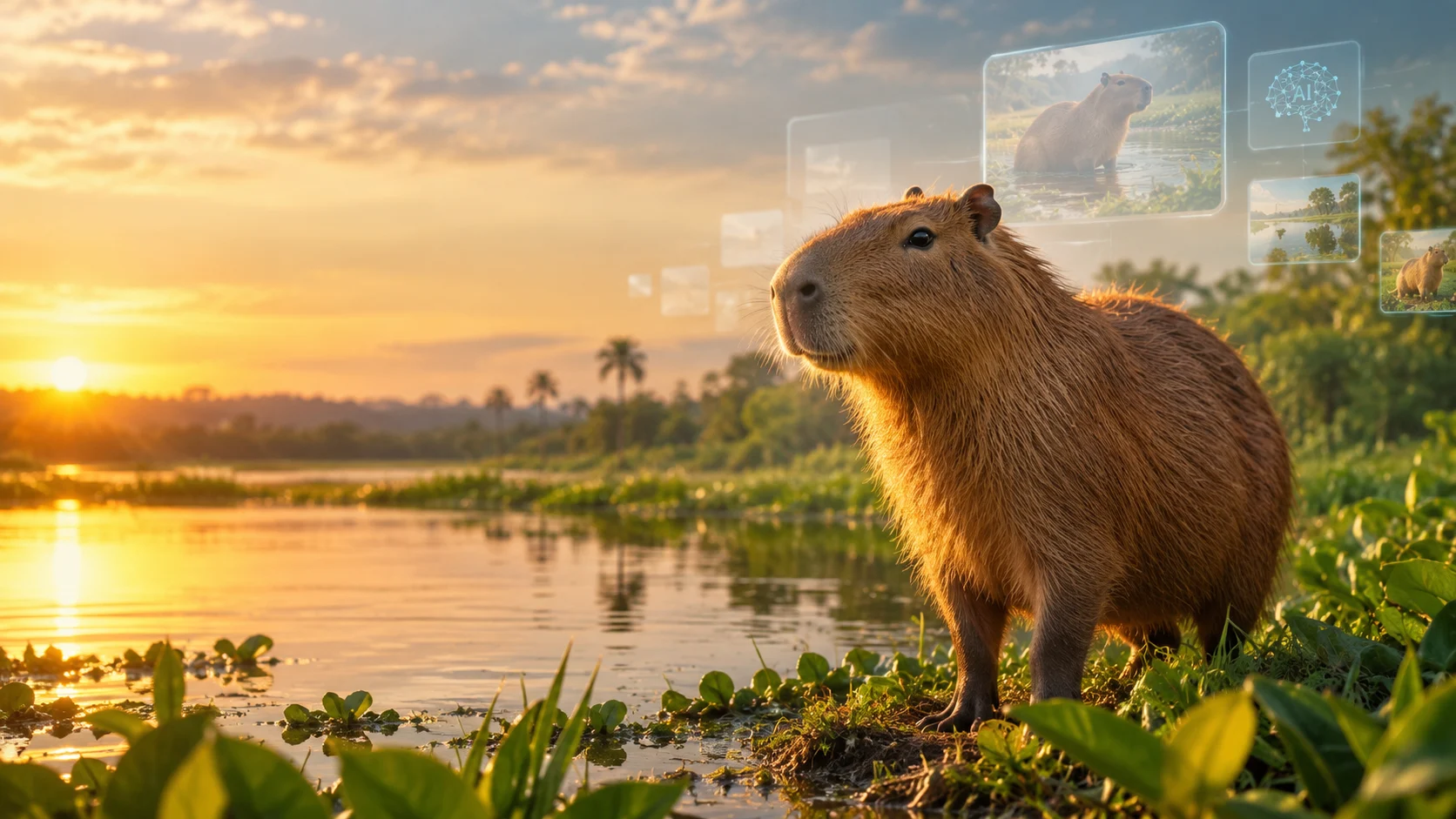
An AI capybara generator uses artificial intelligence to create capybara images from text prompts, reference images, or editing instructions. You can use one to make realistic wildlife portraits, cute cartoons, fantasy characters, wallpapers, memes, and social media graphics.
At a Glance
- What it is: An AI image-generation workflow for creating capybara artwork.
- What you can make: Realistic animals, kawaii illustrations, 3D characters, memes, stickers, and themed portraits.
- How it works: Describe the animal, scene, artistic style, lighting, composition, and image format.
- Tools to explore: AnimalWorld, ChatGPT Images, Microsoft Bing Image Creator, Adobe Firefly, and Canva.
- Can it be free? Some platforms offer free access or limited usage, but restrictions vary.
- What matters most: Prompt quality, visual consistency, export options, usage rights, and privacy.
What Is an AI Capybara Generator?
An AI capybara generator is an image creation tool that turns written descriptions into original-looking capybara visuals. Instead of searching through stock photography or drawing an animal manually, you describe what you want and let the model generate an image.
For example, you could request a photorealistic capybara relaxing beside a tropical river, a cartoon capybara wearing a strawberry hat, or a miniature capybara astronaut exploring Mars.
The term AI capybara does not identify one universal AI model. It can refer to a dedicated animal image generator, a general-purpose AI image tool, or the resulting artwork itself.
Some websites specialize in capybara imagery. AnimalWorld, for example, presents a dedicated capybara generator with realistic wildlife scenes and suggested prompt styles.
General-purpose generators offer another route. They can create capybaras alongside other animals, objects, environments, and fictional characters.
The right option depends on whether you need a quick, cute picture or a carefully controlled visual for a larger project.
How Does AI Capybara Image Generation Work?
Most text-to-image tools follow a simple workflow: interpret a prompt, generate an image, and allow you to refine the result.
Behind the interface, a generative AI model uses patterns learned during training to produce visual content that matches your instructions. Different systems have different architectures, training data, editing capabilities, and generation limits.
You do not need to understand those technical details to create a good image. However, understanding the basic workflow makes it easier to improve your results.
Step 1: Describe the capybara
Start with the subject and its defining characteristics.
Instead of writing “cute capybara,” try:
A small, fluffy capybara sitting upright on a wooden garden bench, with round dark eyes, a broad muzzle, tiny rounded ears, and warm brown fur.
Specific descriptions give the model more direction.
Step 2: Choose a visual style
Decide whether the image should look like a photograph, digital painting, watercolor illustration, clay figure, or animated character.
Style words influence texture, proportions, lighting, and the overall visual mood.
Step 3: Add the setting and composition
Describe where the animal appears and how the image should be framed.
Examples include a misty rainforest, a sunny pond, a minimalist studio, or a pastel bedroom. You can also specify a close-up portrait, full-body shot, or wide landscape.
Step 4: Generate and refine
Review the first result before changing the prompt. If the capybara has distorted paws or an unsuitable background, correct those details rather than rewriting everything.
Iterative editing often works better than adding dozens of unrelated instructions to the original prompt.
Best AI Capybara Tools to Explore
There is no single tool that suits every capybara image project. Some platforms provide dedicated animal prompts, while others integrate image generation with design or editing features.
The following comparison identifies practical starting points. It is a feature-based editorial comparison, not a controlled benchmark of image quality.
Pricing transparency refers to whether the platform publishes relevant plan or usage information. Exact costs and free allowances can change.
| Platform or tool | Best suited for | Main strength | Pricing transparency | Main limitation |
|---|---|---|---|---|
| AnimalWorld | Capybara-focused wildlife images | Dedicated subject page with example prompts and habitat styles | Verify current access and charges on the generator page | Less evidence of advanced editing or production controls |
| ChatGPT Images | Custom scenes and conversational revisions | Describe an image, review it, and request changes in natural language | Access and usage limits depend on the current plan | Availability and generation allowances can vary |
| Bing Image Creator | Casual experiments and creative images | General-purpose image generation with prompt and format options | Some free access is available, subject to limits | Access, model options, and usage limits can change |
| Adobe Firefly | Creative projects and image editing | Image generation within a broader creative workflow | Official plans and generative-credit information are published | Features and allowances depend on the plan |
| Canva AI | Social posts, thumbnails, and layouts | Combines image creation with design tools | Official help explains AI allowances and plan differences | Usage limits and available features vary by plan |
Sources for this comparison include the platforms’ product pages and published documentation.
Which AI capybara generator should you choose?
Choose a dedicated generator if you want a quick starting point for animal imagery. It may reduce the effort needed to formulate an initial prompt.
Choose a conversational image tool if you expect to refine expressions, change backgrounds, or develop several related concepts.
Choose a design-focused platform if the final image needs to become a poster, thumbnail, invitation, or branded social graphic.
For commercial projects, investigate the platform’s actual licensing terms before committing. A polished preview alone does not establish that an image is suitable for every business use.
How to Write Better AI Capybara Prompts
Prompt quality has a direct influence on how closely an image matches your idea. A useful prompt identifies the subject, action, setting, visual style, lighting, and composition without overwhelming the model.
Use this simple formula:
Subject + action + environment + style + lighting + composition + output requirements
For example, “capybara in a garden” leaves many decisions open. Adding a clear action, a specific setting, and a visual style gives the generator a more precise target.
1. Realistic AI capybara prompt

secure.avaaz.org
Wildlife photography
A photorealistic capybara standing beside a calm freshwater pond in a South American wetland, natural coarse brown fur, broad blunt muzzle, small rounded ears, subtle reflections on the water, soft morning light, realistic anatomy, documentary wildlife photography, natural colors, sharp subject, softly blurred background, horizontal composition.Copy prompt
This prompt works by prioritizing realistic anatomy, habitat, and natural lighting. It suits wildlife-themed articles, educational illustrations, and realistic desktop wallpapers.
For factual wildlife content, inspect the generated animal carefully. An attractive image can still contain inaccurate anatomy or environmental details.
2. Cute AI capybara prompt

magnific.com
Kawaii character art
An adorable kawaii capybara sitting in a tiny flower garden, rounded proportions, warm caramel-brown fur, rosy cheeks, sparkling expressive eyes, a small daisy crown, pastel peach and cream palette, clean outlines, soft shading, cheerful expression, polished digital illustration, centered character, simple uncluttered background.Copy prompt
Cute prompts work well when you specify proportions, facial expression, and a limited color palette. This helps establish a coherent visual identity.
You can use this style for stickers, profile pictures, greeting cards, and character concepts.
3. Funny capybara meme prompt

displate.com
Meme and social content
A relaxed capybara wearing oversized sunglasses in a tiny inflatable pool, holding a miniature lemonade cup, exaggerated but believable pose, deadpan expression, bright summer sunlight, playful editorial photography, clean background, clear subject separation, portrait-friendly framing, humorous and shareable mood.Copy prompt
Humor usually depends on contrast. Pairing a naturally calm-looking capybara with an unexpected accessory or situation creates a clear visual joke.
If you plan to add captions, generate the image without text and place the wording afterward in an editor. This gives you better control over spelling, font choice, and layout.
4. Fantasy capybara prompt

easy-peasy.ai
Fantasy and concept art
A small capybara explorer wearing brass goggles and a weathered leather satchel, walking through an enchanted forest filled with glowing blue mushrooms, floating fireflies, moss-covered stones, cinematic volumetric lighting, intricate fur detail, rich emerald and amber colors, imaginative fantasy concept art, atmospheric depth, wide composition.Copy prompt
Fantasy prompts give you more freedom to experiment with costumes, magical settings, and fictional worlds. They are particularly useful for story illustrations and original character concepts.
Keep the character’s identifying features in every prompt if you want to reuse it across multiple scenes.
5. 3D capybara character prompt
A charming 3D capybara character with soft sculpted fur, rounded proportions, expressive eyes, a tiny yellow raincoat, and miniature rubber boots, standing in a puddle on a rainy city sidewalk, premium animated-film aesthetic, physically based materials, soft studio-quality lighting, detailed reflections, full-body view, clean composition.
This approach can work for mascot concepts, game character exploration, merchandise mockups, and digital collectibles. A generated concept is not automatically a production-ready 3D model, however. A conventional image generator usually produces a flat image rather than an editable three-dimensional asset.
6. Capybara wallpaper prompt
A peaceful capybara resting beside a misty forest pond at sunrise, gentle ripples in the water, delicate reeds, warm sunlight filtering through tropical trees, muted earthy greens and browns, cinematic nature photography, balanced negative space, crisp detail, wide 16:9 composition, calming atmosphere, no text or watermark.
For desktop wallpaper, request a wide aspect ratio. For a phone background, request a vertical composition and keep the main subject away from areas covered by interface icons.
How to Generate an AI Capybara Image Step by Step
You can create your first image without coding, installing a model, or learning machine learning.
- Choose a generator. Open a dedicated animal tool or a general-purpose image creator. Check whether registration is required.
- Write your prompt. Describe the capybara, its action, the environment, and your preferred style.
- Select the format. Choose a square image for avatars, a vertical image for phone wallpapers, or a landscape image for banners.
- Generate the image. Review the result for anatomy, composition, lighting, and unwanted details.
- Refine the result. Request a specific correction, such as smaller ears, a simpler background, or softer lighting.
- Export and review. Check resolution, file format, usage rights, and any visible watermark or attribution requirement.
For your first attempt, keep the prompt focused. Change one or two variables at a time so you can identify which instructions improve the image.
Common AI Capybara Image Styles and Their Uses
Different visual styles serve different purposes. The best choice depends on where the image will appear and what the audience needs to understand.
| Image style | Typical use | Prompt emphasis |
|---|---|---|
| Photorealistic | Blogs, educational content, wildlife themes | Anatomy, fur, habitat, natural light |
| Kawaii cartoon | Stickers, avatars, merchandise concepts | Rounded shapes, expressive eyes, pastel colors |
| 3D character | Mascot concepts, game references | Materials, depth, proportions, lighting |
| Meme illustration | Social posts and humorous content | Clear action, visual contrast, expressive pose |
| Fantasy art | Storytelling and creative projects | Costume, atmosphere, magical environment |
| Minimalist vector | Icons, logos, simple graphics | Clean shapes, limited colors, uncluttered forms |
| Watercolor | Invitations, prints, decorative artwork | Paper texture, soft edges, pigment effects |
These are prompt categories rather than guaranteed output modes. The exact result depends on the image model and the instructions it can follow.
Can AI create consistent capybara characters?
Yes, to a degree, but consistency requires more than repeating the same species name.
Create a short character description that records stable features, such as fur color, eye shape, accessories, body proportions, and expression. Reuse that description whenever you generate a new scene.
If the tool supports reference-image input, use an approved character image as a visual reference. If it supports image editing, modify the existing image instead of regenerating every element.
Even with these techniques, small differences can appear between generations. For a comic, campaign, or children’s story, review each image against the original character reference.
Is an AI Capybara Generator Free?
Some AI image generators offer free access, but free access does not necessarily mean unlimited generations or unrestricted commercial use.
The conditions vary by provider. Before spending time on a project, check these details:
- Generation limits: How many images can you create before reaching a usage cap?
- Credit systems: Does each image, variation, or edit consume credits?
- Resolution: Are high-resolution downloads included in free access?
- Watermarks: Does the exported image contain branding or require attribution?
- Commercial rights: Are business use, advertising, and merchandise permitted?
- Credit expiry: Do purchased or promotional credits expire?
- Upgrade requirements: Are additional styles, editing features, or downloads restricted to paid plans?
Official documentation confirms that limits can differ substantially. Canva, for example, uses plan-dependent AI allowances, while Midjourney publishes subscription tiers with different generation modes and privacy options.
How to evaluate the real cost
Do not compare subscriptions solely by their advertised monthly price. Compare the number of usable images you can produce within your budget.
A tool that generates many variations may still require substantial manual correction. Another may produce fewer images but offer editing features that reduce rework.
For regular production, track the cost of an approved image rather than the cost of starting a generation. Include subscriptions, paid credits, editing time, and any necessary upscaling.
Benefits and Limitations of AI Capybara Images
AI-generated capybara art can make visual experimentation more accessible. It also introduces quality-control and licensing questions that users should not overlook.
Main benefits
- Fast concept development: Explore multiple visual directions without arranging a photo shoot.
- Creative flexibility: Combine realistic animals with imaginative environments, costumes, and themes.
- Custom composition: Request specific backgrounds, color palettes, and aspect ratios.
- Accessible creation: Produce images through ordinary language rather than advanced drawing software.
- Rapid iteration: Refine details and explore alternatives without rebuilding an entire concept manually.
Important limitations
- Anatomical errors: Paws, ears, eyes, and body proportions may look unnatural.
- Prompt inconsistency: The model may ignore some instructions or interpret them differently.
- Character drift: A recurring capybara may change appearance across generations.
- Text errors: Words embedded in an image may be misspelled or distorted.
- Resolution constraints: A preview may not be suitable for large-format printing.
- Licensing uncertainty: Permission to generate an image does not automatically resolve every copyright or trademark question.
The practical lesson is simple: treat AI output as a draft that needs review, not as a finished asset that is automatically ready to publish.
Privacy, Copyright, and Commercial Use
If you generate capybara images for personal enjoyment, privacy and licensing may seem secondary. They become much more important when you create assets for clients, a business, or a monetized website.
Check how your prompts and uploads are handled
Some services may use consumer-submitted content to improve their models, depending on their policies and settings. OpenAI’s consumer-services documentation, for example, explains how content may be used for model improvement and points users to available controls.
Before uploading confidential client material or proprietary artwork, review the specific provider’s current data policy. Do not assume that every image generator has the same retention practices or privacy controls.
A privacy certification, where applicable, should not be treated as proof that submitted images are never retained or used for model improvement.
Understand commercial usage rights
Review the applicable terms before using generated images in advertisements, packaging, merchandise, or paid client work.
OpenAI’s published terms state that, as between OpenAI and the user and to the extent permitted by law, the user owns the output. They also explain that similar outputs may be produced for other users. This does not establish that every output is unique or that every commercial use is legally risk-free.
Canva likewise notes that AI-generated content may not be unique and that users are responsible for ensuring their content is appropriate for their intended use.
Canva Help Center
For commercial projects, check the following before publishing:
- The generator’s current terms and applicable plan restrictions.
- Any required attribution, disclosure, or watermark conditions.
- Rights associated with uploaded reference images.
- Potential conflicts with protected characters, trademarks, or existing artwork.
- Relevant laws in the countries where you create, publish, or sell the image.
If the image will become a long-term brand asset, consider whether the tool provides the licensing clarity and repeatable workflow your project requires.
Common Mistakes to Avoid
A few simple adjustments can improve results more effectively than making prompts longer.
Being too vague. A prompt such as “cool capybara” leaves the model to invent the scene. Specify the animal’s action, setting, and desired style.
Mixing incompatible styles. Combining “documentary wildlife photography,” “flat vector icon,” and “clay animation” can produce confusing results. Choose one dominant visual direction.
Adding too many details. Long lists of accessories and background objects can distract from the main subject. Prioritize the three or four details that matter most.
Ignoring aspect ratio. A square composition may crop poorly in a website banner. Decide where the image will appear before generating it.
Assuming every result is accurate. Check anatomy, visual artifacts, and environmental details, especially when using the image in educational material.
Forgetting the licensing check. A downloadable image is not automatically cleared for commercial use. Read the applicable terms before publishing.
Regenerating everything for a small correction. If editing is available, try changing the problematic element while preserving the parts that already work.
Who Should Use an AI Capybara Generator?
AI capybara image tools can support a wide range of creative projects, but different users should prioritize different capabilities.
| User | Useful application | What to prioritize |
|---|---|---|
| Casual users | Wallpapers, avatars, and fun pictures | Ease of use and free access |
| Social media creators | Memes, themed posts, and profile art | Fast iteration and suitable aspect ratios |
| Bloggers and publishers | Illustrations and article thumbnails | Image quality, resolution, and licensing |
| Designers | Mascots, concepts, and visual mockups | Editing, reference images, and consistency |
| Educators | Animal illustrations and learning resources | Anatomical accuracy and factual review |
| Businesses | Campaign artwork and branded content | Usage rights, privacy, repeatability, and cost |
If you need only one cute capybara picture, a simple general-purpose generator may be sufficient. If you need dozens of consistent images, compare editing workflows and character-reference features before choosing a platform.
FAQs
1. What is the best AI capybara generator?
The right generator depends on your goal. A dedicated animal generator can provide a convenient starting point, while ChatGPT Images, Bing Image Creator, Adobe Firefly, and Canva offer broader creative workflows. Compare image quality, editing options, usage limits, and licensing before deciding.
2. Can I generate AI capybara images for free?
Yes, some image generators offer free access or limited generations. Availability, credits, resolution, and usage restrictions vary by provider and may change. Check the current plan details before starting a large project.
3. How do I make realistic AI capybara images?
Describe realistic anatomy, natural brown fur, a broad muzzle, small rounded ears, a believable habitat, and natural lighting. Use wildlife photography terminology and refine visible errors after the first generation. Results will vary by model.
4. Can I use AI capybara images commercially?
Potentially, but permission depends on the platform’s terms, your plan, applicable law, and the content of the image. Check commercial-use restrictions and consider copyright, trademark, and reference-image rights before selling or publishing the artwork.
5. How can I create the same AI capybara character in multiple images?
Reuse a detailed character description and, where supported, provide a reference image. Keep distinctive features, accessories, colors, and proportions consistent. Review every result because repeated prompts do not guarantee identical characters.
Conclusion
An AI capybara generator makes it possible to create realistic wildlife imagery, cute illustrations, humorous memes, fantasy artwork, and custom character concepts from simple text prompts.
The best results come from clear descriptions, deliberate style choices, and careful refinement. Choose a platform based on the images you need, the amount of editing involved, your budget, and the rights required for your intended use.
For casual creativity, start with a free option if one is available. For professional projects, investigate commercial licensing, privacy practices, output quality, and consistency before committing to a workflow.