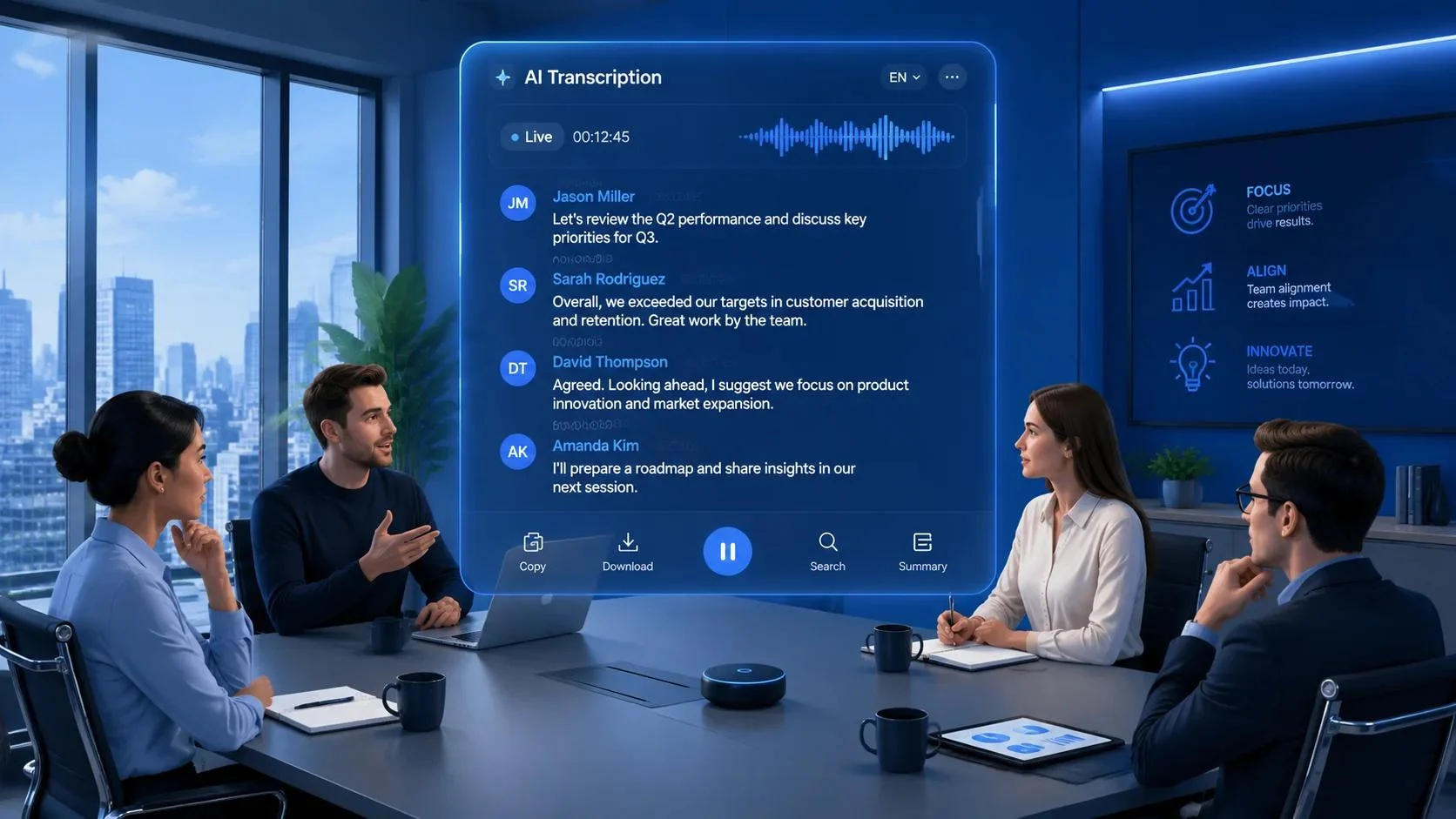
Spinach AI is an AI-powered meeting assistant that records and transcribes conversations, creates summaries and action items, and connects meeting insights with workplace tools such as Slack, Jira, Linear, and CRM platforms. It is designed for teams that want to turn meeting discussions into organized records and follow-up tasks, although pricing, integrations, retention controls, and plan limits should be checked before choosing it.
Spinach AI at a glance
Spinach AI
Spinach AI
AI meeting assistant and conversation intelligence platform
Official website: spinach.ai
Core function
Meeting transcription, summaries, decisions, and follow-up automation.
Language support
The official website advertises transcription and summaries in 100 languages. Spinach AI
Integrations
Selected meeting platforms, communication tools, project management apps, CRMs, and AI assistants.
Pricing
Free plan plus paid Pro, Business, and Enterprise options. Spinach AI Help Center
Security
The company states that it supports SOC 2 Type II, GDPR, and HIPAA compliance. Verify applicable contractual terms for your deployment. Spinach AI+1
What Is Spinach AI?
Spinach AI is a workplace productivity platform that captures conversations and turns them into structured, searchable information. Instead of requiring employees to write meeting notes manually, it helps teams preserve discussions, identify action items, and distribute follow-ups.
Its purpose extends beyond generating a meeting summary. Spinach connects meeting information with tools used for project management, collaboration, customer relationships, and AI-assisted workflows. Spinach AI+1
For example, a software team can use it to document a sprint planning session, identify a decision, and prepare a follow-up task in a supported project management application.
The practical value depends on how well the generated information fits the team’s existing processes. A clear summary is useful, but a correctly assigned action item that reaches the right system can be even more valuable.
Is Spinach AI the same as a general-purpose AI chatbot?
No. A general-purpose AI chatbot answers prompts and creates content across many subjects. Spinach AI focuses on capturing meeting conversations and making their information useful within workplace workflows.
It can also connect with AI assistants such as ChatGPT, Claude, and Cursor, according to its integration documentation. These connections let supported assistants access meeting information, subject to plan requirements and authorization settings. Spinach AI+1
How Does Spinach AI Work?
The platform follows a workflow that moves from conversation capture to documentation and follow-up.
1. Capture the conversation
Spinach records and transcribes supported meetings, helping teams retain the information discussed.
2. Generate structured notes
AI-generated summaries organize key points, decisions, and potential next steps.
3. Connect the results to workplace tools
Depending on the integration and plan, information can be sent to communication channels, project management systems, or CRM platforms.
4. Review and complete follow-ups
Teams can use the documented decisions and action items to track work after the meeting.
Workflow summary based on the product’s published capabilities. Exact automation behavior varies by integration and configuration. Spinach AI+1
This workflow reduces the gap between discussing work and recording what needs to happen next. However, users should still review important summaries and confirm that generated tasks reflect the actual conversation.
Key Features of Spinach AI
1. AI meeting transcription and summaries
Spinach AI advertises meeting transcripts and summaries in 100 languages. This can help distributed teams document discussions without requiring every participant to take notes. Spinach AI
Transcription quality can vary with microphone quality, overlapping speakers, accents, background noise, and technical terminology. Teams should test the languages and meeting conditions they use most frequently.
2. Action items and meeting follow-ups
The platform is designed to identify decisions and follow-up tasks from conversations. Its official website also describes workflows for creating tickets, sending recap emails, and updating CRM records. Spinach AI
This is particularly useful when meetings regularly produce work that must be assigned or tracked. Users should verify task owners, deadlines, and ticket content before relying on automation for critical projects.
3. Integrations with project management tools
Spinach lists integrations with tools including Jira, Linear, Asana, ClickUp, Trello, Monday.com, Notion, Confluence, and Google Drive. Its help center notes that some integrations depend on the selected plan. Spinach AI+2
These connections can reduce repetitive copying between meeting notes and work systems. Before purchasing, check which actions each integration supports, whether administrators must approve access, and whether the connection works with your current plan.
4. CRM and customer conversation workflows
Sales and customer success teams can use meeting information to maintain better records of customer discussions. Spinach lists CRM integrations that include HubSpot, Salesforce, and Attio. Spinach AI+1
A practical workflow might involve documenting a customer’s requirements, capturing agreed next steps, and updating the relevant CRM record. The accuracy of the result still depends on transcription quality and the configuration of the integration.
5. Connections to AI assistants
Spinach supports connections with selected AI assistants, including ChatGPT, Claude, and Cursor. According to its getting-started documentation, connecting these assistants requires a Pro, Business, or Enterprise plan. Spinach AI Help Center
This capability can help employees retrieve information from earlier meetings while working in another application. Access permissions should be reviewed carefully, particularly when meeting records contain customer information, internal strategy, or confidential engineering discussions.
6. Meeting data organization
The platform presents itself as a centralized place to capture and organize conversation data. This can help teams revisit earlier decisions instead of searching through scattered notes and chat messages. Y Combinator+1
The benefit becomes more significant when an organization holds frequent meetings across multiple departments. However, searchable records are only useful when the source information is accurate and access permissions are properly managed.
Spinach AI Pricing: How Much Does It Cost?
Spinach AI offers a free plan and several paid options. Its published help-center documentation lists the following prices, although buyers should confirm current rates, billing conditions, and included limits before subscribing. Spinach AI Help Center+1
| Plan | Published price | Best suited for |
|---|---|---|
| Free | $0 | Individuals and teams evaluating the product |
| Pro | $2.90 per meeting hour | Teams seeking usage-based pricing with unlimited users |
| Business | $19/user/month, billed annually, or $29/user/month, billed monthly | Teams needing shared settings and administrative controls |
| Enterprise | Custom pricing not stated in the cited plan summary | Organizations requiring advanced controls and dedicated support |
Pricing source: Spinach AI Help Center. Prices are published figures, not a guarantee of current checkout rates. Spinach AI Help Center
Which Spinach AI plan offers the best value?
The answer depends on meeting frequency, team size, and the features you need.
- Free: A sensible starting point for testing transcription quality and basic meeting workflows. The free plan has a limited number of meetings per month.
- Pro: Potentially attractive for teams that prefer paying for meeting hours rather than buying a separate seat for every user.
- Business: Worth evaluating when shared settings, team seats, and administrative controls matter.
- Enterprise: Relevant for organizations that need additional security options, single sign-on (SSO), custom branding, or dedicated support.
Spinach AI Help Center
What hidden costs should you check?
The advertised subscription price does not always reflect the full cost of operating an AI meeting assistant.
Before upgrading, check these details:
- Meeting-hour billing: Determine how billable meeting time is calculated and whether simultaneous meetings affect usage.
- Free-plan limits: Confirm monthly meeting allowances, retention periods, and feature restrictions.
- Integration availability: Verify whether your preferred CRM, project management, and AI assistant connections require a paid plan.
- Recording retention: Check how long transcripts, summaries, and recordings remain accessible.
- Enterprise requirements: Ask about SSO, audit logs, contractual terms, and any additional charges for required controls.
The official help center documents plan differences and integration requirements, but these details can change. Verify them on the official Spinach AI pricing page before making a purchase. Spinach AI+2
Spinach AI Privacy and Security
Meeting recordings can contain personal information, customer discussions, commercial plans, and confidential technical details. Security should therefore be part of the buying decision, not an afterthought.
Spinach states that it is SOC 2 Type II compliant and supports GDPR and HIPAA compliance. The company also states that customer data is encrypted and is not used to train AI models. Spinach AI+1
These are vendor statements. Organizations should review the applicable documentation and contractual commitments before processing sensitive information.
Does Spinach AI use meeting data to train AI models?
The company says it does not use customer data to train AI models. Its enterprise security materials also describe zero data retention arrangements with its large language model providers. Spinach AI August 2026+1
However, zero data retention with an AI model provider is not the same as zero retention across the entire Spinach platform. Your organization’s transcripts, recordings, summaries, and account information may have separate retention rules.
The company’s privacy policy states that meeting recordings are archived after one year and describes retention of other account information. Enterprise materials discuss configurable retention options. Review the current agreement for the exact terms applicable to your plan. Spinach AI+2
Security checklist for business buyers
Before connecting Spinach AI to company systems, ask:
- Can administrators control who can view or export transcripts?
- What retention settings apply to audio, video, summaries, and transcripts?
- Are the necessary data processing agreements available?
- Does HIPAA-related use require a business associate agreement (BAA)?
- Which third-party applications can access meeting data?
- What happens to stored information after cancellation or account deletion?
- Are recording notices and participant consent handled according to applicable laws and company policy?
SOC 2 Type II reporting, privacy compliance, encryption, and zero data retention address different concerns. None should be treated as a substitute for reviewing the full security and data-processing terms.
Spinach AI: Pros and Cons
A useful evaluation considers both the workflow benefits and the limitations that could affect adoption.
| Pros | Cons |
|---|---|
| Automates meeting notes and summaries | AI-generated transcripts and summaries need review |
| Extracts decisions and follow-up tasks | Incorrect task assignments can create extra work |
| Connects with selected project management and CRM tools | Some integrations require paid plans |
| Supports multiple languages | Actual transcription quality varies by language and recording conditions |
| Offers usage-based Pro pricing | Meeting-hour costs need forecasting |
| Provides enterprise-oriented security options | Buyers must verify retention, access controls, and contract terms |
Spinach AI+2
The central trade-off is straightforward: Spinach AI can reduce repetitive documentation work, but teams must still manage the accuracy and governance of the resulting records.
Spinach AI vs. Alternatives
Spinach AI competes in the AI meeting assistant category. The most relevant alternatives depend on whether you prioritize searchable transcripts, automated follow-ups, collaboration, or meeting management.
The comparison below describes each product’s general positioning. It is not an independent benchmark, and feature availability or pricing can change.
| Tool | Target user | Main strength | Pricing transparency | Potential limitation |
|---|---|---|---|---|
| Spinach AI | Teams connecting meetings to operational workflows | Meeting records, action items, and integrations | Published plan prices; confirm current terms | Some capabilities are plan-dependent |
| Fireflies.ai | Sales, customer success, and business teams | Meeting transcription and conversation search | Public plan information | Check storage, AI features, and integration limits |
| Otter.ai | Individuals and teams needing searchable notes | Transcription and meeting summaries | Public plan information | Check monthly transcription limits and feature restrictions |
| Fathom | Professionals and sales teams | Meeting recordings, summaries, and follow-ups | Public plan information | Evaluate team administration and workflow integrations |
| Fellow | Managers and collaborative teams | Meeting agendas, notes, and follow-through | Public plan information | May suit structured meeting management better than every automation use case |
Which alternative should you choose?
Choose Spinach AI if you want meeting information to flow into existing project management, CRM, and collaboration systems.
Consider Fireflies.ai if searchable meeting conversations and conversation intelligence are central to your workflow.
Consider Otter.ai if transcription and searchable meeting notes are your main priorities.
Consider Fathom if you want an AI meeting assistant for recordings, summaries, and sales-related follow-ups.
Consider Fellow if agendas, recurring meetings, and team accountability are as important as transcription.
These are starting points, not universal rankings. Compare current plans, integration behavior, data retention, and transcription accuracy before committing. For pricing and feature comparisons, consult the vendors’ official websites rather than relying on older third-party lists. Spinach AI+1
Who Should Use Spinach AI?
Spinach AI is most relevant to teams that repeatedly turn conversations into work items.
Product managers and engineering teams
Product managers can document feature discussions, customer feedback, and release decisions. Engineering teams can use meeting records to preserve technical decisions and organize follow-up tasks in supported project management tools.
Project managers
Project managers often need to track responsibilities, dependencies, and blockers across recurring meetings. Automated notes can help preserve those details, provided the team verifies task ownership and deadlines.
Sales and customer success teams
Sales teams can document customer requirements and agreed next steps. Customer success teams can maintain a clearer record of onboarding discussions, open issues, and account reviews.
Distributed and international teams
Teams working across time zones may benefit from searchable transcripts and summaries. Support for multiple languages is useful, although organizations should test accuracy with their actual speakers and terminology.
Businesses with established workflows
Organizations already using Slack, Jira, Linear, Salesforce, HubSpot, or similar tools may find value in connecting meeting records to their existing systems. The strongest use case is usually a repeatable process with measurable documentation overhead.
Who might not need it?
Spinach AI may be unnecessary for people who attend few meetings, prefer writing notes manually, or only need occasional transcription. It may also be a poor fit when a company’s required integrations, retention controls, or procurement conditions are unavailable under its chosen plan.
How to Get Started With Spinach AI
A short, structured trial is more useful than evaluating the platform through a single meeting.
- Start with the official website. Visit Spinach AI and review the current signup options.
- Connect one meeting platform. Start with the video conferencing service your team uses most often.
- Run a representative test. Choose a meeting that includes decisions, assignments, and realistic background conditions.
- Inspect the output. Check speaker attribution, summaries, action items, deadlines, and technical terms.
- Test one integration. Send a suitable action item to your existing project management or communication tool.
- Review privacy settings. Confirm participant notification, access permissions, retention, and export options.
- Measure the result. Compare time spent documenting meetings before and after using the tool.
A useful pilot should measure time saved, correction rates, task accuracy, adoption, and total cost. These indicators are more reliable than judging the tool solely by the quality of a sample summary.
FAQs
1. What is Spinach AI used for?
Spinach AI is used to record and transcribe meetings, generate summaries, identify action items, and connect meeting information with supported workplace applications. It helps teams organize discussions and manage follow-up work. Spinach AI
2. Is Spinach AI free to use?
Yes. Spinach AI offers a free plan with a limited number of meetings per month. Paid options include Pro, Business, and Enterprise, with pricing and features varying by plan. Check the official pricing page for current terms. Spinach AI Help Center
3. How much does Spinach AI cost?
The published help-center pricing lists Pro at $2.90 per meeting hour, Business at $19 per user monthly with annual billing or $29 with monthly billing, and Enterprise with customized arrangements. Confirm the current prices and plan limits before subscribing. Spinach AI Help Center
4. Is Spinach AI safe for confidential meetings?
Spinach states that it supports SOC 2 Type II, GDPR, and HIPAA compliance and does not use customer data to train AI models. Organizations should independently review its current security documentation, retention settings, access controls, and contractual terms before processing confidential information. Spinach AI+1
5. What are the best alternatives to Spinach AI?
Fireflies.ai, Otter.ai, Fathom, and Fellow are alternatives worth evaluating. The right choice depends on your priorities, including transcription, meeting summaries, conversation search, workflow automation, collaboration, and administrative controls.
Conclusion:
Spinach AI is an AI meeting assistant designed to turn conversations into organized records and actionable follow-ups. Its combination of transcription, summaries, integrations, and connections to AI assistants makes it relevant to teams that need more than basic meeting notes.
Its value ultimately depends on workflow fit, transcription accuracy, integration requirements, pricing, and data governance. Test it with real meetings, verify the plan limits, and measure the time saved before rolling it out across your organization.
For teams that repeatedly convert discussions into project tasks, CRM updates, and documented decisions, Spinach AI is worth evaluating. For occasional note-taking, a simpler alternative may be sufficient.