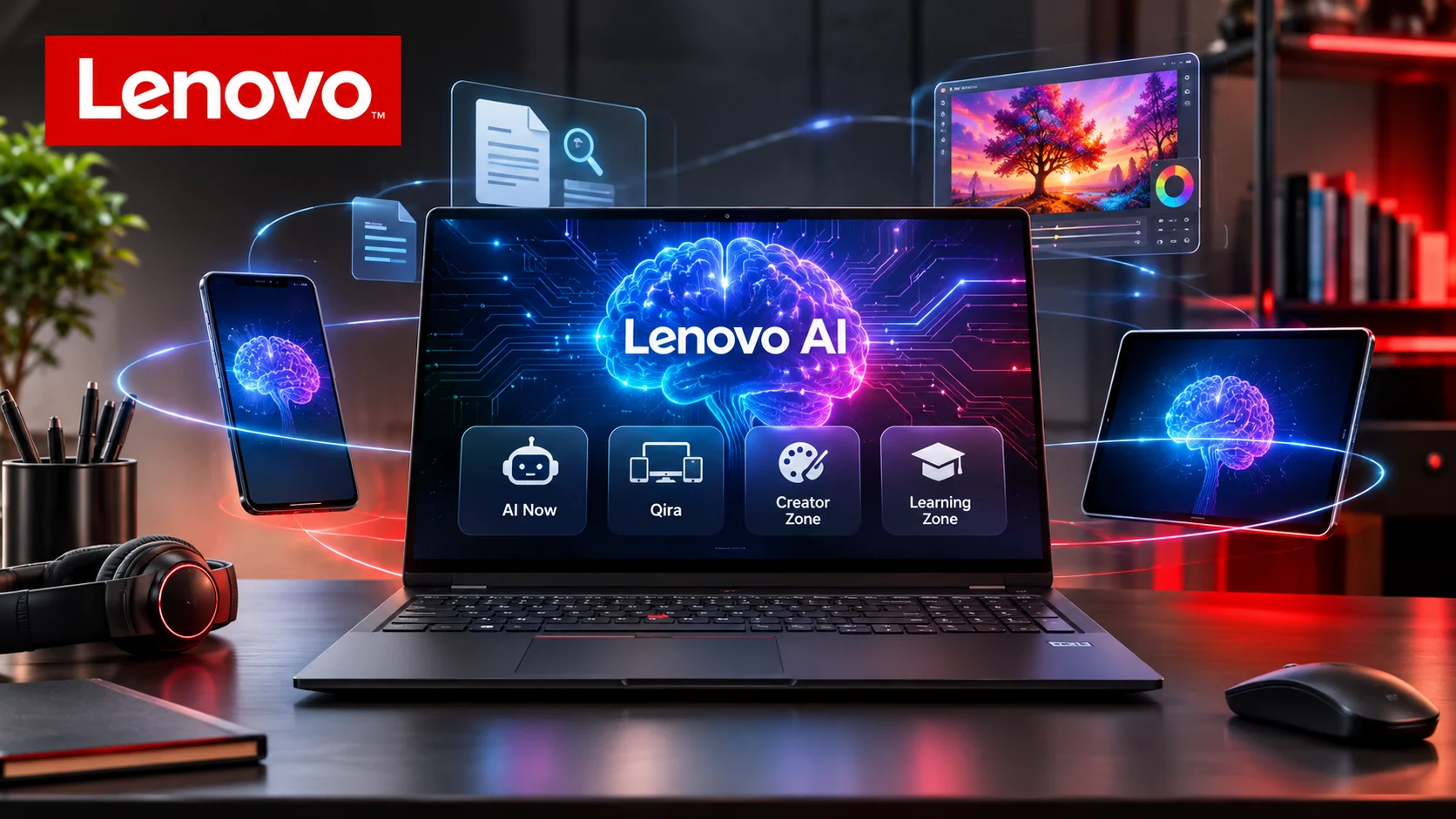
Lenovo AI is an ecosystem of artificial intelligence technologies that brings intelligent assistance, productivity tools, creative applications, and AI-powered computing to Lenovo devices and business solutions. Its personal AI offerings include Lenovo AI Now and Lenovo Qira, while its AI PC portfolio combines specialized hardware with software designed to make everyday computing more intelligent.
Lenovo AI at a Glance
- AI-powered computing: Lenovo integrates AI capabilities into selected laptops, desktops, tablets, and enterprise systems.
- Lenovo AI Now: A personal AI assistant that helps users search documents, summarize information, and manage PC settings.
- Lenovo Qira: A cross-device personal AI experience introduced in January 2026.
- Creative applications: Lenovo Creator Zone supports AI-assisted image generation and editing on compatible devices.
- Learning tools: Lenovo Learning Zone offers AI-supported transcription, notes, and quizzes.
- Hybrid AI: Lenovo combines on-device, private infrastructure, and cloud-based AI capabilities.
What Is Lenovo AI?
Lenovo AI is the broader collection of artificial intelligence technologies developed or integrated by Lenovo.
Rather than operating as one standalone chatbot, Lenovo AI spans hardware, software, personal assistants, and enterprise infrastructure.
The company aims to make AI useful across everyday computing activities. These include document management, writing, research, creative work, device optimization, and business operations.
Lenovo’s approach also emphasizes hybrid AI. This means AI workloads can run locally on a device, through private infrastructure, or through cloud services, depending on the application.
There are several important products within this ecosystem:
- Lenovo AI Now: Personal knowledge management and PC assistance.
- Lenovo Qira: Cross-device personal intelligence.
- Lenovo Creator Zone: AI-assisted creative tools.
- Lenovo Learning Zone: AI-supported learning and note-taking.
- Lenovo AI PCs: Computers equipped with hardware designed to support AI workloads.
- Lenovo Enterprise AI: Infrastructure and services for organizations deploying AI.
Understanding these distinctions helps avoid a common misconception: Lenovo AI is not simply another name for an AI chatbot.
How Does Lenovo AI Work?
Lenovo AI combines hardware acceleration, machine learning models, software applications, and cloud connectivity.
The exact architecture depends on the product and device.
1. AI Processing on the Device
Compatible Lenovo AI PCs use processors with dedicated AI acceleration capabilities.
These may include a Neural Processing Unit (NPU), which handles certain AI workloads more efficiently than relying entirely on the CPU.
The CPU manages general computing tasks, while the GPU handles graphics and parallel processing. The NPU specializes in supported AI operations.
This division can improve efficiency when applications use the available hardware correctly.
2. Personal Knowledge Base
One of Lenovo AI Now’s important capabilities is its Personal Knowledge Base (PKB).
Users can import selected documents and supported information sources. The assistant can then retrieve relevant information from this collection.
For example, someone could ask a question about an imported report instead of manually searching through multiple documents.
This resembles retrieval-augmented generation (RAG). In simple terms, the AI retrieves relevant information before generating an answer.
It makes responses more relevant to the user’s own material, although accuracy still depends on document quality and retrieval performance.
3. Local and Cloud AI
Lenovo uses a hybrid approach rather than requiring every AI operation to happen in one location.
Depending on the application and selected mode:
- Local AI processing can handle supported tasks directly on the computer.
- Cloud AI can provide additional capabilities through remote computing resources.
- Enterprise AI can run on private infrastructure or other supported environments.
This distinction matters because local processing and cloud processing have different privacy, connectivity, and performance requirements.
Lenovo’s documentation identifies local processing for AI Now’s Knowledge Assistant and most PC Assistant functions, while certain support services use cloud infrastructure. Lenovo Support GB+1
Key Features of Lenovo AI
Lenovo’s AI ecosystem includes several applications and capabilities. Their availability depends on the device, region, and software version.
Lenovo AI Now: Personal AI Assistant
Introduction to Lenovo AI Now – Lenovo Support SG
Lenovo AI Now
Lenovo AI Now helps users interact with personal documents and manage selected computer settings through natural-language instructions.
Its main capabilities include:
- Document search: Find relevant information in imported files.
- Document summaries: Condense lengthy documents into easier-to-read explanations.
- Question answering: Ask questions about information in the Personal Knowledge Base.
- Content generation: Assist with writing and text-based tasks.
- PC assistance: Access supported settings and troubleshooting features.
- Knowledge management: Organize selected information for easier retrieval.
Lenovo also documents local AI functionality based on Meta’s Llama 3 model family. However, users should check the current software documentation because model implementations and capabilities can change. Lenovo Support US+1
Lenovo Qira: Cross-Device Personal Intelligence
Lenovo Qira & Motorola Qira: Cross-Device Ambient AI Coming to UAE in 2026
Lenovo Qira
Lenovo Qira represents the company’s move toward AI that works across multiple devices instead of remaining inside one application.
Lenovo introduced Qira at CES 2026 on January 6, describing it as a personal ambient intelligence system.
Its announced capabilities include:
- Context-aware suggestions.
- Writing assistance.
- Real-time multimodal interactions.
- Summaries of missed activities.
- Meeting transcription and translation when enabled.
- Cross-device task coordination.
- Personalized assistance based on information users choose to share.
Lenovo also announced integrations involving Microsoft, Stability AI, Notion, Perplexity, and Expedia Group.
These integrations are part of the announced ecosystem, not a guarantee that every integration is available on every device or in every country.
Lenovo initially announced a rollout on selected devices beginning in Q1 2026, with broader expansion planned over time. Actual availability should be checked against current regional support information. Lenovo StoryHub+1
Lenovo Creator Zone
Lenovo Innovation World 2025 | Lenovo
Lenovo Creator Zone
Creator Zone focuses on AI-assisted visual creation for compatible Lenovo computers.
Its advertised capabilities include:
- Text-to-image generation.
- Sketch-based image references.
- Image refinement.
- Creative style adjustments.
- Image composition controls.
Lenovo’s application page references Stable Diffusion 3 for image generation. Its newer Qira announcement also discusses Stability AI-powered Creator Zone experiences using Stable Diffusion 3.5 Flash. These references describe different product announcements and should not be treated as one universal configuration. Lenovo Pakistan+1
Lenovo Learning Zone
Lenovo™ Showcases Smarter AI for All Across Comprehensive AI Devices, Solutions, and Concepts Portfolio at Tech World 2024
Lenovo Learning Zone
Learning Zone focuses on students and people who want to organize educational materials.
Its listed features include:
- Lecture transcription.
- AI-generated notes.
- Study material organization.
- Interactive quizzes.
- Customizable note presentation.
These tools can help students organize information, but AI-generated notes should still be checked against the original material.
Lenovo AI PCs: What Makes Them Different?
A Lenovo AI PC is a computer designed with hardware and software capabilities that support AI-powered applications.
The important distinction is that not every Lenovo laptop is an AI PC, and not every AI application requires the same hardware.
An AI PC may include:
- A modern processor with an integrated NPU.
- A capable GPU.
- Sufficient system memory.
- High-speed storage.
- Compatible AI software.
- Operating system support for relevant AI features.
Lenovo offers AI-focused computing across several product families.
| Lenovo Product Family | Main Audience | AI-Relevant Applications |
|---|---|---|
| ThinkPad | Business professionals | Productivity, security, AI assistance |
| Yoga | Creators and everyday users | Creative AI, productivity |
| IdeaPad | Students and general users | Learning and everyday AI |
| Legion | Gamers and creators | Performance and supported AI workloads |
| ThinkCentre | Business environments | AI-enabled desktop computing |
| ThinkStation | Technical professionals | Workstation and advanced AI workloads |
The exact AI capabilities depend on the processor, configuration, operating system, and application.
A laptop marketed as AI-ready does not automatically support every Lenovo AI application.
Main Benefits of Lenovo AI
Lenovo AI offers several practical advantages, particularly when its software works with compatible hardware.
1. Better Everyday Productivity
AI Now can help users find information, summarize documents, and organize personal knowledge.
These capabilities reduce repetitive work, especially when handling large collections of files.
2. More Personalized Computing
A Personal Knowledge Base allows supported applications to work with information users select.
This creates a more contextual experience than asking a general-purpose chatbot questions without providing background information.
3. Greater Flexibility Through Local AI
On-device AI can process supported tasks without sending every request to a remote service.
This can be useful when working with sensitive documents or in environments with limited internet connectivity.
However, local processing does not automatically guarantee complete privacy. Users should understand which application functions operate locally and which require cloud services.
4. Creative Assistance
Creator Zone provides AI-assisted image generation and editing capabilities.
It can help users explore visual concepts, experiment with styles, and develop creative ideas.
5. Support for Different Types of Users
Lenovo’s AI applications address several audiences rather than focusing exclusively on business professionals.
Students can use learning tools, creators can explore image generation, and office workers can organize documents.
Lenovo AI Pricing: Is It Free?
There is no single universal price for Lenovo AI because it includes several products and services.
Some capabilities are integrated into compatible Lenovo devices, while others depend on software availability, hardware configurations, or external services.
| Lenovo AI Product | Pricing Information | What to Know |
|---|---|---|
| Lenovo AI Now | No separate universal subscription price published on the referenced product pages | Availability depends on compatible devices |
| Lenovo Qira | No universal standalone price published | Availability depends on supported devices and rollout |
| Creator Zone | Device and regional availability dependent | Check software eligibility |
| Learning Zone | Device and regional availability dependent | Check current application terms |
| Lenovo AI PCs | Varies by computer configuration | Hardware purchase required |
| Enterprise AI | Custom business solutions | Pricing depends on infrastructure and services |
Important: Do not assume that every Lenovo AI application is free simply because it comes with a Lenovo computer. Check the specific product’s licensing, regional availability, and any third-party service requirements.
Lenovo AI Privacy and Security
Privacy is an important consideration when AI applications process personal documents, business files, and other sensitive information.
Lenovo promotes local processing and hardware-level protections across selected AI products.
However, the privacy characteristics differ between applications and operating modes.
Local AI Processing
When a supported task runs locally, processing takes place on the computer rather than relying on a remote AI service.
This can reduce the need to transmit personal documents to external servers.
Cloud AI Processing
Some functions require cloud connectivity.
Lenovo’s AI Now documentation distinguishes local functionality from cloud-based services, including certain support features.
Users should check when the application switches modes and what information is involved.
Hardware-Level Protection
Lenovo describes hardware encryption and Trusted AI Controller capabilities for selected devices.
These protections are not universal across every Lenovo computer.
For businesses, the relevant questions include:
- Where is information processed?
- Which documents can the AI access?
- Are cloud services optional?
- What data retention policies apply?
- Can administrators restrict AI access?
- Are third-party integrations involved?
Do not interpret local AI processing as proof of a particular security certification or a universal Zero Data Retention policy. These require separate verification.
Lenovo AI Limitations: What Should Users Consider?
Despite its potential, Lenovo AI has practical limitations.
Limited Device Compatibility
Not all Lenovo computers support all AI applications.
Some features require specific processors, hardware configurations, or supported operating system versions.
Regional Availability
Software availability can vary between countries.
Lenovo’s support documentation also identifies regional and device-specific restrictions for AI Now.
Hardware Requirements
Running AI models locally requires sufficient computing resources.
Memory, storage, processor capabilities, and available NPU performance can affect the experience.
AI Accuracy
AI-generated summaries and answers can contain mistakes.
Users should verify important information, especially when working with financial, legal, technical, or business documents.
Cloud Dependencies
Some services require internet access.
A local-first application may still rely on cloud services for specific features, updates, or external integrations.
Ecosystem Limitations
Lenovo’s personal AI experience is closely connected to its supported devices and applications.
Users who frequently switch between unrelated hardware ecosystems should investigate compatibility before making a purchasing decision.
Lenovo AI vs. Other AI Platforms
Lenovo operates in a different category from many popular AI assistants.
Some competitors focus on general-purpose AI conversations, while Lenovo emphasizes AI integrated into computing devices and workflows.
Here is a practical comparison.
Workshop Presencial Copilot en Acción – Versión 2 | FORTION SAS Medellín
Microsoft Copilot
Strong for Windows productivity, general assistance, and Microsoft ecosystem integration. Features and subscriptions vary by product.
Official website: Microsoft Copilot
Gemini – Google’s AI Assistant for Smart Conversations & Productivity – Daidu.ai
Google Gemini
Suitable for general AI assistance, research, multimodal interaction, and supported Google ecosystem workflows.
Official website: Google Gemini
File:ChatGPT-Logo.svg – Wikimedia Commons
ChatGPT
Offers conversational AI, writing, coding, research, file analysis, and other capabilities depending on the plan.
Official website: ChatGPT
File:Apple Intelligence.png – Wikimedia Commons
Apple Intelligence
Focuses on AI capabilities integrated into supported Apple devices and operating system experiences.
Official website: Apple Intelligence
Lenovo AI Competitor Comparison
| Platform | Target User | Key Strength | Pricing Transparency | Core Limitation |
|---|---|---|---|---|
| Lenovo AI | Lenovo device users | Integrated hardware and AI ecosystem | Varies by product | Device compatibility |
| Microsoft Copilot | Windows and Microsoft users | Productivity integration | Multiple plans | Feature differences |
| Google Gemini | General users | Multimodal AI assistance | Multiple plans | Ecosystem and plan differences |
| ChatGPT | General and professional users | Broad AI capabilities | Multiple plans | Not inherently tied to Lenovo hardware |
| Apple Intelligence | Apple users | Integrated device experience | Included on supported devices | Hardware compatibility |
This comparison is based on product positioning, not a controlled performance benchmark.
Who Should Use Lenovo AI?
Lenovo AI can be useful for several types of users.
Students
Students may benefit from transcription, AI-generated notes, document summaries, and interactive quizzes.
Learning Zone is particularly relevant to educational workflows.
Business Professionals
Professionals who work with large document collections may find AI Now’s Personal Knowledge Base useful.
It can help retrieve information and summarize selected files.
Content Creators
Creators can explore AI-assisted image generation through Creator Zone.
The usefulness depends on the available hardware and the level of creative control required.
Everyday Computer Users
People who want simpler device management and assistance with routine tasks may appreciate PC Assistant capabilities.
IT Teams and Enterprises
Businesses interested in private AI deployments can investigate Lenovo’s enterprise AI infrastructure and hybrid AI services.
However, enterprise buyers should evaluate deployment requirements, integration costs, governance, and data handling before choosing a solution.
Lenovo AI vs. Lenovo AI Now vs. Lenovo Qira
These names are related, but they do not describe exactly the same product.
| Name | What It Means | Main Purpose |
|---|---|---|
| Lenovo AI | Broad technology ecosystem | AI across devices and business solutions |
| Lenovo AI Now | Personal AI application | Document assistance and PC management |
| Lenovo Qira | Cross-device personal intelligence | Context-aware assistance and task coordination |
| Lenovo Creator Zone | Creative AI application | Image generation and editing |
| Lenovo Learning Zone | Educational AI application | Notes, transcription, and quizzes |
This distinction is important for searchers looking for a particular Lenovo AI download or feature.
Someone searching for Lenovo AI Now may want software installation instructions. Someone searching for Lenovo Qira may be researching Lenovo’s newer cross-device AI experience.
How to Get Started With Lenovo AI
Getting started depends on the Lenovo AI product and computer model.
For Lenovo AI Now, follow these general steps:
- Check whether your Lenovo computer supports AI Now.
- Visit Lenovo’s official AI applications page.
- Download the supported application if available.
- Follow the installation instructions.
- Launch the application from Windows.
- Configure your preferences.
- Import supported documents to build your Personal Knowledge Base.
- Test document search and summarization with non-sensitive files.
For Qira, check the latest Lenovo support information for your specific device and country.
Do not install unofficial downloads from unknown websites. Use Lenovo’s official support and software channels.
Official resources:
- Lenovo AI Applications
- Lenovo Support
- Lenovo Newsroom
The Future of Lenovo AI
Lenovo’s AI strategy is moving beyond individual applications toward connected intelligence across devices and services.
The introduction of Qira in January 2026 illustrates this direction.
Instead of requiring users to open separate AI applications, Lenovo envisions an assistant that understands context and helps coordinate tasks across supported devices.
Its hybrid AI strategy also reflects a broader industry trend.
Some AI workloads benefit from local processing, while others need cloud infrastructure or more powerful computing resources.
For consumers, the important development will be how reliably these capabilities work in everyday situations.
For businesses, the focus will be on governance, integration, scalability, and control over organizational information.
Lenovo’s announcements indicate a long-term direction, but actual functionality will depend on product availability and implementation.
FAQs
1. What is Lenovo AI used for?
Lenovo AI is used for intelligent computing, document management, productivity assistance, creative work, learning, and business AI applications. Its ecosystem includes Lenovo AI Now, Lenovo Qira, Creator Zone, and Learning Zone.
2. Is Lenovo AI Now free to use?
Lenovo does not publish one universal standalone subscription price for Lenovo AI Now on the referenced product pages. Availability depends on compatible Lenovo devices, supported regions, and applicable software terms.
3. What is Lenovo Qira?
Lenovo Qira is a personal AI system designed to provide context-aware assistance across supported Lenovo and Motorola devices. Its announced capabilities include writing assistance, task coordination, multimodal interaction, and personalized suggestions.
4. Does Lenovo AI work offline?
Some Lenovo AI Now functions support local processing without an internet connection. However, cloud-based features, online support services, and certain integrations may require internet access.
Conclusion:
Lenovo AI represents a broader shift toward intelligent computing rather than a single artificial intelligence application.
Its ecosystem combines AI-powered computers, personal assistants, creative applications, learning tools, and enterprise solutions.
Lenovo AI Now is particularly relevant for people who want document assistance and personalized knowledge management. Qira represents a more ambitious direction toward connected intelligence across devices.
However, compatibility, regional availability, hardware requirements, and cloud dependencies remain important considerations.
Before choosing a Lenovo AI PC or application, evaluate the actual features supported by your device rather than relying on the AI label alone.
For users already working within the Lenovo ecosystem, these tools are worth exploring. Their practical value ultimately depends on how well they fit everyday workflows.