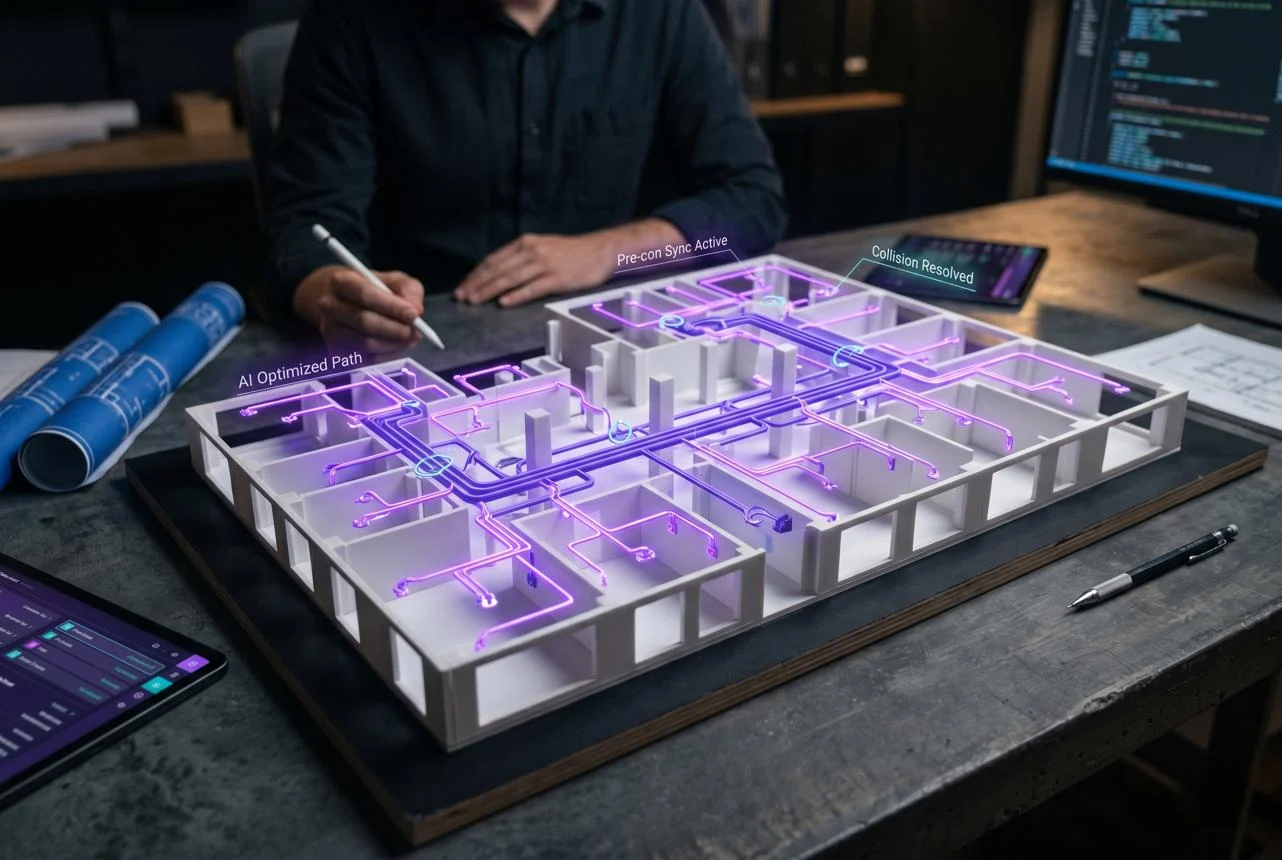
Drawer AI is an AI-powered electrical takeoff and estimating platform that analyzes construction PDF drawings, identifies electrical devices, organizes circuits, and automates conduit routing. It helps electrical contractors reduce manual estimating work, review project quantities faster, and prepare more detailed bid documentation.
Drawer AI at a Glance
Drawer AI
Specialized AI software
Drawer AI | Starr Electric Company Case Study
drawer.ai
| Category | Information |
|---|---|
| Product type | AI electrical takeoff and estimating |
| Official website | drawer.ai |
| Primary users | Electrical contractors and estimators |
| Main input | Electrical construction PDF drawings |
| Core capabilities | Symbol detection, circuit grouping, routing |
| Exports | Excel reports and marked-up PDF drawings |
| Pricing | Contact sales |
| Deployment | Web-based platform |
| Main purpose | Automate electrical preconstruction workflows |
Key takeaways
- Automates electrical device and lighting fixture detection.
- Extracts information from panel schedules and drawing legends.
- Supports automated branch circuit and conduit routing.
- Calculates wire sizing and voltage drop.
- Offers project review and quality assurance tools.
- Provides specialized workflows for electrical estimating teams.
What Is Drawer AI?
Drawer AI is a construction technology platform designed to automate electrical estimating and preconstruction activities.
Traditional electrical estimating involves examining construction drawings, identifying electrical components, counting fixtures, measuring quantities, and organizing project information. These activities can consume substantial time, especially on large commercial and industrial projects.
Drawer AI applies artificial intelligence to this process.
Users upload electrical construction drawings in PDF format. The software analyzes the documents, detects electrical symbols, extracts relevant information, and generates structured takeoff results.
The platform also supports more advanced estimating activities, including circuit grouping, automated branch routing, wire sizing, and voltage drop calculations.
Unlike general-purpose AI platforms, Drawer AI focuses on a specific professional workflow: helping electrical contractors transform drawing information into usable estimating data.
Its official website describes the product as an AI-powered solution for electrical preconstruction, with additional BIM-related capabilities available through its broader product offering.
Source: Official Drawer AI website.
How Does Drawer AI Work?
Drawer AI follows a document-analysis and estimating workflow. It converts electrical drawings into structured project information that estimators can review and export.
Solutions — CDS Vision
cdsvision.com
1. Upload Electrical Drawings
The process starts when users upload PDF construction drawings.
These documents may include:
- Electrical floor plans
- Lighting layouts
- Power distribution drawings
- Electrical legends and symbol references
- Panel schedules
- Multi-sheet construction documents
Drawing quality matters. Clear symbols, readable labels, and properly structured documents help automated detection produce more useful results.
2. AI Identifies Electrical Components
The software analyzes uploaded drawings and identifies electrical devices and lighting fixtures.
It can also interpret symbol legends and connect detected components with relevant tags.
For example, an estimator reviewing a commercial office drawing might need to identify:
- Lighting fixtures
- Electrical outlets
- Switches
- Power devices
- Panel references
- Circuit assignments
Instead of manually counting every component, the estimator can use automated detection as the starting point.
3. Organize Devices and Circuits
After identifying components, Drawer AI organizes relevant information into a structured takeoff.
Its advertised functionality includes linking devices to panel names, circuit numbers, and other drawing tags.
Circuit grouping helps estimators understand how devices relate to the electrical distribution system.
This is particularly useful when drawings contain multiple panels and complicated circuit arrangements.
4. Generate Automated Branch Routing
One of the platform’s important capabilities is automated branch routing.
Drawer AI generates proposed conduit paths between electrical panels and connected devices.
Its routing workflow also includes:
- Wire sizing
- Voltage drop calculations
- Derating calculations
- Conduit and wire length reporting
- Home-run placement optimization
These functions can reduce repetitive measuring and routing work.
However, automated calculations and proposed paths should still undergo professional review before construction or final bid approval.
5. Review and Export Results
The platform provides a takeoff interface and quality assurance tools.
Estimators can review detected devices, correct potential errors, and inspect project quantities.
The advertised export options include:
- Excel takeoff reports
- Marked-up PDF drawings
- Device properties
- Routing information
- Wire and conduit quantities
This creates a more structured workflow between drawing analysis and estimating.
Key Features of Drawer AI
Drawer AI offers several capabilities that address common challenges in electrical preconstruction.
1. AI-Powered Electrical Symbol Detection
Electrical drawings contain many symbols representing different devices and installation requirements.
Drawer AI automatically detects electrical symbols and connects them with relevant drawing tags.
This helps estimators:
- Count lighting fixtures.
- Identify power devices.
- Associate devices with panels.
- Review circuit assignments.
- Organize project quantities.
The Takeoff Pad provides an interface for reviewing and editing detection results.
2. Automated Conduit and Branch Routing
Manual conduit routing can become complicated on large electrical projects.
Drawer AI generates proposed routes between panels and connected devices. Its routing engine evaluates multiple possible conduit paths.
It also supports wire sizing and voltage drop calculations.
This capability is particularly relevant to commercial electrical contractors handling complex distribution systems.
3. Automated Drawing Stitching
Large construction projects frequently distribute floor plans across multiple PDF sheets.
This creates challenges when estimating continuous electrical routes.
Drawer AI offers automated stitching that combines multiple plan sheets into a unified floor layout.
Its published feature description highlights:
- Alignment using column grids.
- Continuous routing across sheet boundaries.
- Better coordination between separate drawing sheets.
- Reduced risk of duplicate device counts in overlapping areas.
This is useful when working with large commercial drawing packages.
4. Takeoff Pad and Quality Assurance
Automated detection does not guarantee that every component is identified correctly.
Drawer AI addresses this issue through its Takeoff Pad and built-in QA tools.
Estimators can review detected quantities, investigate questionable results, and make corrections.
This human-review process is essential because an incorrect device count can affect material requirements and project costs.
5. Excel and PDF Exports
Estimators often need to transfer project quantities into existing estimating workflows.
Drawer AI supports Excel exports containing detailed takeoff information.
It also generates marked-up PDF drawings with device properties and routing information.
These outputs help teams review results, communicate project requirements, and prepare estimates.
6. Specs AI: An Important New Development
One notable development in 2026 is the introduction of Specs AI.
According to Drawer AI’s September 30, 2026 announcement, Specs AI is an integrated specification assistant for electrical estimating teams.
建設向け AI | Autodesk Forma
construction.autodesk.co.jp
Construction specifications often contain hundreds of pages covering technical requirements, exclusions, responsibilities, and installation conditions.
Specs AI helps users:
- Extract important project requirements.
- Summarize specification documents.
- Organize information by topic.
- Identify exclusions and allowances.
- Find alternate requirements.
- Highlight unresolved or TBD items.
- Review coordination notes.
- Identify owner-furnished and contractor-installed equipment.
An important detail is its source citation functionality.
Each answer includes references to the original specification. Users can follow those references through the Source Viewer to verify the relevant passages.
The feature supports PDF specification documents, with up to 1 GB per project, according to the company’s announcement.
It also supports topics covering CSI Divisions 01, 02, 26, 27, and 28.
This development expands Drawer AI beyond drawing-based quantity extraction into specification review.
Source: Drawer AI: Specs AI announcement, September 2026.
Who Should Use Drawer AI?
Drawer AI is primarily designed for professionals involved in electrical estimating and preconstruction.
Different teams may benefit in different ways.
| User type | Potential benefit |
|---|---|
| Electrical contractors | Faster project takeoffs and bid preparation |
| Electrical estimators | Automated counting and circuit organization |
| Preconstruction managers | Improved review of drawing information |
| BIM teams | Connections to broader drawing-to-model workflows |
| Commercial contractors | Handling large electrical drawing packages |
| Industrial electrical teams | Organizing complex electrical quantities |
Commercial Electrical Contractors
Commercial contractors often work with large drawing packages containing thousands of electrical components.
Automated detection can reduce repetitive counting work.
This may allow estimators to spend more time reviewing scope, material requirements, and bid strategy.
Electrical Estimating Teams
Estimating departments handling multiple projects can benefit from consistent takeoff workflows.
Standardized detection and reporting can make project reviews easier.
BIM and Preconstruction Professionals
Drawer AI also promotes BIM-related capabilities through its wider product ecosystem.
Its website describes a separate BIM Wizard workflow for converting 2D drawings into Revit-compatible models.
However, buyers should evaluate BIM Wizard separately rather than assuming every BIM feature is included in a standard takeoff subscription.
Drawer AI Benefits
The platform’s potential value comes from reducing repetitive work and improving the organization of electrical estimating information.
Its main advantages include:
Reduced manual counting: Automated symbol detection can reduce repetitive fixture and device counting.
Faster takeoffs: Estimators can begin with machine-generated quantities instead of counting every component manually.
Improved drawing organization: Tag linking and circuit grouping help structure information across electrical plans.
Routing automation: Proposed conduit paths can reduce manual routing and measurement work.
Better documentation: Excel and PDF exports provide reviewable project information.
Specification analysis: Specs AI can help teams find important contractual and technical requirements.
Human oversight: Built-in QA workflows allow estimators to review and correct automated results.
Does Drawer AI Really Save 90% of Takeoff Time?
Drawer AI advertises takeoff time reductions of up to 90%.
Its website highlights an Intermountain Electric case study in which work that previously required multiple 15-hour days was reduced to a few hours.
It also reports a Starr Electric project involving more than 2,600 fixtures and 3,400 power devices, with reported time savings of 70%.
These are vendor-published customer examples, not independently controlled benchmark results.
Actual savings will depend on drawing complexity, document quality, project size, estimator experience, and the amount of manual correction required.
For a realistic evaluation, contractors should test the platform against projects they have already completed manually.
Source: Drawer AI customer case studies.
Drawer AI Pricing: How Much Does It Cost?
Drawer AI does not display fixed subscription prices on its current public pricing page.
Prospective customers are directed to contact the sales team.
The current website presents Starter and Enterprise offerings, while another official pricing-related page also references an Individual option. This difference makes direct confirmation important.
Available subscription options
Starter
Contact sales
Designed for smaller contractors. Advertised features include symbol detection, takeoff review, QA tools, circuit grouping, routing, stitching, and exports.
Enterprise
Custom quote
Designed for growing estimating teams. Adds expanded routing capacity, unlimited home runs, team access, priority support, and account management.
Prices are not publicly confirmed. Check the latest commercial terms with the vendor.
View official pricing and request a quote
What Should You Ask Before Purchasing?
A sales quotation should explain more than the subscription amount.
Ask about:
- Annual subscription cost and renewal terms.
- Number of included user seats.
- Branch routing limits.
- Project and document processing limits.
- Whether onboarding and training are included.
- Support response times.
- Data retention and deletion procedures.
- Additional fees for BIM-related services.
- Refund conditions and cancellation requirements.
The current pricing page advertises a 30-day money-back guarantee and included onboarding and training.
However, buyers should obtain the guarantee and cancellation conditions in writing before signing an agreement.
Drawer AI Privacy and Security: What Businesses Should Know
Privacy deserves particular attention because electrical construction drawings can contain commercially sensitive information.
These documents may reveal building layouts, equipment locations, project details, and client information.
Drawer AI’s published privacy policy, effective June 2, 2026, provides important information about its data practices.
Does Drawer AI Use Uploaded Documents to Train AI?
According to its privacy policy, Drawer uses customer content, including uploaded drawings and derived data, to improve its AI systems.
The stated purposes include:
- Model training and fine-tuning.
- Model evaluation.
- Quality assurance.
- Debugging and error analysis.
- Product development.
The policy also states that authorized personnel and contractors may access customer content for specified purposes.
Enterprise customers can request an exclusion from product-improvement uses through written contractual restrictions.
This is a significant purchasing consideration for businesses handling confidential project documents.
How Long Does Drawer AI Retain Uploaded Files?
The privacy policy states that customer content is retained indefinitely by default.
Deleting a project through the application creates a soft deletion. It does not automatically remove the underlying data.
Customers must submit a written request for permanent deletion.
The policy also describes backup retention of approximately one month following confirmed permanent deletion.
Does Drawer AI Have SOC 2 Certification?
The published privacy policy states that Drawer AI is working toward SOC 2 Type II certification.
Therefore, buyers should not describe the platform as SOC 2 certified based on this policy.
The company also does not establish Zero Data Retention as a default commitment in the published policy.
These distinctions matter for enterprise procurement.
Where Is Customer Data Processed?
According to the privacy policy:
- AWS provides the primary cloud infrastructure.
- AWS Bedrock provides AI model inference services using Claude by Anthropic.
- Customer content is stored and processed on AWS infrastructure in the United States.
Businesses with geographic data residency requirements should review these arrangements before uploading documents.
Editorial recommendation: Ask for the current security documentation, contractual data-processing terms, model-training opt-out conditions, retention commitments, and deletion procedures.
Sources: Drawer AI Privacy Policy and Drawer AI Trust Center.
Limitations of Drawer AI
Although Drawer AI offers useful automation, it is not a complete replacement for professional electrical estimating.
Several limitations deserve attention.
1. Automated Detection Needs Human Verification
AI systems can misidentify symbols, overlook unusual drawing details, or interpret unclear documents incorrectly.
Estimators should verify:
- Device quantities.
- Panel assignments.
- Circuit relationships.
- Routing paths.
- Wire sizes.
- Voltage drop calculations.
Final bid approval should remain with qualified professionals.
2. Pricing Is Not Fully Transparent
The vendor does not publish standard subscription prices.
This makes it difficult for smaller contractors to compare total ownership costs without contacting sales.
3. Data Retention Requires Careful Review
The published privacy policy permits customer content to be used for AI product improvement by default.
It also describes indefinite retention unless permanent deletion is requested.
Companies handling confidential construction documents should address these terms before subscribing.
4. Specialized Rather Than Universal
Drawer AI focuses on electrical estimating.
Companies that need comprehensive estimating across plumbing, mechanical, structural, and general construction trades may need additional software.
5. Output Quality Depends on Drawing Quality
Poorly scanned documents, unclear annotations, inconsistent symbols, and outdated plans can create review challenges.
AI automation cannot eliminate problems originating in the source documents.
6. It Does Not Eliminate Estimating Responsibility
Automated takeoffs are not equivalent to approved construction estimates.
Estimators must still consider:
- Labor productivity.
- Material pricing.
- Regional requirements.
- Installation conditions.
- Project exclusions.
- Contractual responsibilities.
- Scope changes.
The software assists with information processing. It does not take responsibility for the final commercial decision.
Drawer AI Alternatives and Competitors
Several construction estimating platforms provide overlapping functionality.
However, they do not all solve the same problem.
The most useful comparison is between specialized electrical automation and broader construction takeoff solutions.
PlanSwift 02.05.05 – Using Auto Count to Take Off Anything on up to 10 Pages | Community
1. PlanSwift
PlanSwift by ConstructConnect offers digital takeoffs and estimating workflows for electrical contractors. Its Takeoff BOOST tools add AI-assisted counting, measuring, and plan navigation.
Best for: Contractors wanting takeoff and pricing workflows in one platform.
Pricing: Subscription options and trial advertised. Official product information.
What is a Construction Takeoff? | Autodesk Forma
2. Autodesk Forma Takeoff
Autodesk Forma supports 2D and 3D quantity takeoffs, document coordination, and construction estimating workflows.
Best for: Teams working with broader construction documentation and BIM models.
Pricing: Contact vendor. Official product information.
One-Click Area | Kreo Software
3. Kreo
Kreo is another option for digital construction takeoffs and automated quantity measurement.
Best for: Construction estimators seeking broader plan-based quantity workflows.
Pricing: Verify current plans with the vendor. Official website.
Drawer AI vs. Other Construction Takeoff Platforms
| Platform | Target user | Key strength | Pricing transparency | Main consideration |
|---|---|---|---|---|
| Drawer AI | Electrical contractors | Electrical detection and circuit routing | Quote-based | Trade-specific |
| PlanSwift | Specialty contractors | Takeoff and estimating | Subscription options | Desktop-oriented workflow |
| Autodesk Forma | Construction teams | 2D and 3D takeoffs | Quote-based | Broader construction scope |
| Kreo | Construction estimators | AI-assisted quantity takeoffs | Verify with vendor | Different automation scope |
Which alternative should you choose?
- Choose Drawer AI when electrical drawing interpretation and routing are central requirements.
- Consider PlanSwift when integrated electrical takeoff and estimating are priorities.
- Consider Autodesk Forma when 2D and 3D construction quantity management matters.
- Evaluate Kreo when broader automated construction takeoffs are required.
These platforms are not direct feature-for-feature equivalents. Request demonstrations using the same sample drawings before making a purchasing decision.
Real-World Example: Using Drawer AI on a Commercial Project
Consider an electrical subcontractor preparing a bid for a large office building.
The drawing package contains multiple electrical floor plans, lighting layouts, panel schedules, and technical specifications.
A traditional estimating workflow might involve several stages.
Before automation:
- Open each electrical drawing.
- Identify fixture and device symbols.
- Count quantities manually.
- Match devices with panel schedules.
- Measure conduit routes.
- Calculate wire requirements.
- Review specifications.
- Organize quantities in estimating spreadsheets.
This creates repetitive work, especially when the drawing package contains many sheets.
With Drawer AI:
- Upload the relevant PDF drawings.
- Run automated symbol and tag detection.
- Review the generated takeoff.
- Organize devices by circuit.
- Generate proposed branch routing.
- Check wire sizing and voltage drop calculations.
- Upload specification documents into Specs AI.
- Verify extracted requirements against source references.
- Export reviewed quantities and marked-up drawings.
The estimator still needs to verify the output and calculate the final bid.
However, automation can reduce the time spent on repetitive document processing and measurement.
This is an illustrative workflow, not a claim that every project will achieve the same time savings.
How to Evaluate Drawer AI Before Buying
A software demonstration is useful, but a practical project test provides better evidence.
Use the following evaluation process.
Step 1: Select a Completed Electrical Project
Choose a project with known quantities and previously approved takeoff results.
Include different drawing types and varying symbol complexity.
Step 2: Upload Representative Drawings
Ask the vendor to demonstrate detection using your actual drawing formats.
Include multi-sheet layouts and unusual electrical symbols where possible.
Step 3: Compare Automated and Manual Results
Check:
- Lighting fixture counts.
- Power device quantities.
- Panel and circuit assignments.
- Conduit measurements.
- Wire sizing.
- Voltage drop calculations.
Document discrepancies instead of relying on a general accuracy claim.
Step 4: Test Specification Analysis
Try Specs AI with actual project specifications.
Verify whether it identifies exclusions, allowances, coordination requirements, and relevant technical conditions.
Check its source references against the original documents.
Step 5: Review the Commercial Agreement
Confirm subscription terms, user limits, support, renewal conditions, and data protection obligations.
Pay particular attention to AI training and permanent deletion provisions.
Step 6: Calculate Actual Return on Investment
Compare the time saved against the complete software cost.
Consider both direct labor savings and the opportunity to prepare additional bids.
A tool is commercially valuable when it improves the estimating process without introducing unacceptable review or compliance risks.
FAQs
1. What is Drawer AI used for?
Drawer AI is used for electrical construction takeoffs and estimating. It analyzes PDF drawings, detects electrical devices and lighting fixtures, groups circuits, generates conduit routing, and exports project quantities.
2. How much does Drawer AI cost?
Drawer AI uses quote-based pricing rather than displaying standard subscription prices publicly. Its website lists Starter and Enterprise offerings, with prospective customers directed to contact sales for a quotation.
3. Can Drawer AI automatically count electrical symbols?
Yes. Drawer AI advertises automated electrical symbol and tag detection. It identifies devices and lighting fixtures in PDF drawings and provides a takeoff interface for reviewing and correcting results.
4. Is Drawer AI suitable for small electrical contractors?
It may suit smaller electrical contractors that regularly prepare drawing-based estimates. However, businesses should compare subscription costs, project volume, available features, and expected time savings before purchasing.
5. Is Drawer AI a replacement for electrical estimators?
No. Drawer AI automates selected estimating tasks, but professional estimators must still verify quantities, routing, calculations, project requirements, labor costs, and final bid figures.
Conclusion:
Drawer AI represents a specialized application of artificial intelligence in electrical construction estimating.Its main value comes from automating repetitive activities, including electrical symbol detection, quantity takeoffs, circuit grouping, and conduit routing.The introduction of Specs AI also expands its usefulness by helping teams review lengthy project specifications.However, automation does not remove the need for professional verification. Pricing transparency, document retention, AI training practices, and enterprise security requirements deserve careful attention.Drawer AI is worth evaluating for electrical contractors and estimating teams that regularly process complex commercial or industrial drawings. Smaller businesses should first establish whether the expected time savings justify the subscription cost.
Ultimately, the best purchasing decision comes from testing the platform against real projects, comparing its output with verified estimates, and reviewing its commercial and privacy commitments.