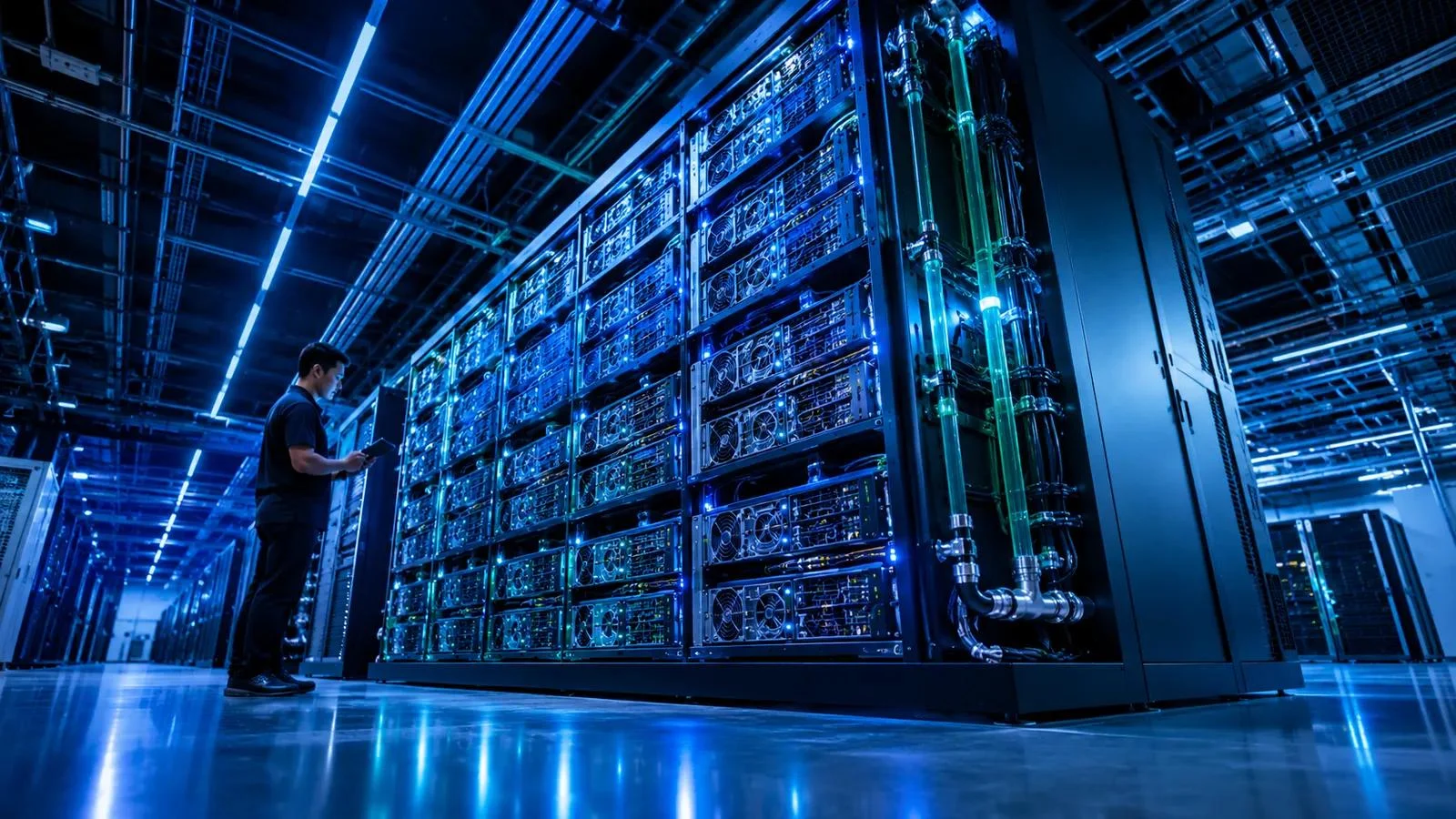
AI workloads are the computational tasks required to develop, train, deploy, and operate artificial intelligence systems, including machine learning models, generative AI applications, and AI agents. They rely on suitable computing resources, data pipelines, storage, networking, and software infrastructure to process information, generate predictions, and automate complex tasks.
3. AI Workloads at a Glance
Understanding AI workloads
Quick overview
Computational tasksProcesses that power AI applications.
Model trainingTeaching models to recognize patterns.
AI inferenceGenerating predictions and responses.
InfrastructureGPUs, CPUs, memory, storage, and networks.
OrchestrationCoordinating AI tasks and resources.
OptimizationManaging performance, reliability, and costs.
Key takeaways:
- AI workloads cover the entire operational lifecycle of AI systems.
- Training and inference are two major workload categories.
- GPUs and specialized accelerators support demanding AI computations.
- Cloud, on-premises, and hybrid environments can host AI workloads.
- Data quality, infrastructure, and resource allocation influence performance.
- Cost management, security, and monitoring matter when deploying AI at scale.
4. What Are AI Workloads?
AI workloads are collections of computing operations that enable artificial intelligence systems to perform specific tasks. These operations include preparing datasets, training machine learning models, generating predictions, processing language, and analyzing visual information.
In simple terms, an AI workload represents the computing effort required to make an AI application function.
For example, when someone asks an AI chatbot a question, several computational processes happen behind the scenes. The system receives the input, processes the request, uses a trained language model, and generates a response.
Each operation consumes computing resources.
AI workloads can run on cloud infrastructure, private data centers, specialized AI servers, or smaller edge devices. Their requirements depend on the model, application, dataset, and expected performance.
According to IBM, AI workloads involve the computational processes and resources needed to develop, train, and deploy AI systems. IBM
How Are AI Workloads Different From Traditional Computing Workloads?
Traditional computing workloads commonly support applications such as databases, websites, business software, and transaction processing.
AI workloads introduce different computational requirements because they often process large datasets, perform complex mathematical operations, and execute machine learning algorithms.
| Comparison | Traditional workloads | AI workloads |
|---|---|---|
| Primary purpose | Run applications and processes | Develop and operate AI systems |
| Computing resources | Often CPU-focused | Frequently GPU or accelerator-intensive |
| Data | Structured and unstructured | Often large-scale structured and unstructured |
| Processing | Transactions and application logic | Matrix calculations and model execution |
| Performance priorities | Throughput and reliability | Throughput, latency, and model performance |
| Examples | Websites and databases | LLMs, computer vision, and predictive analytics |
This distinction is important when organizations plan their infrastructure. A server designed for conventional business applications may not efficiently support large-scale model training.
However, not every AI workload requires expensive GPU infrastructure. Smaller models and lightweight inference tasks can often run efficiently on CPUs or specialized accelerators.
5. How Do AI Workloads Work?
AI workloads operate through interconnected processes that transform raw information into useful predictions, decisions, or generated content.
Although implementations differ, most AI systems follow a lifecycle involving data preparation, model development, deployment, inference, and monitoring.
Construindo um pipeline MLOps completo usando ferramentas gratuitas | by Pedro H Rafael | Medium
medium.com
Step 1: Data Collection and Preparation
AI systems need relevant information before they can perform meaningful tasks.
Data preparation involves collecting, cleaning, organizing, and transforming information into a format that models can process.
Common activities include:
- Removing duplicate or incorrect records.
- Organizing structured and unstructured information.
- Labeling training datasets.
- Converting images, audio, and text into usable formats.
- Checking data quality and consistency.
Poor-quality data can negatively affect model performance, regardless of the available computing power.
Step 2: Model Training
Model training allows machine learning systems to identify patterns in datasets.
During training, algorithms adjust model parameters to improve their ability to perform specific tasks.
For example, an image recognition model may learn to distinguish between vehicles, buildings, and animals by analyzing thousands or millions of training examples.
Large-scale training can require substantial GPU resources, memory, and high-speed networking.
Step 3: Model Fine-Tuning
Fine-tuning adapts an existing trained model to a more specific task.
Instead of developing an entirely new model, organizations can use a pretrained model and train it further with specialized information.
A business might fine-tune a language model to understand industry terminology or respond in a particular communication style.
This can reduce development requirements compared with training a foundation model from scratch.
Step 4: AI Inference
Inference happens when a trained model processes new information and produces an output.
For example:
- A chatbot generates an answer.
- A fraud detection system evaluates a transaction.
- An image recognition application identifies objects.
- A recommendation engine suggests products.
Inference is especially important for applications that serve large numbers of users.
Unlike training, which may involve intensive computational sessions, inference often requires consistent availability and predictable response times.
Step 5: Deployment and Monitoring
After development, organizations deploy models into production environments.
They monitor performance, resource consumption, errors, response times, and output quality.
Monitoring helps teams identify problems such as increased latency, unexpected costs, model drift, and infrastructure bottlenecks.
A successful AI workload therefore requires more than a powerful model. It needs a reliable operating environment.Google Cloud+2
6. Major Types of AI Workloads
AI workloads can be classified according to their purpose, computational requirements, and position in the AI lifecycle.
Understanding these categories helps organizations choose appropriate hardware, software, and deployment strategies.
What Are AI Workloads? Types, Resources, Algos – NextComputing – Purpose-Built Computer Solutions
solutions.nextcomputing.com
6.1 AI Training Workloads
Training workloads teach machine learning models to recognize patterns and relationships within data.
They can involve millions or billions of computational operations, depending on model size and training complexity.
Common examples include:
- Training large language models.
- Developing image recognition systems.
- Building recommendation algorithms.
- Creating predictive analytics models.
- Training speech recognition applications.
Infrastructure requirements: High-performance GPUs, large memory capacity, fast storage, and high-bandwidth networking.
6.2 AI Inference Workloads
Inference workloads allow trained models to process new information and generate results.
They are essential for applications that need to respond to user requests or analyze incoming information.
Examples include:
- AI chatbots.
- Voice assistants.
- Fraud detection systems.
- Real-time recommendation engines.
- Automated document classification.
Inference infrastructure must balance response time, throughput, availability, and operating costs.
6.3 Generative AI Workloads
Generative AI workloads involve models that create new content rather than simply classify existing information.
These systems can generate:
- Written content.
- Computer code.
- Images and illustrations.
- Audio and speech.
- Video.
- Synthetic datasets.
Large language models and multimodal foundation models are important examples.
Generative AI workloads can be particularly demanding during inference because models may process long prompts, generate many tokens, and handle multiple simultaneous requests.
6.4 Machine Learning Workloads
Machine learning workloads involve algorithms that identify patterns in data and use them to make predictions or decisions.
Common applications include:
- Customer behavior prediction.
- Sales forecasting.
- Product recommendations.
- Risk assessment.
- Predictive maintenance.
Some machine learning workloads require powerful accelerators, while smaller models can operate on conventional CPUs.
6.5 Deep Learning Workloads
Deep learning is a specialized area of machine learning that uses multilayer neural networks.
These workloads support complex applications such as image recognition, natural language processing, autonomous systems, and advanced speech analysis.
They frequently benefit from parallel processing through GPUs and other AI accelerators.
6.6 Natural Language Processing Workloads
Natural language processing (NLP) workloads help computers interpret, analyze, and generate human language.
Examples include:
- Language translation.
- Sentiment analysis.
- Text summarization.
- Speech-to-text conversion.
- Conversational AI.
- Document understanding.
Modern NLP applications frequently use transformer-based models and large language models.
6.7 Computer Vision Workloads
Computer vision workloads allow AI systems to analyze images and video.
They can identify objects, recognize visual patterns, detect anomalies, and interpret scenes.
Industries use these workloads for:
- Manufacturing quality inspection.
- Medical image analysis.
- Retail inventory monitoring.
- Traffic management.
- Security monitoring.
- Agricultural analysis.
Video-based applications can require substantial processing capacity because systems must analyze continuous streams of visual information.
6.8 Retrieval-Augmented Generation Workloads
Retrieval-augmented generation (RAG) combines a generative AI model with an external information retrieval system.
Instead of relying exclusively on information learned during training, a RAG application retrieves relevant documents and supplies their content as context.
For example, an enterprise chatbot can search company documentation before answering employee questions.
RAG workloads typically combine:
- Document ingestion and processing.
- Embedding generation.
- Vector databases.
- Search and retrieval.
- Language model inference.
Their infrastructure requirements depend on document volume, retrieval complexity, query frequency, and model size.
6.9 Agentic AI Workloads
Agentic AI workloads involve AI systems that can plan tasks, use tools, interact with software, and execute multi-step workflows.
For example, an AI agent might receive a customer support request, retrieve account information, classify the issue, and prepare a response.
These workloads can involve multiple model calls, external APIs, databases, and software integrations.
Their resource consumption may be less predictable than a simple chatbot request because one user instruction can trigger several operations.
6.10 Edge AI Workloads
Edge AI workloads process information close to where it is generated.
Instead of sending every request to a centralized cloud server, organizations can run suitable AI models on local devices or nearby computing systems.
Examples include:
- Smart cameras.
- Industrial sensors.
- Autonomous equipment.
- Connected vehicles.
- Wearable devices.
Edge computing can reduce network dependency and response times. However, device memory, processing power, energy consumption, and model size create practical limitations.
7. AI Workload Types Compared
The following table summarizes the main workload categories and their infrastructure considerations.
| Workload type | Main purpose | Typical computing requirement |
|---|---|---|
| AI training | Teach models | High-performance GPUs |
| AI inference | Generate predictions | Low-latency compute |
| Generative AI | Create content | Accelerated model execution |
| Machine learning | Identify patterns | CPU/GPU resources |
| Deep learning | Process complex patterns | GPUs and high memory |
| NLP | Understand language | CPU/GPU acceleration |
| Computer vision | Analyze visual data | GPU and high data throughput |
| RAG | Retrieve information for AI | Storage, search, and inference |
| Agentic AI | Execute multi-step tasks | Compute, APIs, and orchestration |
| Edge AI | Process data locally | Efficient processors and accelerators |
These categories can overlap. For example, a generative AI application may combine inference, RAG, NLP, and agentic workloads.
8. What Infrastructure Do AI Workloads Require?
AI infrastructure provides the hardware, software, networking, and data services needed to operate artificial intelligence systems.
The right infrastructure depends on workload complexity, performance targets, budget, and deployment requirements.
Jensen Huang Declares AGI Has Arrived as Inference Compute Reshapes the Scaling Law
ai.cm
8.1 Central Processing Units
Central processing units (CPUs) handle general computing operations and application logic.
They remain important for AI workloads, particularly data preparation, system management, preprocessing, and tasks that do not require extensive parallel processing.
CPUs often work alongside GPUs rather than replacing them.
8.2 Graphics Processing Units
Graphics processing units (GPUs) accelerate operations that involve large numbers of parallel calculations.
This makes them useful for deep learning, model training, and demanding inference workloads.
Popular GPU computing ecosystems include NVIDIA’s CUDA platform and supported GPU environments from other hardware vendors.
However, selecting a GPU based only on its processing power is insufficient. Memory capacity, bandwidth, interconnects, software compatibility, and cost also matter.
8.3 AI Accelerators
AI accelerators are specialized processors designed to improve performance for particular AI operations.
Examples include:
- GPUs.
- Google’s Tensor Processing Units (TPUs).
- Neural processing units (NPUs).
- Other application-specific accelerators.
The appropriate accelerator depends on model compatibility, available software, workload characteristics, and deployment scale.
8.4 Memory and Storage
AI workloads frequently process large datasets and model parameters.
Memory capacity affects how much information can be processed efficiently. High-bandwidth memory is particularly important for many large-model workloads.
Storage systems also matter because training pipelines need reliable access to datasets, checkpoints, model files, and generated outputs.
NVMe storage and distributed storage systems can support demanding data access patterns.
8.5 High-Speed Networking
Networking connects computing resources, storage systems, and distributed AI infrastructure.
Large-scale training workloads may require high-bandwidth communication between GPUs and computing nodes.
Inference applications also depend on network performance when serving requests across cloud environments or distributed systems.
8.6 AI Software and Frameworks
Hardware alone cannot operate an AI workload.
Organizations also need software frameworks, libraries, orchestration systems, and model-serving tools.
Common technologies include:
| Technology | Main purpose |
|---|---|
| PyTorch | Machine learning and deep learning development |
| TensorFlow | Machine learning development |
| Kubernetes | Container orchestration |
| Docker | Application containerization |
| Hugging Face | Model and machine learning ecosystem |
| Ray | Distributed computing and AI workloads |
| MLflow | Experiment tracking and model lifecycle management |
| NVIDIA CUDA | GPU programming and acceleration |
These technologies serve different purposes and are not direct substitutes for one another.
9. Cloud, On-Premises, and Hybrid AI Workloads
Organizations must decide where their AI workloads should run.
There is no universal deployment model. Each environment offers different advantages and operational trade-offs.
Hybrid Cloud in 2026: The Essential Explainer for IT Generalists
linkedin.com
Cloud-Based AI Workloads
Cloud platforms allow organizations to access computing resources without purchasing and maintaining all physical infrastructure themselves.
Major providers offer GPU instances, managed machine learning services, storage, networking, and model deployment environments.
Advantages include:
- Flexible resource allocation.
- Access to specialized hardware.
- Managed infrastructure services.
- Faster experimentation.
- Easier expansion when capacity is available.
Potential disadvantages include variable usage costs, capacity constraints, data transfer charges, and provider dependency.
On-Premises AI Workloads
On-premises AI workloads run on infrastructure owned or directly controlled by an organization.
This approach can be useful when businesses need greater control over infrastructure, data location, network access, or hardware configuration.
Advantages include:
- Direct infrastructure control.
- Custom hardware configurations.
- Potentially predictable costs at stable utilization.
- Greater control over data movement.
However, organizations must manage hardware purchases, maintenance, electricity, cooling, security, and infrastructure upgrades.
Hybrid AI Workloads
Hybrid AI combines cloud resources with privately managed infrastructure.
A company might train models in a cloud environment while running sensitive inference workloads inside its own data center.
Another organization may use edge devices for immediate processing and cloud services for centralized analytics.
Hybrid architecture offers flexibility, but it introduces additional complexity in networking, identity management, monitoring, and workload orchestration.
10. Leading Platforms for Running AI Workloads
Several technology companies provide infrastructure and services for building, deploying, and managing AI workloads.
The right platform depends on the organization’s technical requirements, existing cloud environment, available expertise, and budget.
Google Cloud to provide AI and cloud services to Brazilian energy firm Eneva – DCD
1. Google Cloud
Google Cloud provides GPU and TPU computing, managed machine learning services, storage, and Kubernetes-based infrastructure. Its AI Hypercomputer approach supports large-scale training and inference.
Best suited to: AI developers, research teams, and enterprises.Official platform
Cloudbizz – Votre Partenaire Cloud Global
2. Microsoft Azure
Azure offers AI infrastructure, machine learning services, GPU-enabled computing, and architecture guidance through its Well-Architected Framework.
Best suited to: Enterprises and organizations using Microsoft technologies.Official platform
AWS Signature Version 4 – Overview (ODC) | OutSystems
3. Amazon Web Services (AWS)
AWS provides AI computing infrastructure, accelerator options, storage, networking, and managed machine learning services through its cloud ecosystem.
Best suited to: Developers, cloud-native businesses, and large organizations.Official platform
Nvidia Logo Png | Nvidia Logo Vector – freepng
4. NVIDIA
NVIDIA provides GPU hardware and software technologies for AI development, training, inference, and accelerated computing.
Best suited to: AI infrastructure teams, developers, and data centers.Official platform
IBM Hrvatska d.o.o. – Amcham Croatia
5. IBM
IBM provides enterprise AI infrastructure, data services, model development capabilities, and hybrid cloud technologies.
Best suited to: Enterprise IT, regulated industries, and hybrid environments.Official platform
AI Workload Platform Comparison
| Platform | Target user | Main strength | Pricing transparency | Core limitation |
|---|---|---|---|---|
| Google Cloud | Developers and enterprises | GPUs, TPUs, AI infrastructure | Public pricing pages | Costs depend on configuration and usage |
| Microsoft Azure | Enterprises | Integrated cloud ecosystem | Public pricing pages | Architecture and service selection can be complex |
| AWS | Cloud-native teams | Broad infrastructure options | Public pricing pages | Requires careful resource management |
| NVIDIA | AI infrastructure teams | Accelerated computing ecosystem | Hardware and partner-dependent | Hardware and software compatibility matter |
| IBM | Large enterprises | Hybrid AI and enterprise integration | Service-dependent | Capabilities vary by offering |
Important: These platforms are not identical products. Google Cloud, Azure, and AWS are cloud providers, while NVIDIA is primarily a computing hardware and software ecosystem. IBM offers a broader enterprise technology portfolio.
Pricing should be checked against the exact region, accelerator, machine configuration, storage, networking, and service selected. Public pricing does not mean every configuration has a fixed price.
11. Real-World Applications of AI Workloads
AI workloads are becoming important across industries because they help organizations analyze information, automate processes, and make data-driven decisions.
Their practical value depends on the quality of the models and how effectively businesses integrate them into existing operations.
Healthcare
Healthcare organizations can use AI workloads to analyze medical images, support clinical documentation, process patient information, and assist research.
Computer vision models can identify patterns in radiology images. NLP systems can extract information from clinical documents.
These applications require appropriate validation, privacy protections, and qualified human oversight.
Banking and Finance
Financial institutions use machine learning workloads to identify suspicious transactions and evaluate financial risks.
AI systems can analyze large transaction datasets and identify unusual patterns that may deserve further investigation.
However, automated decisions need appropriate testing, explainability, and controls.
Retail and E-Commerce
Retail businesses use AI workloads to improve customer experiences and operational efficiency.
Examples include:
- Personalized product recommendations.
- Demand forecasting.
- Inventory optimization.
- Customer service automation.
- Product image classification.
These systems can help retailers respond to changing customer behavior.
Manufacturing
Manufacturing companies use computer vision and predictive analytics to monitor equipment and production processes.
For example, an AI model can analyze sensor readings to identify unusual operating patterns.
This can help maintenance teams investigate potential equipment problems before they cause significant disruption.
Transportation and Logistics
AI workloads support route optimization, demand forecasting, vehicle monitoring, and warehouse automation.
Systems can analyze traffic conditions, delivery information, and historical patterns to improve planning.
Education
Educational platforms use AI workloads for personalized learning, automated feedback, language assistance, and document analysis.
These systems can support teachers and students, although human supervision remains important for evaluating educational outcomes.
12. Benefits of AI Workloads
Well-designed AI workloads can deliver technical and business benefits.
However, results depend on the use case, data quality, infrastructure, and implementation strategy.
Improved Operational Efficiency
AI can automate repetitive computational tasks and reduce manual processing requirements.
Organizations can use models to classify documents, analyze customer requests, and identify patterns across large datasets.
Faster Data Analysis
Machine learning systems can process large quantities of information and identify patterns that may be difficult to detect manually.
This can help analysts make informed decisions more efficiently.
Scalability
Cloud infrastructure allows organizations to adjust computing resources according to workload demand.
For example, a business may increase inference capacity during peak usage and reduce resources when demand decreases, subject to service availability.
Better Customer Experiences
AI-powered recommendation systems and conversational applications can provide more relevant interactions.
Businesses can use these capabilities to improve product discovery, support services, and personalization.
Support for Innovation
AI workloads make advanced capabilities accessible to more industries.
Companies can experiment with generative AI, computer vision, predictive analytics, and intelligent automation without necessarily building every model from scratch.
13. Challenges of Managing AI Workloads
Despite their potential, AI workloads introduce several technical and operational challenges.
Understanding these issues before deployment can prevent unnecessary expenses and performance problems.
High Infrastructure Costs
Large models and intensive training jobs can require expensive accelerators, storage, networking, and electricity.
Inference can also become costly when applications serve many users or generate long outputs.
Businesses should evaluate total cost of ownership rather than focusing only on the price of a GPU.
Data Quality and Availability
AI models depend on the quality of their input information.
Incomplete, outdated, inconsistent, or biased datasets can affect model performance.
Data governance and preprocessing should therefore be part of the workload design.
Security and Privacy
AI applications may process confidential business information, customer records, or proprietary documents.
Organizations need access controls, encryption, appropriate data retention policies, and monitoring.
They should also review the data handling terms of external model and cloud providers.
A security certification alone does not establish that a provider offers zero data retention.
Infrastructure Complexity
Large AI systems may depend on multiple GPUs, storage systems, APIs, databases, and orchestration services.
Managing these components requires technical expertise.
Problems can arise when software versions, hardware configurations, and model-serving environments are incompatible.
Performance and Latency
AI applications often need predictable response times.
Network delays, inefficient model configurations, overloaded accelerators, and oversized prompts can increase latency.
Performance testing should reflect actual production traffic rather than relying exclusively on laboratory benchmarks.
Model Reliability
AI models can produce incorrect, inconsistent, or unexpected outputs.
Organizations should monitor model quality, test edge cases, and establish human review procedures for high-impact decisions.
14. How to Optimize AI Workloads
Optimization means improving the performance, reliability, and cost efficiency of AI systems without compromising their intended functionality.
Here are practical approaches organizations can consider.
1. Match Hardware to the Workload
Do not assume every AI application requires the most expensive GPU.
Smaller models, data preparation jobs, and lightweight inference tasks may run efficiently on CPUs or less powerful accelerators.
Benchmark realistic workloads before selecting hardware.
2. Optimize Model Size
Model quantization can reduce numerical precision to decrease memory requirements and potentially improve inference efficiency.
Other approaches include pruning, distillation, and selecting smaller pretrained models.
Each technique involves trade-offs that should be tested against accuracy requirements.
3. Improve Data Pipelines
Efficient data pipelines reduce unnecessary processing and prevent computing resources from sitting idle while waiting for information.
Use appropriate storage formats, caching, preprocessing, and data validation.
4. Apply Workload Scheduling
Workload scheduling helps distribute computing jobs according to available resources and priority.
For example, non-urgent training jobs can run during periods of lower infrastructure demand.
Container orchestration platforms such as Kubernetes can help manage distributed applications and resource allocation.
5. Monitor Inference Performance
Track important metrics such as:
- Request latency.
- Throughput.
- GPU utilization.
- Memory consumption.
- Error rates.
- Token usage.
- Cost per request.
These measurements reveal performance problems and opportunities for improvement.
6. Use Model Routing
Model routing directs requests to appropriate models based on task complexity and business requirements.
A simple classification request might use a smaller model, while a complex reasoning task may require a more capable model.
This approach can help control inference expenses, but routing decisions need testing for quality and reliability.
7. Establish Cost Governance
Set resource budgets, usage alerts, quotas, and monitoring policies.
Review idle GPU instances, unused storage, excessive API calls, and unexpected traffic spikes.
Cost governance should be continuous rather than a one-time infrastructure exercise.
15. AI Workload Management and Orchestration
AI workload management involves coordinating the resources and processes required to run AI systems efficiently.
It includes infrastructure provisioning, job scheduling, model deployment, monitoring, and resource allocation.
AI workload orchestration takes this further by coordinating multiple connected tasks and services.
For example, an enterprise AI application may need to:
- Receive a customer request.
- Retrieve relevant business information.
- Send context to a language model.
- Generate a response.
- Validate the output.
- Store relevant activity logs.
Each step may involve different services and computing resources.
Orchestration helps coordinate these operations and manage dependencies.
Popular AI Workload Management Technologies
| Technology | Role |
|---|---|
| Kubernetes | Container and application orchestration |
| Kubeflow | Machine learning workflows on Kubernetes |
| Ray | Distributed computing |
| Apache Airflow | Workflow scheduling and data pipelines |
| MLflow | Model lifecycle and experiment management |
| NVIDIA Triton Inference Server | Model inference serving |
The correct choice depends on whether an organization needs distributed training, batch processing, model serving, or broader application orchestration.
16. AI Workloads: Common Mistakes to Avoid
Organizations can encounter unnecessary expenses and operational problems when they approach AI infrastructure without understanding workload requirements.
Some common mistakes include:
- Buying excessive GPU capacity: Expensive hardware does not automatically improve application performance.
- Ignoring inference costs: Production inference can become a significant expense as user activity increases.
- Overlooking data quality: Poor training information can undermine model performance.
- Using unsuitable infrastructure: Training, inference, and edge workloads have different requirements.
- Neglecting monitoring: Without continuous monitoring, performance degradation and unexpected costs can go unnoticed.
- Ignoring security requirements: Sensitive information needs appropriate access controls and data protection.
- Relying on unsupported benchmarks: Hardware comparisons should reflect actual application requirements.
A workload-first strategy helps organizations avoid these mistakes.
17. What Is the Future of AI Workloads?
AI workloads are evolving as models become more capable and organizations move from experimental projects toward production applications.
Several developments are influencing the direction of AI infrastructure.
Growth of Generative AI Inference
As organizations integrate generative AI into everyday applications, inference infrastructure is becoming increasingly important.
Businesses need systems capable of serving requests efficiently while controlling latency and operating costs.
Increasing Adoption of AI Agents
AI agents introduce more complex workloads involving planning, tool usage, external APIs, and multi-step execution.
This creates new requirements for orchestration, observability, permissions, and resource management.
More Efficient AI Models
Model quantization, distillation, and other optimization methods can reduce resource requirements for suitable applications.
Smaller specialized models may become practical alternatives to larger models for specific tasks.
Expansion of Edge AI
AI processing is increasingly relevant to devices, industrial systems, and connected equipment.
Edge deployments can reduce dependence on centralized infrastructure when local processing is appropriate.
Hybrid and Distributed Infrastructure
Organizations are exploring different combinations of cloud, private infrastructure, and edge computing.
This approach can help accommodate varying performance, privacy, and operational requirements.
These developments do not eliminate infrastructure challenges. They make workload planning, monitoring, and optimization even more important.HPE+4
18. Who Should Use AI Workloads?
AI workloads are relevant to organizations and professionals developing or operating artificial intelligence applications.
Different audiences benefit from understanding them in different ways.
| Audience | How AI workloads are relevant |
|---|---|
| Business owners | Automating operations and improving decision-making |
| IT professionals | Managing AI infrastructure and computing resources |
| Cloud architects | Designing scalable AI environments |
| Developers | Building and deploying AI applications |
| Data scientists | Training and evaluating machine learning models |
| Researchers | Running complex experiments and simulations |
| Enterprise teams | Integrating AI into business processes |
| Startups | Developing AI-powered products and services |
Small businesses can start with managed AI services and existing models. Large organizations may need dedicated infrastructure and more advanced workload orchestration.
The important consideration is matching the computing environment to the actual application.
FAQs
1. What are AI workloads in simple terms?
AI workloads are the computing tasks required to operate artificial intelligence systems. They include preparing data, training models, generating predictions, processing information, and running AI applications.
2. What are the main types of AI workloads?
The main types include model training, inference, generative AI, machine learning, deep learning, natural language processing, computer vision, RAG, agentic AI, and edge AI workloads.
3. Why do AI workloads require GPUs?
GPUs can perform many calculations simultaneously, making them useful for computationally intensive AI operations. However, smaller models and less demanding workloads may operate efficiently on CPUs or other specialized processors.
4. What is the difference between AI training and AI inference?
AI training teaches a model to recognize patterns using data, while inference uses the trained model to generate predictions or responses. Training generally prioritizes computational capacity, whereas inference often emphasizes latency, throughput, and serving costs.
5. How can businesses reduce AI workload costs?
Businesses can reduce costs by selecting appropriate hardware, optimizing model size, monitoring GPU utilization, improving data pipelines, scheduling workloads efficiently, and routing requests to suitable models.
20. Conclusion:
AI workloads are the computing foundation behind modern artificial intelligence applications. They support everything from machine learning and predictive analytics to generative AI, computer vision, and intelligent automation.Understanding workload types helps organizations choose appropriate infrastructure, manage computing resources, and improve application performance.However, successful AI deployment requires more than powerful hardware. Data quality, security, model selection, workload orchestration, and cost management are equally important.Businesses should begin by identifying their actual AI requirements, evaluating suitable infrastructure, and testing performance before expanding production deployments.